노드를 입문하는 개발자들을 위한 작은 예제입니다
노드의 작동 구조 및 흐름을 파악하기 좋은
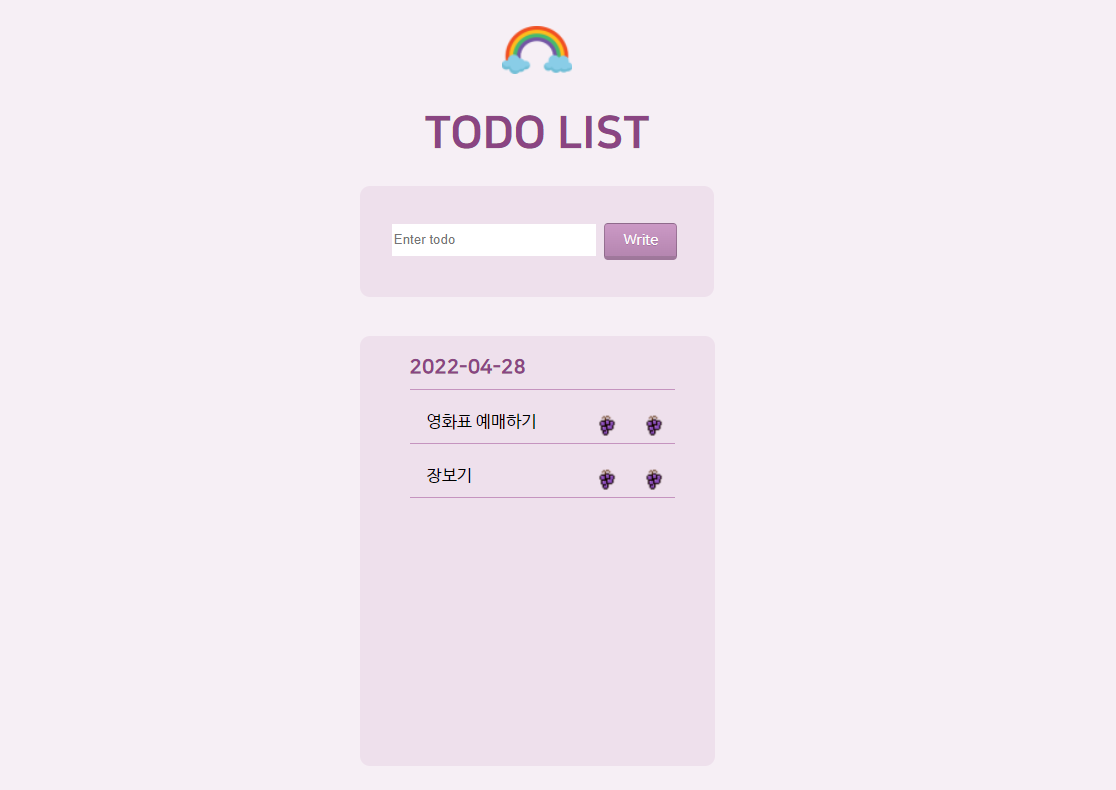
Todo 작성, 날씨 검색 기능, 채팅 기능을 제공하는 하나의 페이지를 개발합니다
DB는 MongoDB를 이용했고 Todo에서만 사용됩니다
채팅은 Socket.io를 이용하여 구현했습니다
각각의 모듈들은 폴더로 분리가 되어있으며 Todo의 경우 개인 블로그에 실습 과정이 업로드되어있습니다
설명과 함께 실습을 하고 싶으시다면 하단의 블로그 경로를 참조해주시기 바랍니다
'main' Branch는 3가지의 기능이 합쳐진 모듈이고 하위 Branch들은 각각 기능별로 독립화되어있습니다
'node'와 'node2'는 디자인의 차이만 있을뿐 기능상의 차이는 없습니다
- Todo 작성
- 날씨 검색
- 채팅



$ git clone https://github.com/earth-space/Node.js-small-project-example.git$ npm install// Chat Server Open
http.listen(3001, () => {
console.log("Chat Server listening on port 3001!");
})
// Connect to DB
mongoose.connect("mongodb://localhost:27017/node", function(err){
if(err){
console.error("mongoDB Connection Error!", err);
}
console.log("mongoDB Connected!");
// Server Open
app.listen(3000, function(){
console.log("Server listening on port 3000!");
});
});$ node app.js도움이 되셨다면 별표 부탁드립니다 😁
Objective is to develope a single page that offers following functions; make a todo-list, search weather, chatting.
I used MongoDB for TodoTasks and Socket.io for Chatting.
Each module is seperated into a folder. Detailed instruction to developing Todo-list is uploaded on the blog.
If you wish to practice with reference to the instruction, you can access the blog via the link below.
'main' Branch is the module provided three functions.
The other branches are independent modules for each function.
'node' and 'node2' have a difference in design but are the same module.
node1 - Todo, Weather API, Chat(Socket.io) APP / Theme simple ver.
node2 - Todo, Weather API, Chat(Socket.io) APP / Theme pastel tone ver.
Please give a star if you found this helpful :)
- Todo 실습과정 - https://blog.naver.com/jisoo___/222285962421