https://whatsapp-clone-bd320.firebaseapp.com/
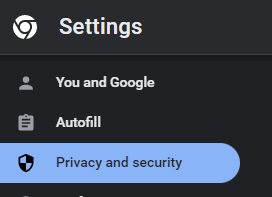
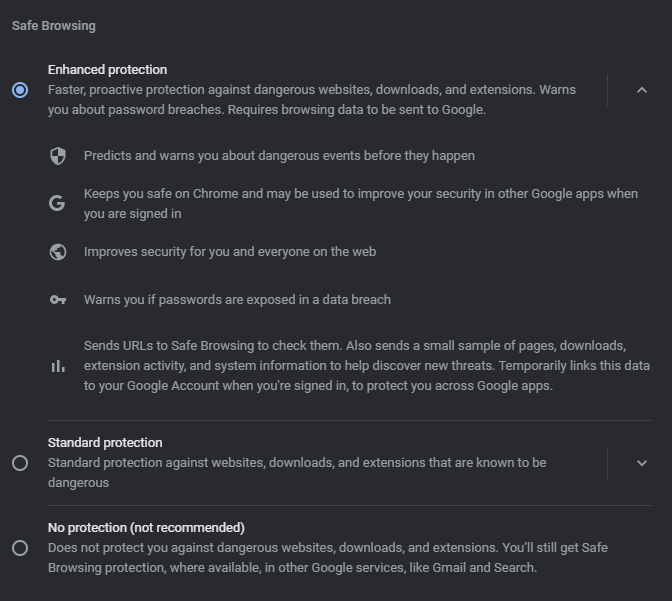
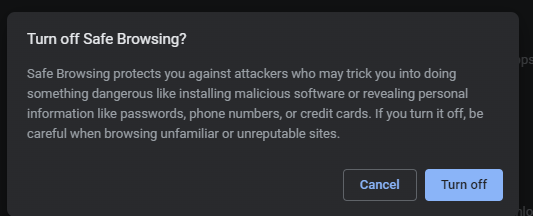
If safe browsing enabled, disable to visit the site. Go to settings > privacy and security. Click No Protection to experience the site.

- Javascript
- React
- npm
- Firebase Firestore Realtime DB
- Material UI
- React Router
- React Context API
- REDUX
- Dice Bear API
- Google Authentication
- Firebase CLI
- Deploy using Firebase
- Create React App with npx command
- Create a Project in Firebase
- Add the config code to a file named firebase.js (the file is used for connecting to the DB)
- Clean the React app
- In CSS it follows BEM class naming conventions (Block, Element, Modifier)
- Install latest Material Ui
- Follow the material ui documentation
- Use css flexbox for designing layouts in the UI
- use conditional routing based on user's login status
- use rfce to create a function component's template code
- use [display : grid; place-items: center] to placing child at the center of parent both in x and y exis
- Use IconButton from mui over icons to make it clickable
- use {flex: 1} to stretch the flex-items to all of flex-container space
- Hooks itselft is a function which always starts with use
- You can not put hooks inside an if statement, function, loops or in other word can not be nested inside a block
- You can not use hooks inside a class component
- hooks must be always stay at the top level of the functional component
- useState() - When there is any change in the ui it is called state. to reflect to the data changes it re-renders the ui
- useState() - Always returns an array with 2 values [count, setCount]. The first value is the state and second value is the setter function of the state
- useState() - We can pass value to setState in two ways. One is hardcoding it useState(2) another is function. By hardcoding it runs everytime the ui renders which can slow down the computation if it is very huge calculation and the function version only runs once like the constructor