GiphySwift allows you to interact with the Giphy API on iOS

##Installation
####CocoaPods (iOS 9+, OS X 10.9+)
You can use CocoaPods to install GiphySwiftby adding it to your Podfile:
platform :ios, '9.0'
use_frameworks!

target 'MyApp' do
    pod 'GiphySwift'
end
Note that this requires CocoaPods version 36, and your iOS deployment target to be at least 9.0
##Usage
###Configuration
You need to configure GiphySwift to use your Giphy API Key. In order to release your application to production, you will need to request a Production Key from Giphy. Instructions to do so can be found here.
####Development For development purposes you can use Giphy's Public Beta Key
Giphy.configure(with: .publicKey)####Production For production purposes you will need to specify your private access key
Giphy.configure(with: .private(key: "dc6zaTOxFJmzC"))##Requesting Gifs
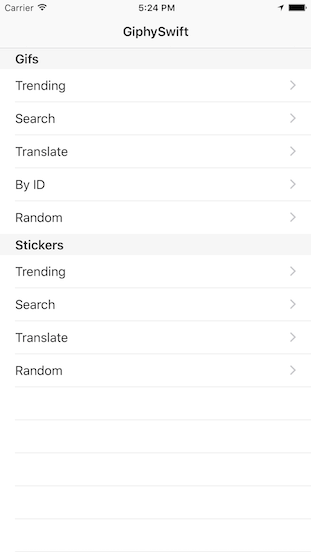
There are five different endpoint through which you can request Gifs:
You can read more about Giphy's endpoints here.
####Request Results
All GiphySwift requests return a GiphyResult enum, that will indicate if the request was successful or not, encapsulating the data from the response or any errors thrown:
public enum GiphyResult<T> {
    case success(result: T, properties: GiphyResultProperties?)
    case error(_: Error)
}
####Trending Use the following command to retreieve Trending Gifs:
Giphy.Gif.request(.trending) { result in
    switch result {

    case .success(result: let gifs, properties: let paginationProperties):
        // DO SOMETHING WITH RESULTS
        displayTableView(with: gifs)

    case .error(let error):
        print(error)

    }
}
####Search Use the following command to search for Gifs:
Giphy.Gif.request(.search("cats")) { result in
    switch result {

    case .success(result: let gifs, properties: _):
        // DO SOMETHING WITH RESULTS
        displayTableView(with: gifs)

    case .error(let error):
        print(error)

    }
}
####Translate Use the following command to translate text into Gifs:
Giphy.Gif.request(.translate("hello")) { result in
    switch result {

    case .success(result: let gifs, properties: _):
        // DO SOMETHING WITH RESULTS
        displayTableView(with: gifs)

    case .error(let error):
        print(error)

    }
}
####By ID
You can retrieve Gifs by passing in a single Gif ID as a String, or passing in an array of IDs.
Giphy.Gif.request(.withId("3o7qDPfGhunRMZikI8")) { result in
    switch result {

    case .success(result: let gifs, properties: _):
        // DO SOMETHING WITH RESULTS
        displayTableView(with: gifs)

    case .error(let error):
        print(error)

    }
}
####Random
Use the following command to request a Random Gif. You can optionally submit a tag as a search string to limit your random results to a particular query.
Giphy.Gif.request(.random(tag: "superstar")) { result in
    switch result {

    case .success(result: let gifs, properties: _):
        // DO SOMETHING WITH RESULTS
        displayTableView(with: gifs)

    case .error(let error):
        print(error)

    }
}
##Requesting Stickers
There are four different endpoint through which you can request Stickers:
- Trending
- Search
- Translate
- Random
You can read more about Giphy's endpoints here.
To request Stickers, use the same command as those for requesting Gifs, but specifying the Sticker endpoint.
For example:
Giphy.Sticker.request(.trending) { result in
    switch result {

    case .success(result: let gifs, properties: let paginationProperties):
        // DO SOMETHING WITH RESULTS
        displayTableView(with: gifs)

    case .error(let error):
        print(error)

    }
}Matias Seijas
Mail: matias@mseijas.com
Website: mseijas.com
Twitter: @mseijas_
GiphySwift is available under the MIT license. See the LICENSE file for more info.