so basically i got bored and decided to hack and dive into my Philips Wiz lights instead of using their app like a normal person.
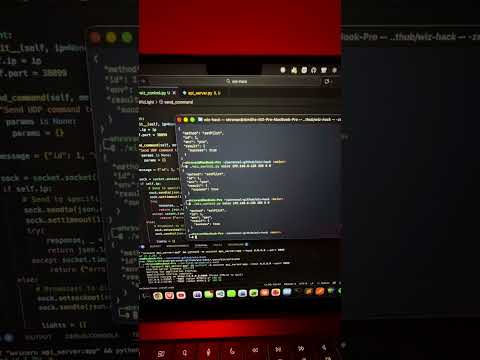
See how everything started!
the problem: the official Philipse Wiz app is... fine? but it's missing stuff. can't integrate with my own tools, and honestly i just wanted to explore this
the solution: turns out these Rs.500 bulbs just accept UDP packets on port 38899. no auth or protocols. sending raw JSON over UDP.
- discovers all Wiz lights on your network (UDP broadcast go brrr)
- turns them on/off via command line OR web interface
- sets any RGB color + brightness you want
- FastAPI backend that actually works
- makes your lights react to music in real-time (bass→red, mids→green, treble→blue)
basically i went from "click app button" to "control my lights from terminal/browser/literally anywhere" AND made them dance to music
pure python socket programming no dependencies for the core stuff
FastAPI because i'm not writing raw HTTP in 2025
zero authentication we live dangerously (jk it's local network only)
- clone it
git clone https://github.com/myselfshravan/wiz-hack.git
cd wiz-hack- install deps (you need Python 3.10+)
pip install -r requirements.txt-
make sure you're on the same WiFi as your lights (crucial, duh)
-
spin up the API server
python api_server.py- open browser
http://localhost:8000
okay this is where it gets insane. your lights react to music in real-time.
Audio Visualizer Modes:
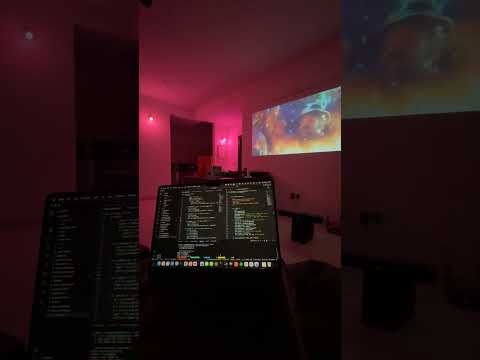
Music Visualizer Modes:
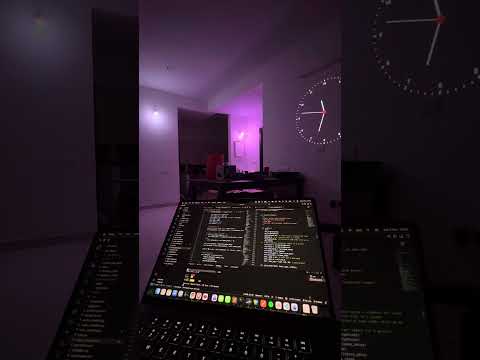
audio_visualizer.py- Uses your microphone (live music, any audio source)music_visualizer.py- Plays audio files (MP3/WAV/FLAC) with PERFECT sync
basic usage:
python audio_visualizer.pythat's it. play some music, your lights will dance to it. bass makes it red, mids make it green, treble makes it blue.
different modes:
color-focused modes (default behavior - colors change with frequencies):
# default - frequency bands mapped to RGB
python audio_visualizer.py --mode frequency_bands

# warm/cool colors based on energy
python audio_visualizer.py --mode energy

# rainbow colors based on dominant frequency
python audio_visualizer.py --mode rainbow

# multi-light mode - each light shows different frequency (sick for demos)
python audio_visualizer.py --mode multi
brightness-focused modes (NEW - makes the sync super obvious!):
# pulse mode - static warm color, brightness pulses with music
# BEST for showing sync in videos - everyone instantly sees it
python audio_visualizer.py --mode pulse

# strobe mode - aggressive brightness flashes on beats
# perfect for EDM/electronic music, looks INSANE
python audio_visualizer.py --mode strobe

# spectrum_pulse mode - subtle color hints + aggressive brightness
# best of both worlds - bass=red, treble=blue, but brightness is the star
python audio_visualizer.py --mode spectrum_pulse
brightness control:
# default brightness (1.5x boost)
python audio_visualizer.py

# max brightness mode (3x boost)
python audio_visualizer.py --brightness-boost 3.0

# subtle brightness (1x, no boost)
python audio_visualizer.py --brightness-boost 1.0
sensitivity control (make brightness changes MORE dramatic):
# dramatic party mode with aggressive swings
python audio_visualizer.py --mode spectrum_pulse --sensitivity 2.5 --smoothing 0.1

# extreme party strobe (max sensitivity, no smoothing)
python audio_visualizer.py --mode strobe --sensitivity 3.0 --smoothing 0

# subtle but noticeable (lower sensitivity)
python audio_visualizer.py --mode pulse --sensitivity 0.5
what sensitivity does:
- sensitivity=1.0 (default): normal behavior
- sensitivity=2.0-3.0: dramatic swings, uses full brightness range
- sensitivity=0.5: subtle, gradual changes
- higher sensitivity = more party mode energy!
how it works:
- captures audio from your mic using
sounddevice - runs FFT (Fast Fourier Transform) to split into frequency bands
- bass (20-250Hz) → red, mids (250-4000Hz) → green, treble (4000-20000Hz) → blue
- sends RGB values to lights via UDP (~20-50ms latency)
- applies smoothing so colors don't jitter
play audio files (MP3, WAV, FLAC) with lights perfectly synced - no microphone needed!
why use this instead of mic:
- perfect sync (no lag, no background noise)
- same song = same light show every time
- way better for demos and videos
- cleaner audio analysis
basic usage:
python music_visualizer.py --file song.mp3on-screen display:
- progress bar with time
- frequency visualization
- brightness indicator
- all in real-time while music plays
demo tips for that viral video:
- USE
music_visualizer.pyfor demos - perfect sync every time - use
pulseorstrobemode - the brightness sync is WAY more obvious than color changes - use electronic music with clear bass drops (skrillex, deadmau5, etc.)
- film in a dark room (makes the brightness pulses super dramatic)
- show the terminal with progress bar + frequency bars
strobemode on beat drops = instant viral moment- multi-light mode looks absolutely insane on camera
- record the video, then overlay the terminal output for that hacker vibe
okay so audio was cool, but what if your lights sync to VIDEOS? like actual movie scenes, game footage, anything.
DIY Ambilight but better - Philips charges 12k-15k for this. I just reverse-engineered it.
Video Visualizer Demo 1:
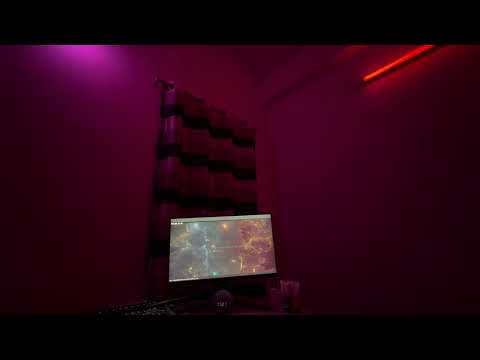
Video Visualizer Demo 2:
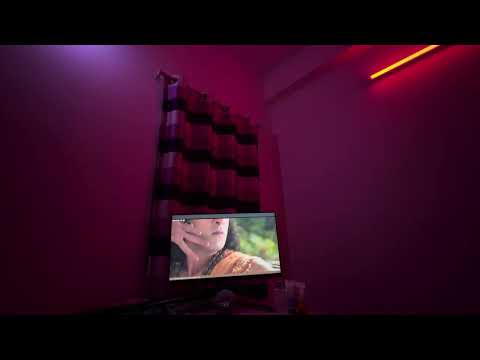
basic usage:
python video_visualizer.py --file movie.mp4your lights will now match the colors on screen. dark scene = dim lights. explosion = bright orange/red. underwater scene = blue. it's INSANE.
different modes:
# dominant color mode (default) - extracts main color from entire frame
python video_visualizer.py --file video.mp4 --mode dominant_color

# edge analysis mode (TRUE Ambilight style) - uses colors from frame edges
# this is what Philips TVs do, looks sick for movies
python video_visualizer.py --file video.mp4 --mode edge_analysis

# average color mode - simple average of all pixels
python video_visualizer.py --file video.mp4 --mode average

# hybrid mode - colors from video + brightness from audio track
# the ULTIMATE experience - visual colors + audio-reactive brightness
python video_visualizer.py --file movie.mp4 --mode hybrid --audio-brightness
control the effect:
# adjust edge thickness for edge_analysis mode (0.0-0.5)
python video_visualizer.py --file video.mp4 --mode edge_analysis --edge-thickness 0.2

# color smoothing - prevent jarring color jumps
python video_visualizer.py --file video.mp4 --color-smoothing 0.7

# run lights-only mode (no video window, great for projectors)
python video_visualizer.py --file video.mp4 --no-display
how it works:
- reads video file frame by frame using OpenCV
- analyzes each frame for color content (K-means clustering for dominant color, or edge extraction for Ambilight)
- sends RGB values to lights via UDP
- syncs to video framerate for perfect timing
- optional: extracts audio track with ffmpeg and uses it for brightness control
- displays video with color preview and stats overlay
epic use cases:
- movie nights - your living room becomes part of the movie (explosions, sunsets, underwater scenes all sync)
- gaming - lights react to game footage
- music videos - combine visual + audio sync for full sensory experience
- horror movies - dark scenes = dim lights, jump scares = bright flash (terrifying)
pro tips:
edge_analysismode works best for movies/TV shows (mimics real Ambilight)dominant_colormode is great for animated content (vibrant scenes)- use
--audio-brightnesswith music videos for double sync (colors + beats) --color-smoothing 0.7prevents seizure-inducing color flashes
requirements:
pip install -r requirements.txtokay so we made lights dance to audio and video. now they react to THE STOCK MARKET.
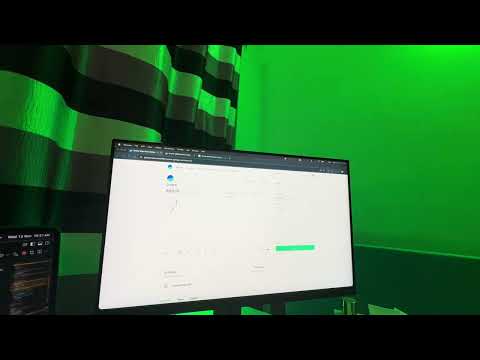
the vibe: your lights turn green when stocks go up, red when they go down. basically your room becomes a real-time trading floor indicator.
 |
 |
|---|---|
| Setup in action | Live price sync |
Monitors live stock prices during market hours:
python stock_visualizer.pybest for:
- day trading (your room literally shows if you're winning or losing)
- market hours monitoring (9:15 AM - 3:30 PM IST)
- flex on your friends during market hours
- knowing stock performance without checking your phone
Replays historical stock data with smooth transitions - works anytime!
python stock_replay.pybest for:
- testing outside market hours
- analyzing past price movements with visual feedback
- making sick demo videos
- understanding how volatile your stonks are
- procrastination with purpose
all settings in one place:
# which stock to monitor
TRADING_SYMBOL = "HDFCBANK"  # change to any NSE stock

# your light
LIGHT_IP = "192.168.1.52"    # from discover command

# colors (customize to your vibe)
GREEN_COLOR = (0, 255, 100)  # price UP
RED_COLOR = (255, 50, 0)     # price DOWN
YELLOW_COLOR = (255, 200, 0) # price NEUTRAL

# smooth transitions (make it buttery smooth)
SMOOTH_TRANSITIONS = True
TRANSITION_STEPS = 10
TRANSITION_DELAY = 0.05  # 50ms between steps

# replay settings
REPLAY_SPEED = 20  # 20x speed
HOURS_TO_FETCH = 4 # last 4 hours of data- 🟢 GREEN → Stock is above today's opening price
- 🔴 RED → Stock is below today's opening price
- 🟡 YELLOW → Stock is neutral (within ±₹0.10)
- ✨ Smooth transitions between colors (no jarring jumps!)
brightness scales with magnitude of price change.
- connects to Groww Trade API
- fetches real-time or historical stock prices
- calculates day change (current price - opening price)
- smoothly transitions light color based on performance
- updates every 1 second (real-time) or replays at configured speed (historical)
- day trading setup - know if you're winning without checking your screen
- party mode - "yo my room turns green when I make money"
- demo videos - replay volatile stocks for dramatic effect
- procrastination - watch historical market movements with pretty lights
- intimidation - run this during salary negotiation calls
- ambient awareness - peripheral vision tells you market direction
- use
REPLAY_SPEED = 20for full day replay in ~12 minutes - film in dark room for maximum drama
- use stocks with high volatility (crypto stocks, EV stocks) for best effect
SMOOTH_TRANSITIONS = Truemakes it way smoother than regular trading apps- test with
stock_replay.pyfirst before going live - run during market hours with
stock_visualizer.pyfor real flex
pip install growwapi python-dotenvget API token from: https://groww.in/trade-api
find stock tokens in: data/instrument.csv (provided in repo)
add to your .env file:
GROWW_AUTH_TOKEN=your_auth_token_here
[11:30:45] HDFCBANK | Price: ₹989.70 | Change: +₹7.40 (+0.75%) ↑ | Light: 🟢 GREEN (65%)
[11:30:46] HDFCBANK | Price: ₹989.65 | Change: +₹7.35 (+0.74%) ↑ | Light: 🟢 GREEN (65%)
[11:30:47] HDFCBANK | Price: ₹988.20 | Change: -₹1.40 (-0.14%) ↓ | Light: 🔴 RED (35%)
your room literally becomes a stock ticker. this is the future.
GET  /                       web interface
GET  /discover              find all lights
POST /on                    turn on first light found
POST /off                   turn off first light found
POST /color                set color {r, g, b, brightness}
GET  /status               get light status
POST /light/{ip}/on        turn on specific light
POST /light/{ip}/off       turn off specific light
POST /light/{ip}/color     set specific light color
Wiz lights don't have an official API. they just listen on UDP port 38899 and accept JSON commands. that's it. that's the whole security model.
for discovery, i just broadcast to 255.255.255.255 and collect responses. every light on the network yells back with their details.
shoutout to sbidy/pywizlight for the unofficial protocol docs
- i wanted custom automations the app doesn't support
- reverse engineering IoT devices is fun
- now i can control my lights from literally anywhere - scripts, cron jobs, webhooks, you name it
- because i can
- audio visualizer mode - make lights dance to music (bass/mid/treble → RGB)
- integrate with your calendar (red light when in meeting)
- create your own scenes with gradients and transitions
- automate based on literally anything (weather, stocks, github commits)
- impress your friends (or concern them)
- throw RGB parties
this runs on your local network with no auth. don't expose it to the internet unless you want random people changing your light colors (actually that sounds kinda fun)
found a bug? want to add features? PRs welcome. this is a weekend hack that accidentally became useful.
MIT - do whatever you want with it
built by someone who thinks RGB lights should be programmable
follow me on linkedin for more questionable automation projects
p.s. - yes i know there might be existing libraries for this. building it from scratch was the point >>