Network inventory, maps and operational data collection plus configuration change detection for engineers who don't have time to fish
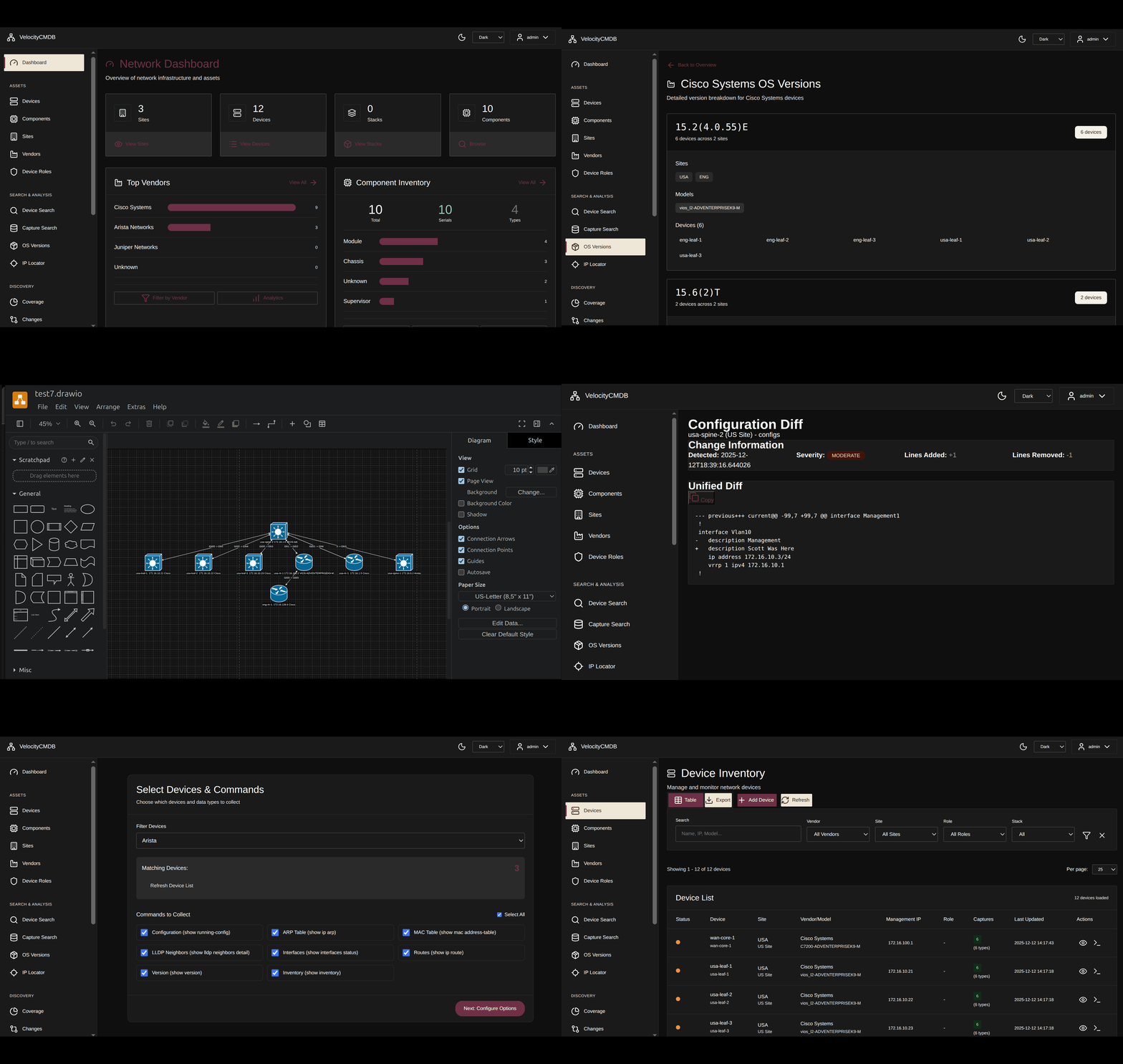


"Managing network infrastructure means you don't have time to hunt for information. You need instant visibility."
You don't have time to SSH device-to-device, grep through configs, or manually track changes. You need operational intelligence now.
VelocityCMDB gives you the visibility and change tracking you need to run production.
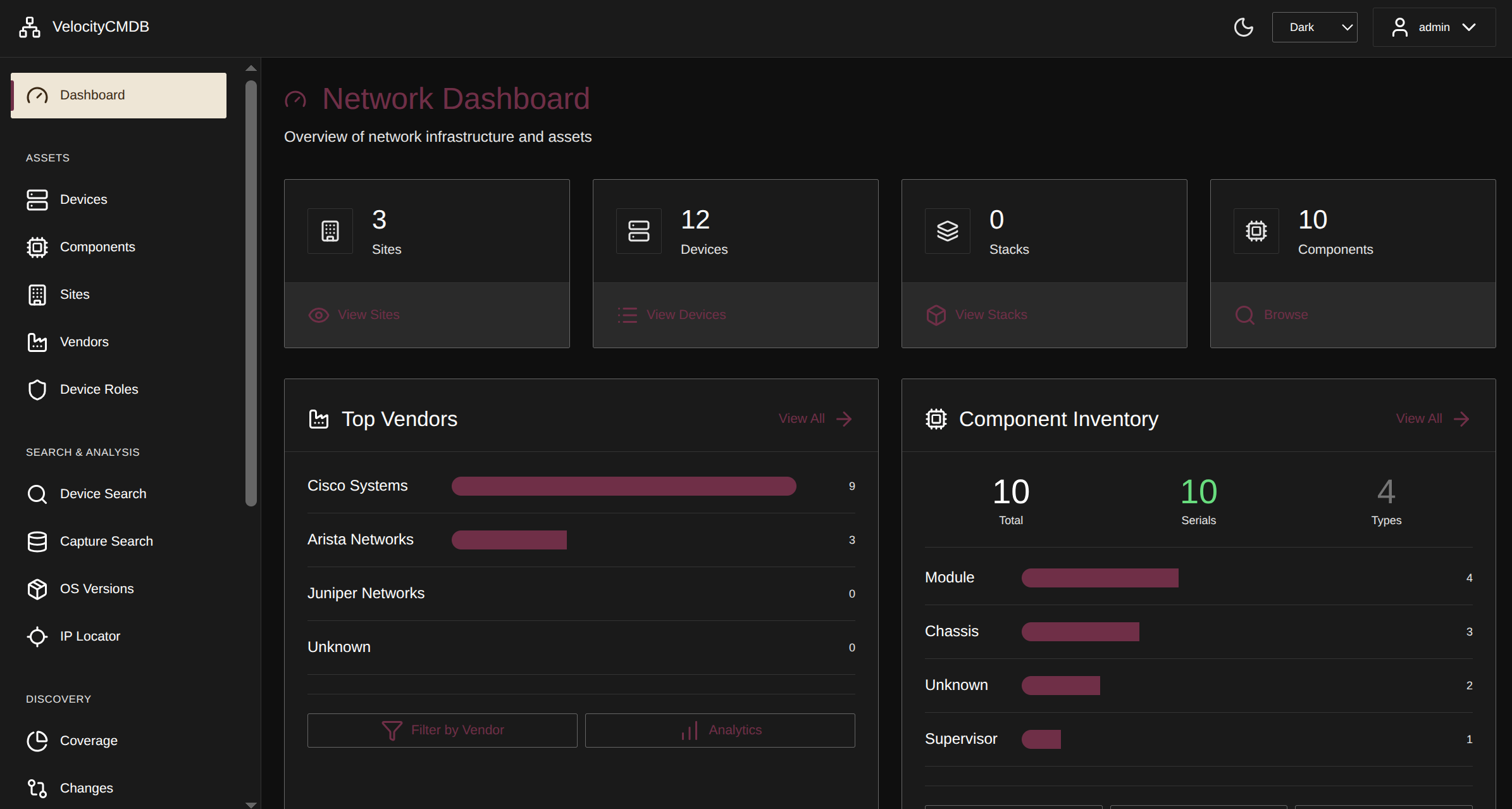 Operational overview - devices, sites, captures, and change tracking at a glance
Search routing tables across all devices:
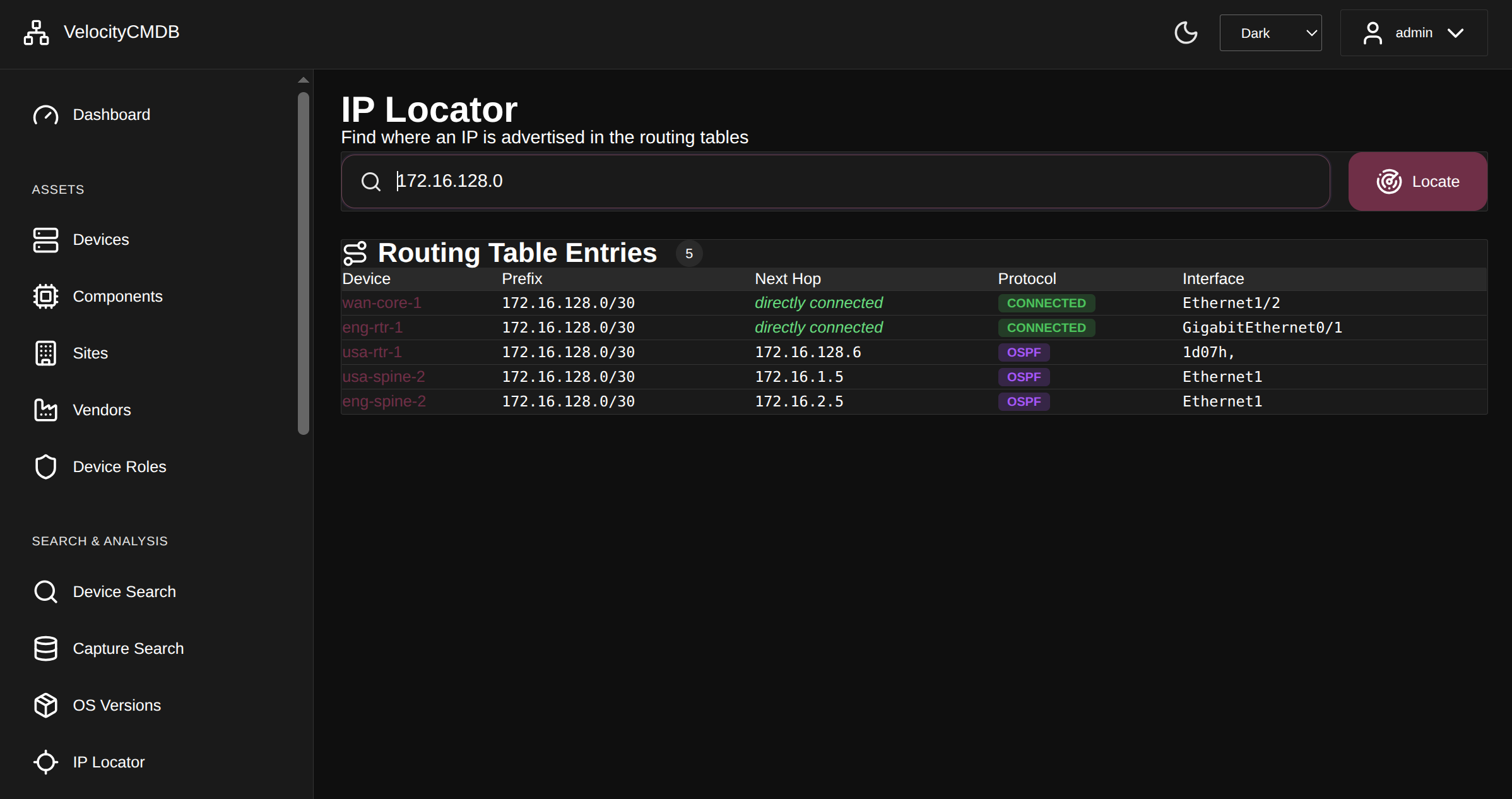 "Where is 172.16.128.0 advertised?" - 5 devices, multiple protocols, one search. See directly connected routes vs OSPF-learned paths in seconds.
Track down mystery devices:
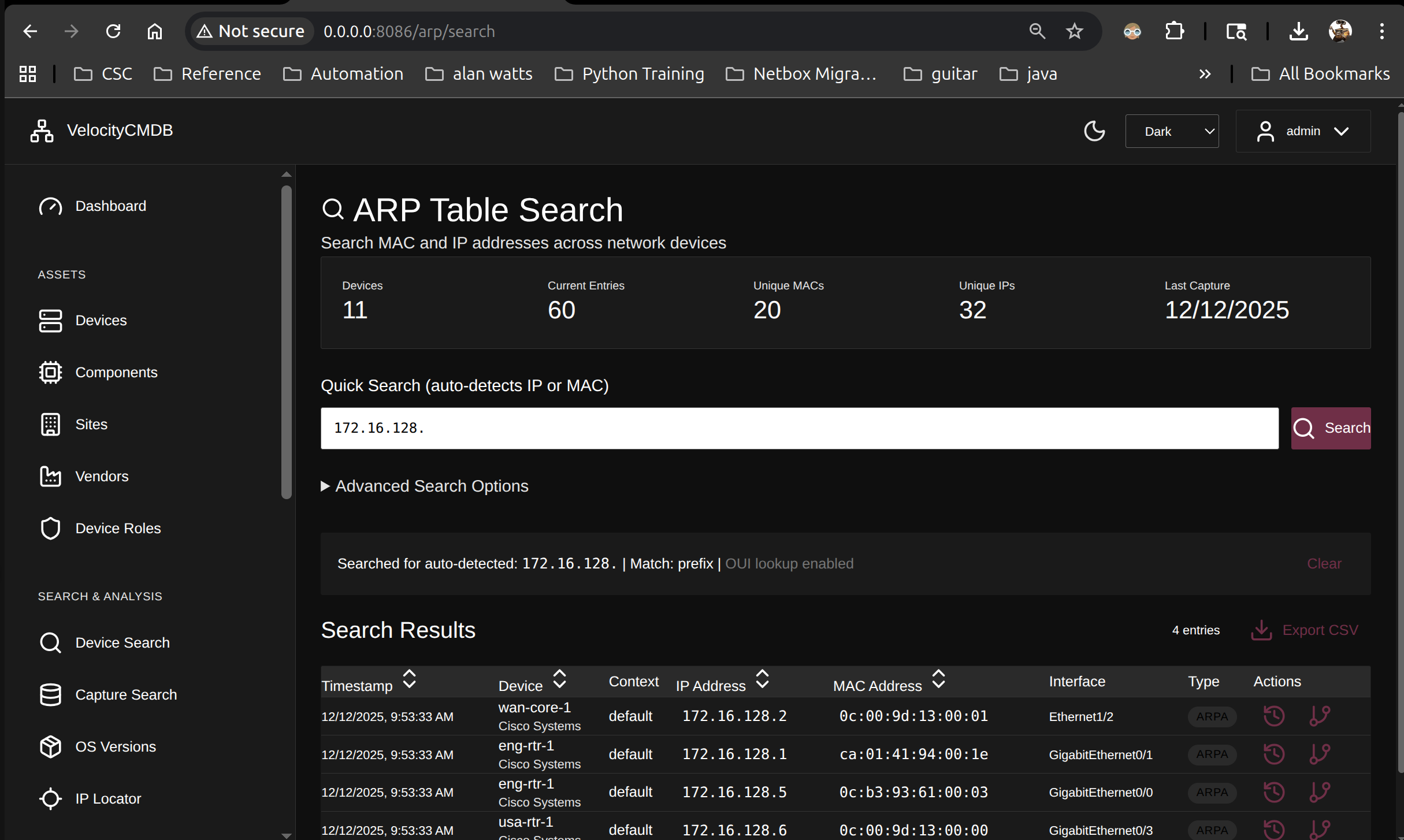 Search MAC and IP addresses across 11 devices with 60 ARP entries. Auto-detects input type, includes OUI vendor lookup.
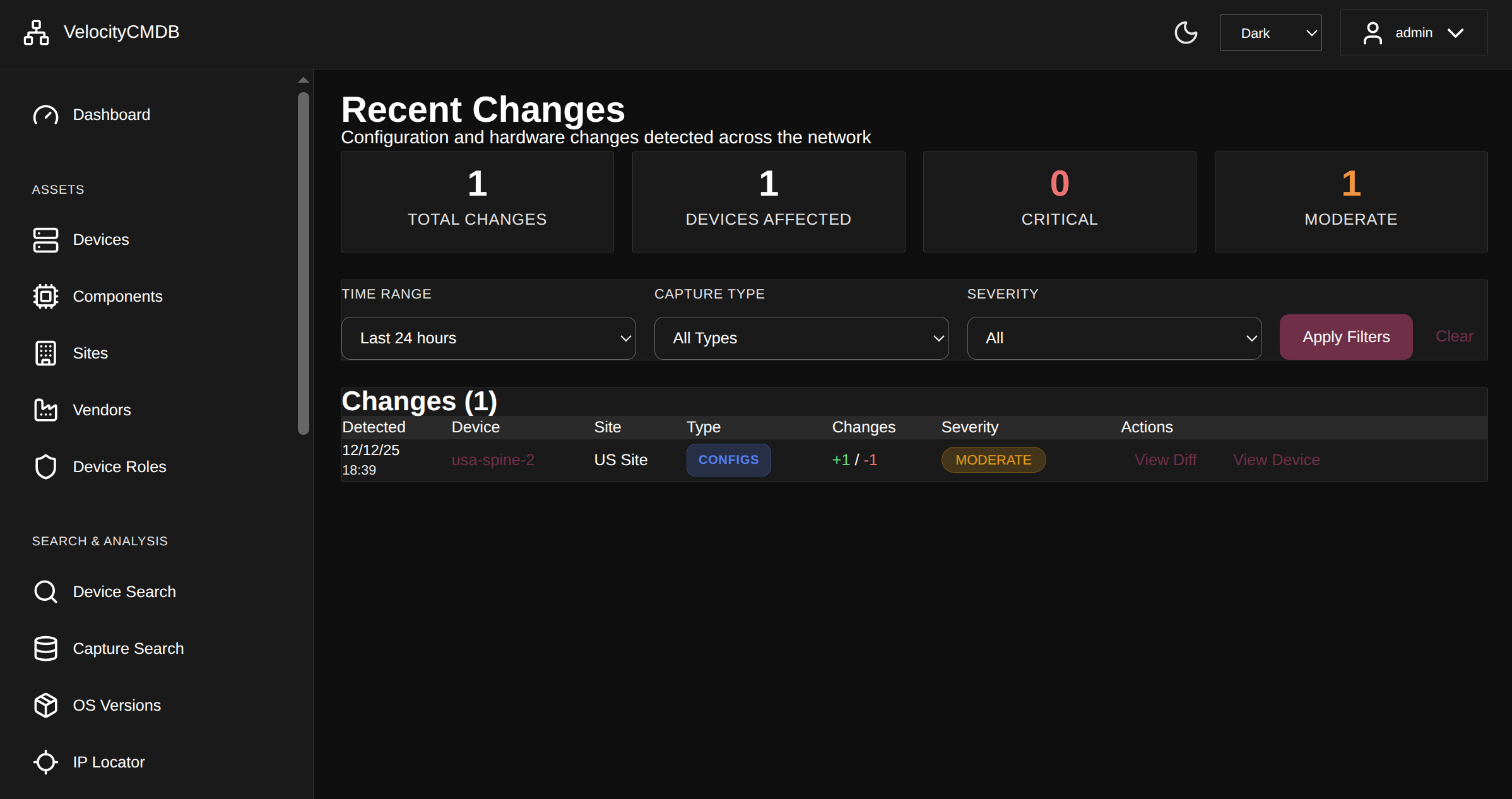 Automatic snapshot-based change tracking. Know what changed in the last 24 hours before the incident call starts.
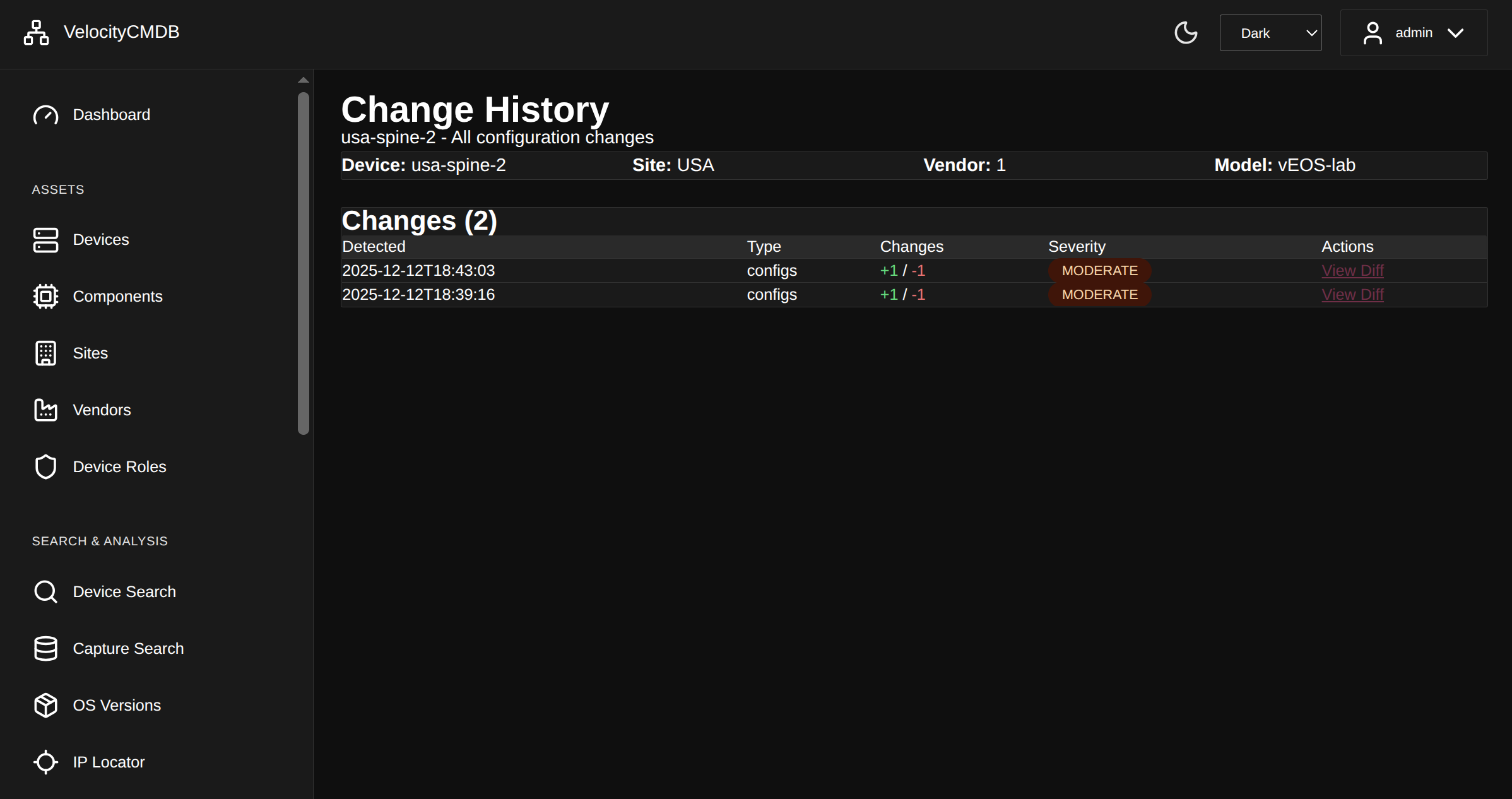 Complete audit trail with severity classification - critical config changes stand out
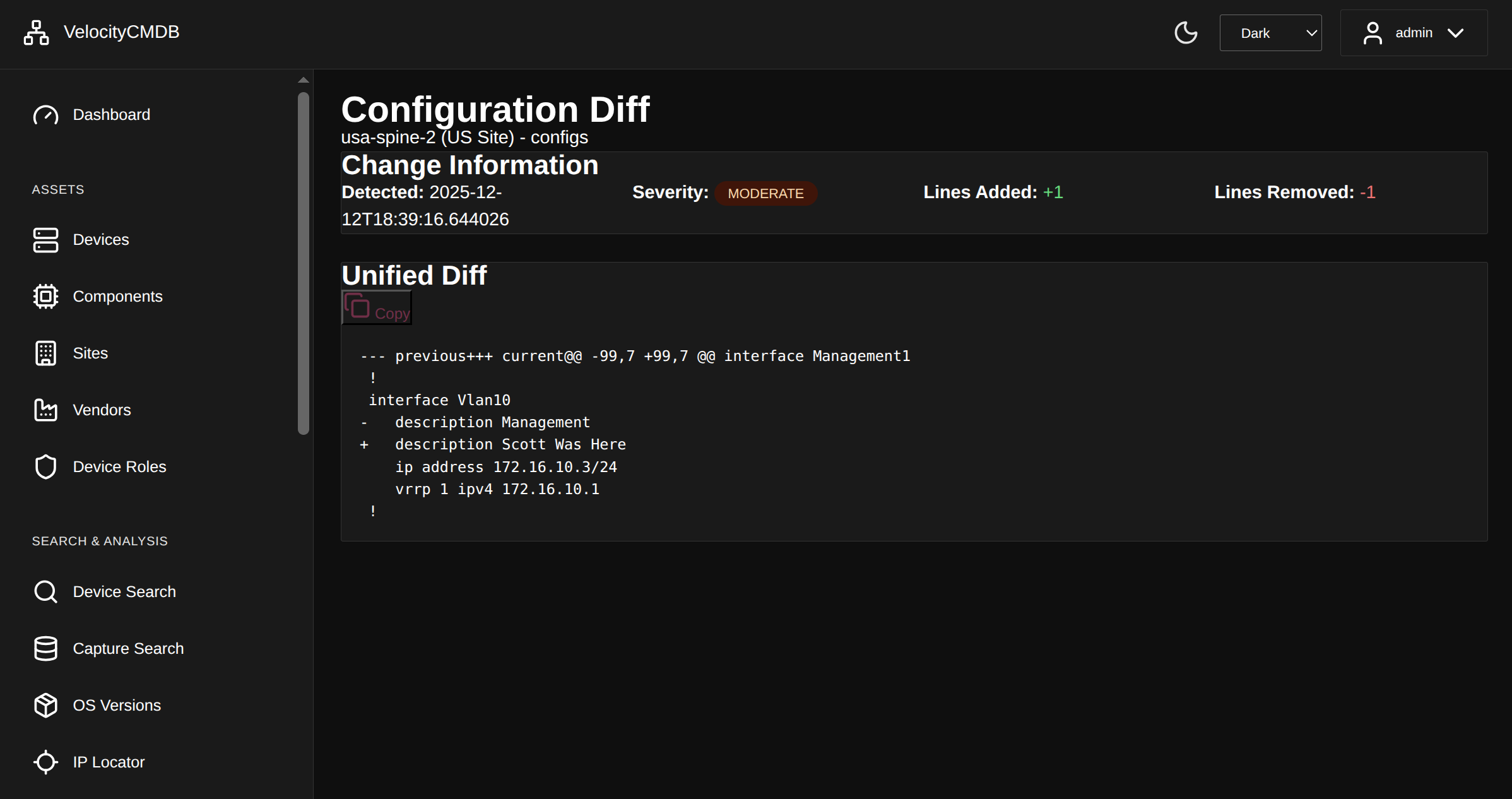 Unified diffs show exactly what changed - no manual config comparison needed
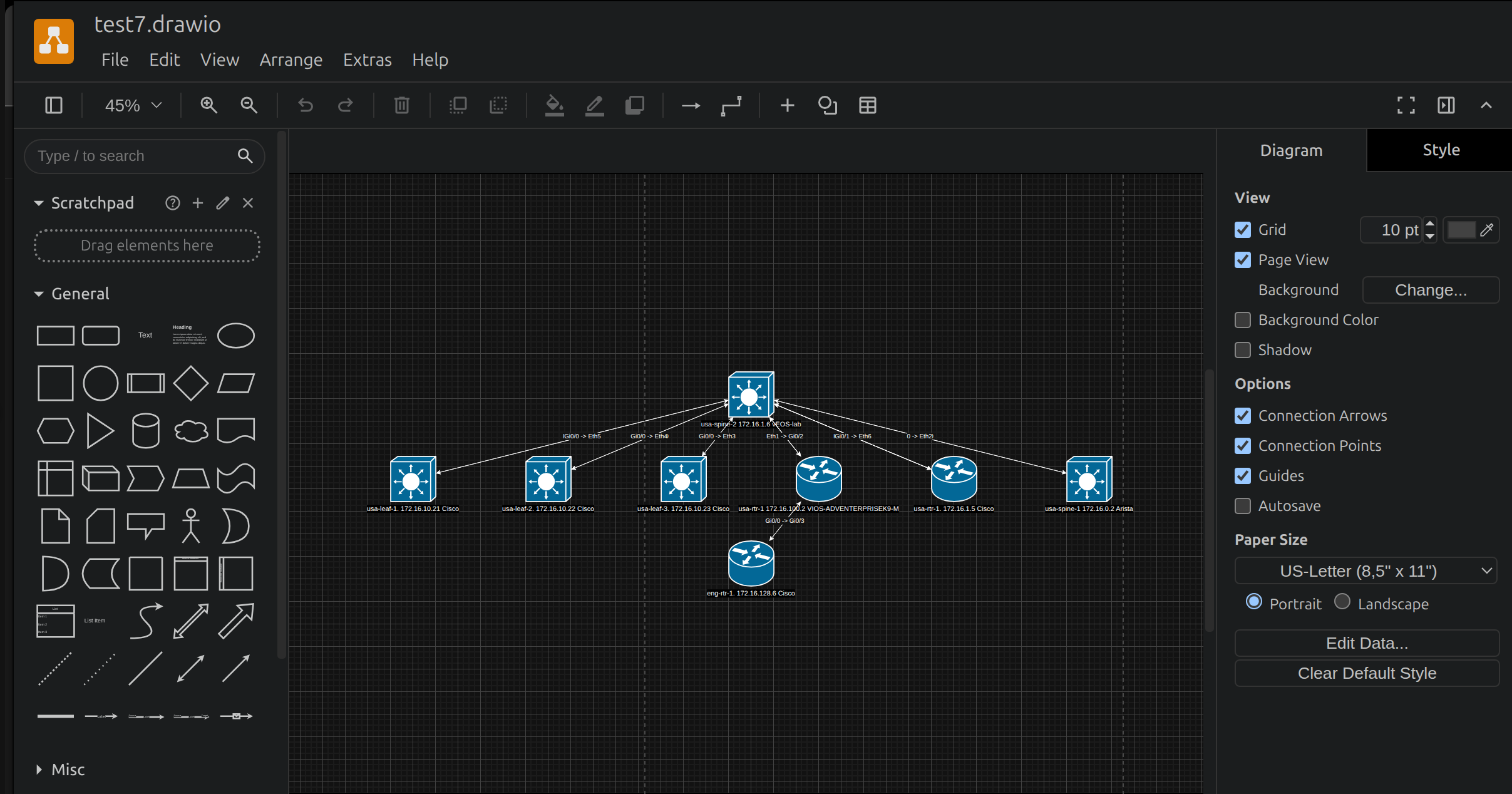 Draw.io integration with proper Cisco icons - topology that actually matches reality
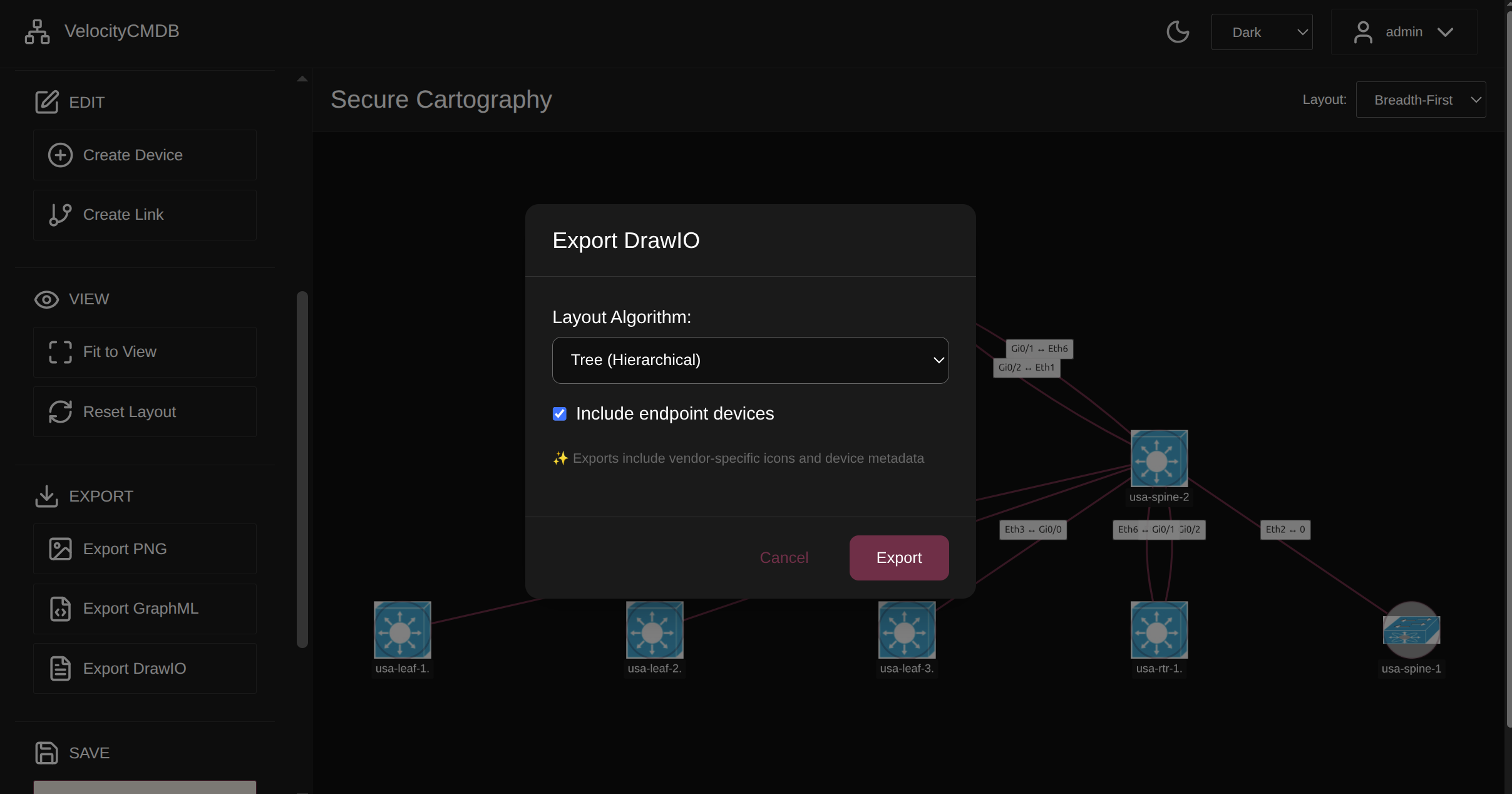 Export to GraphML, DrawIO, PNG - documentation that travels with you
# Install from PyPI
pip install velocitycmdb

# Initialize databases, directories, config, and admin user
# Creates ~/.velocitycmdb/ directory structure
velocitycmdb init

# Start the web server (Flask development server)
python -m velocitycmdb.app.run
Access the dashboard at http://localhost:8086
Default credentials: admin / you_set_at_init (change after first login)
For production or small group multi-user deployments:
# Create dedicated service account
sudo useradd -r -s /bin/bash -m velocitycmdb

# Install as service account
sudo -u velocitycmdb pip install velocitycmdb
sudo -u velocitycmdb velocitycmdb init

# Data will be stored in /home/velocitycmdb/.velocitycmdb/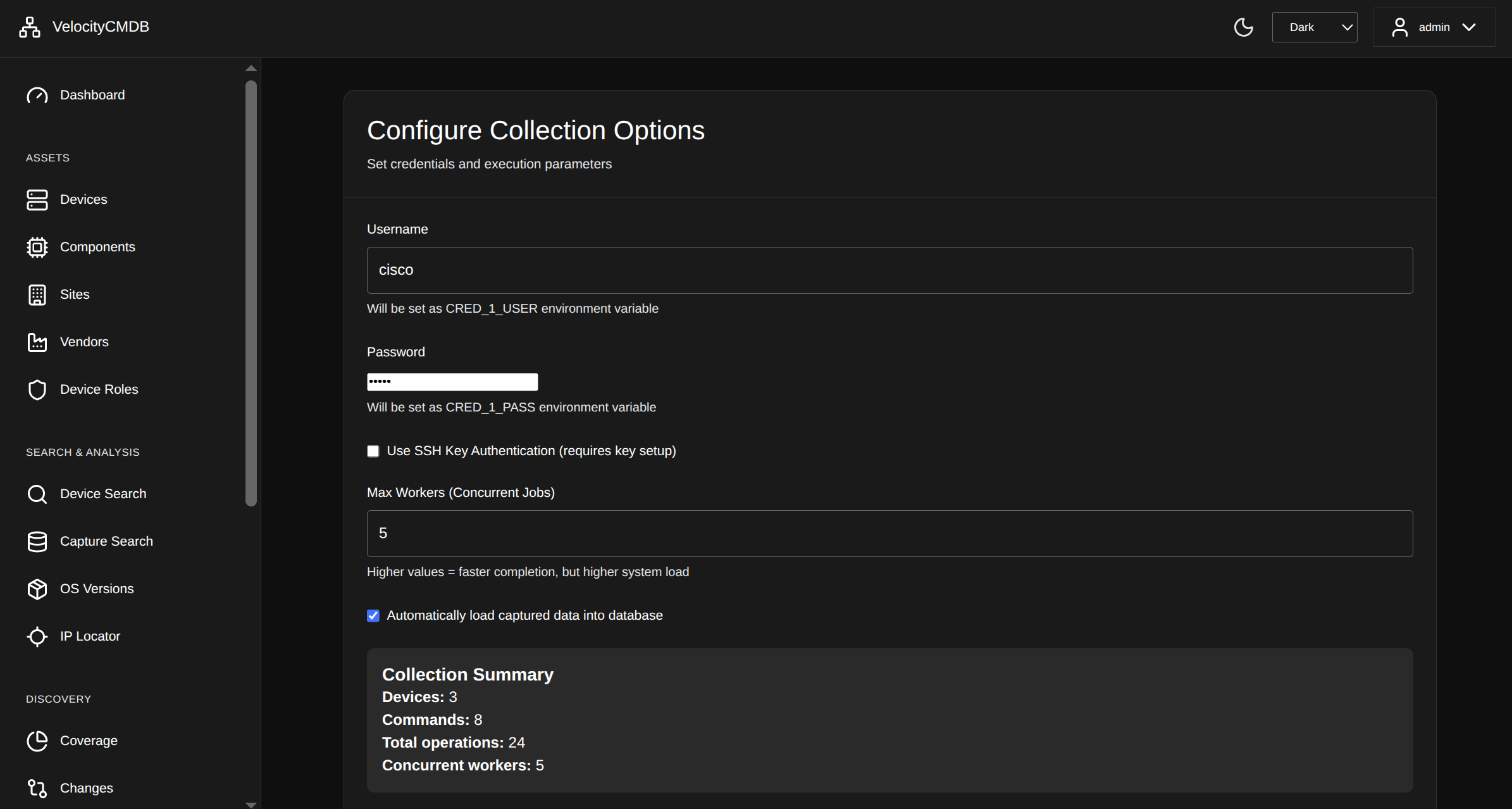 Select what to capture - configs, routes, ARP, MAC tables, inventory, and more
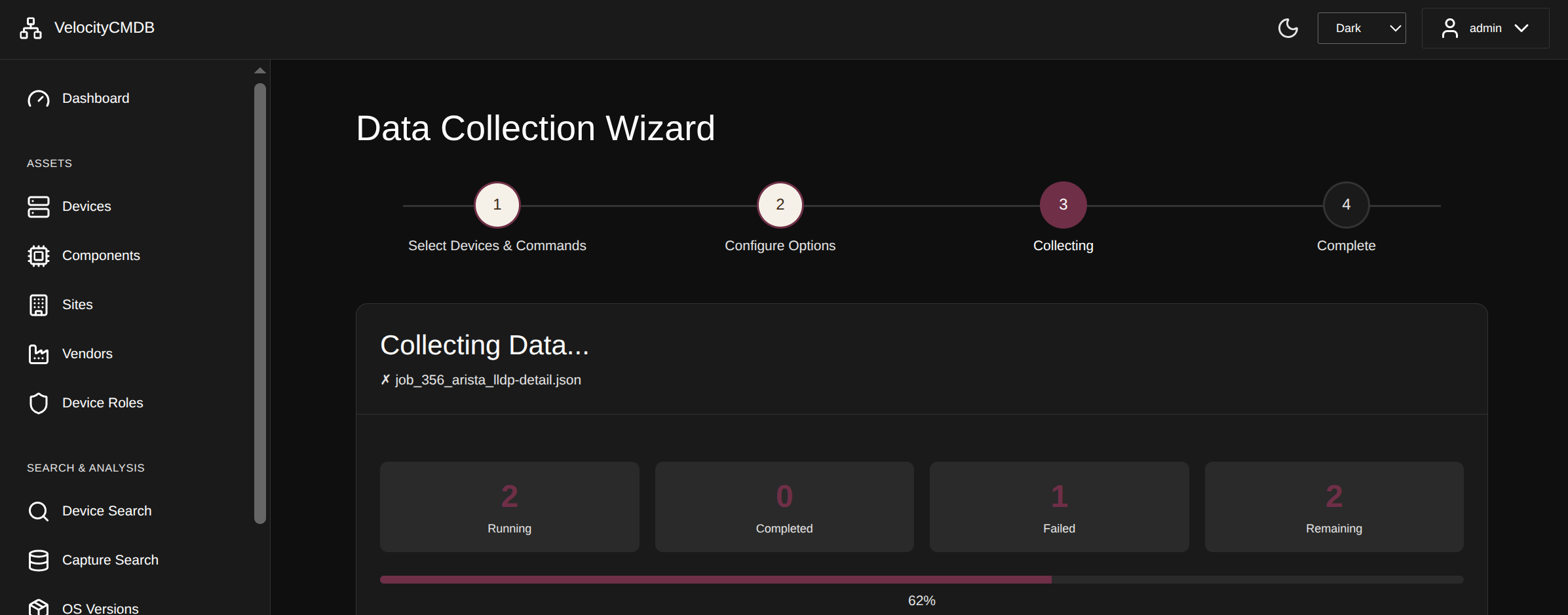 Concurrent collection with real-time progress - 8 devices running simultaneously
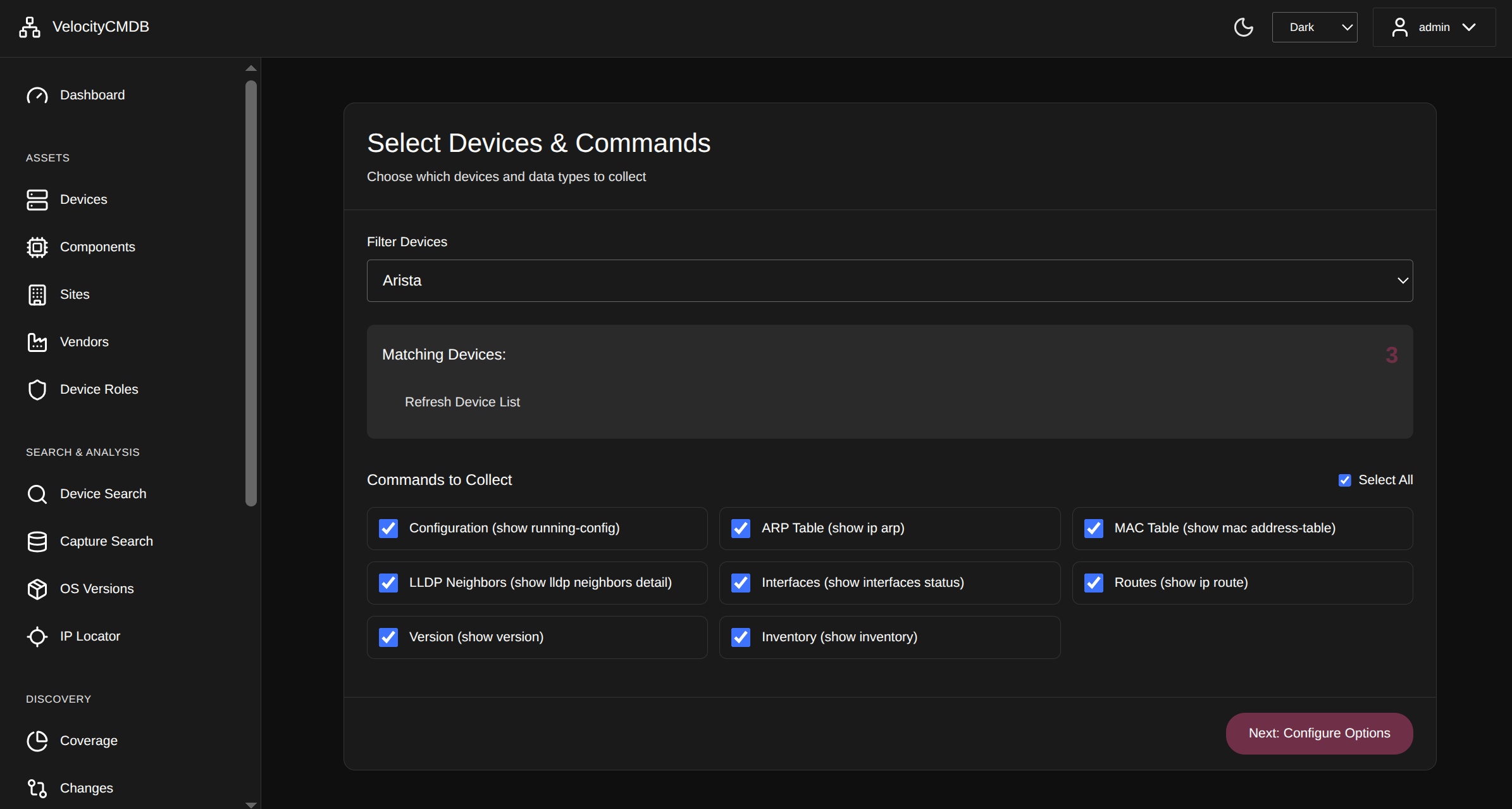 100+ pre-built command templates for Cisco, Arista, Juniper, HPE
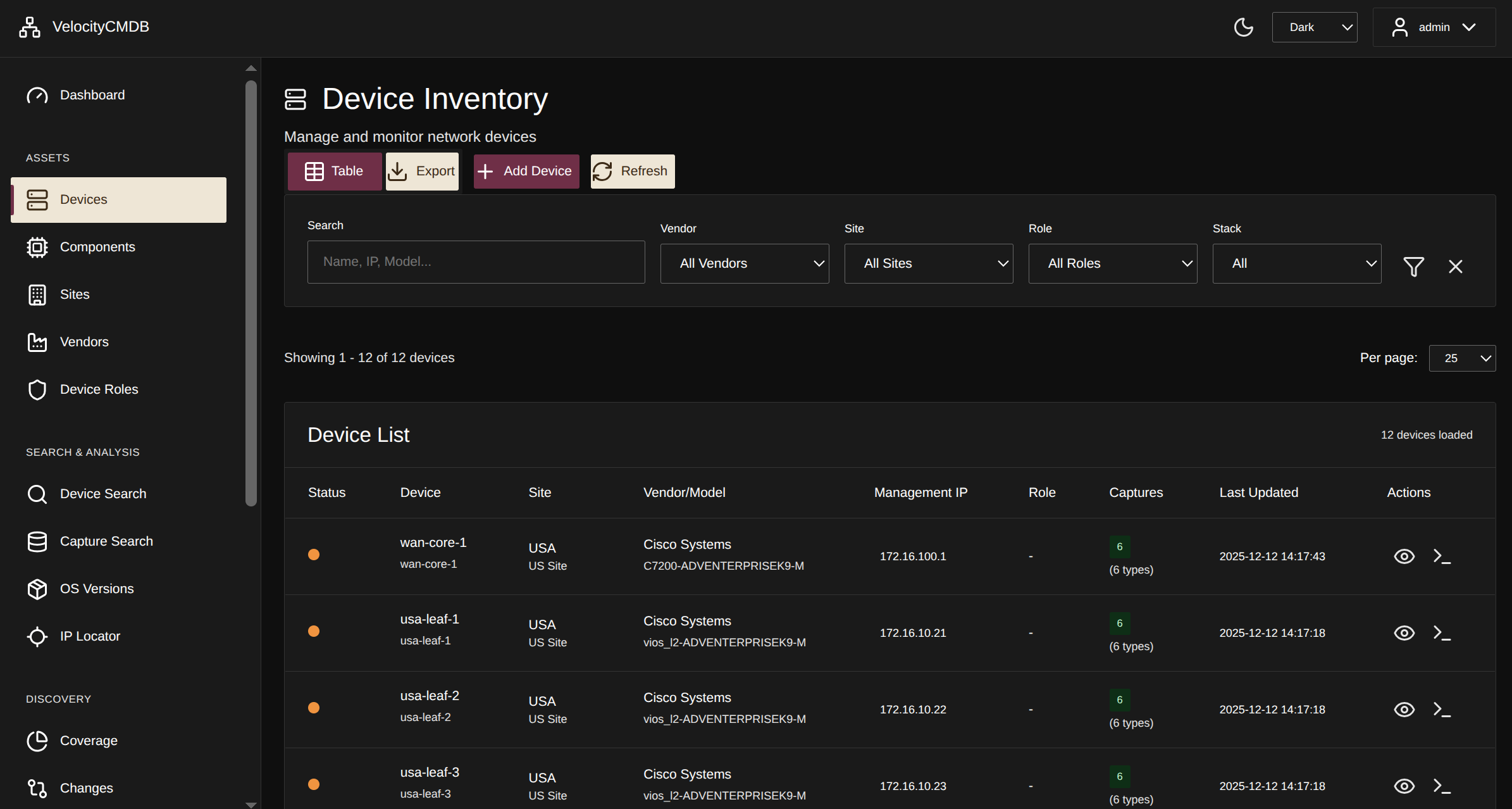 Complete device inventory with sites, vendors, roles, and filtering
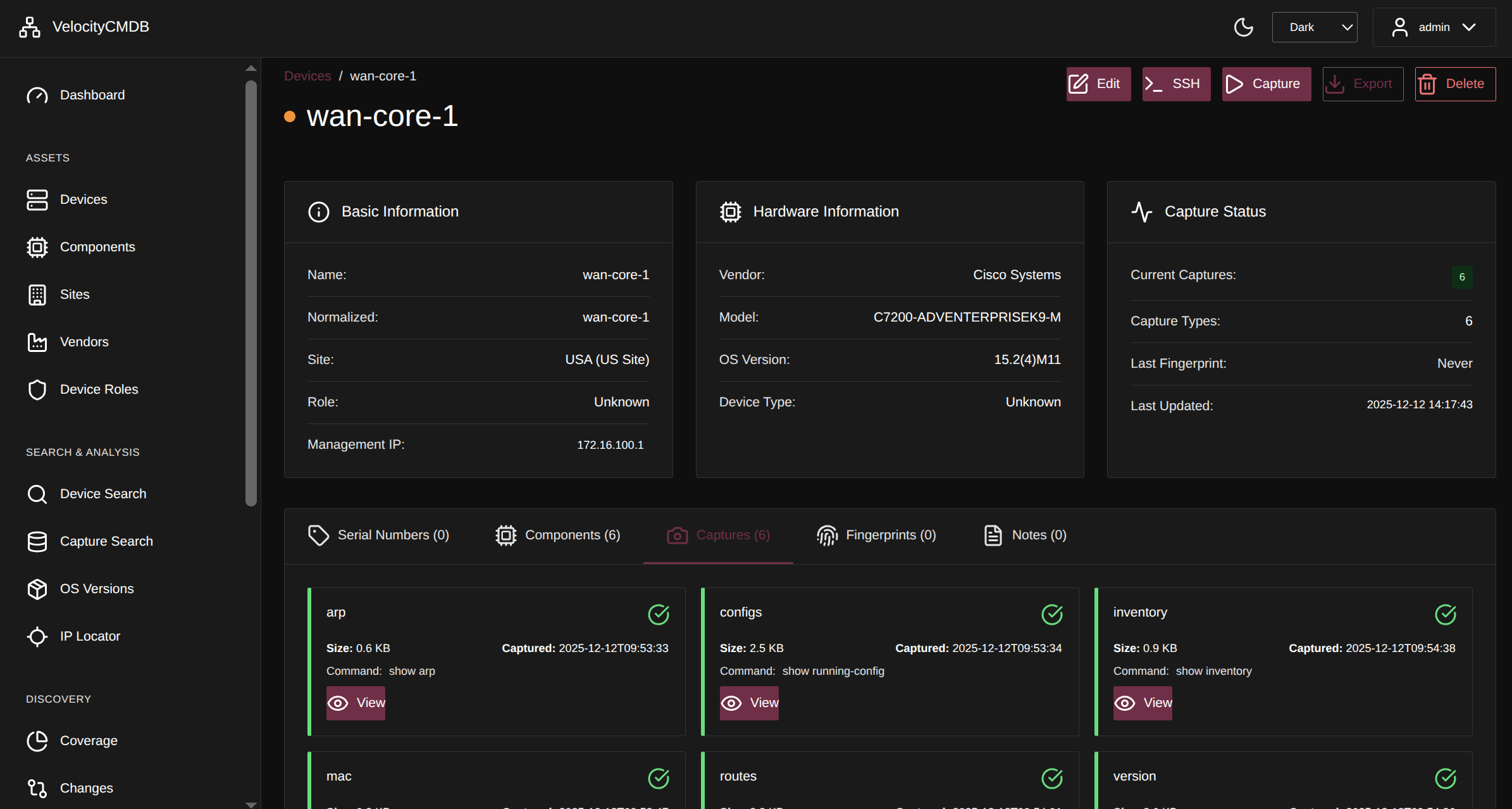 Per-device capture status - see what's been collected and when
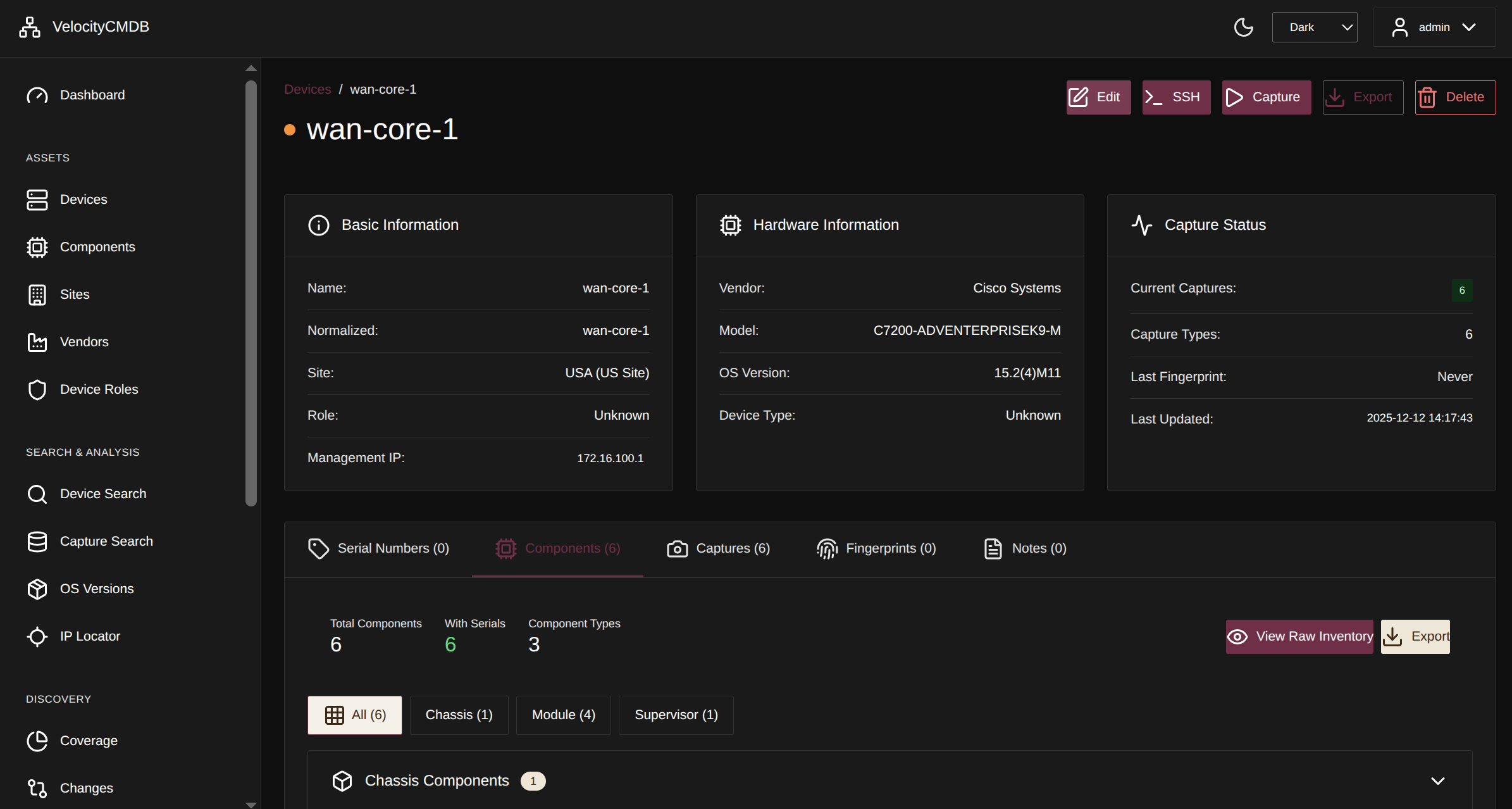 Track hardware components - modules, chassis, supervisors, and more across your infrastructure
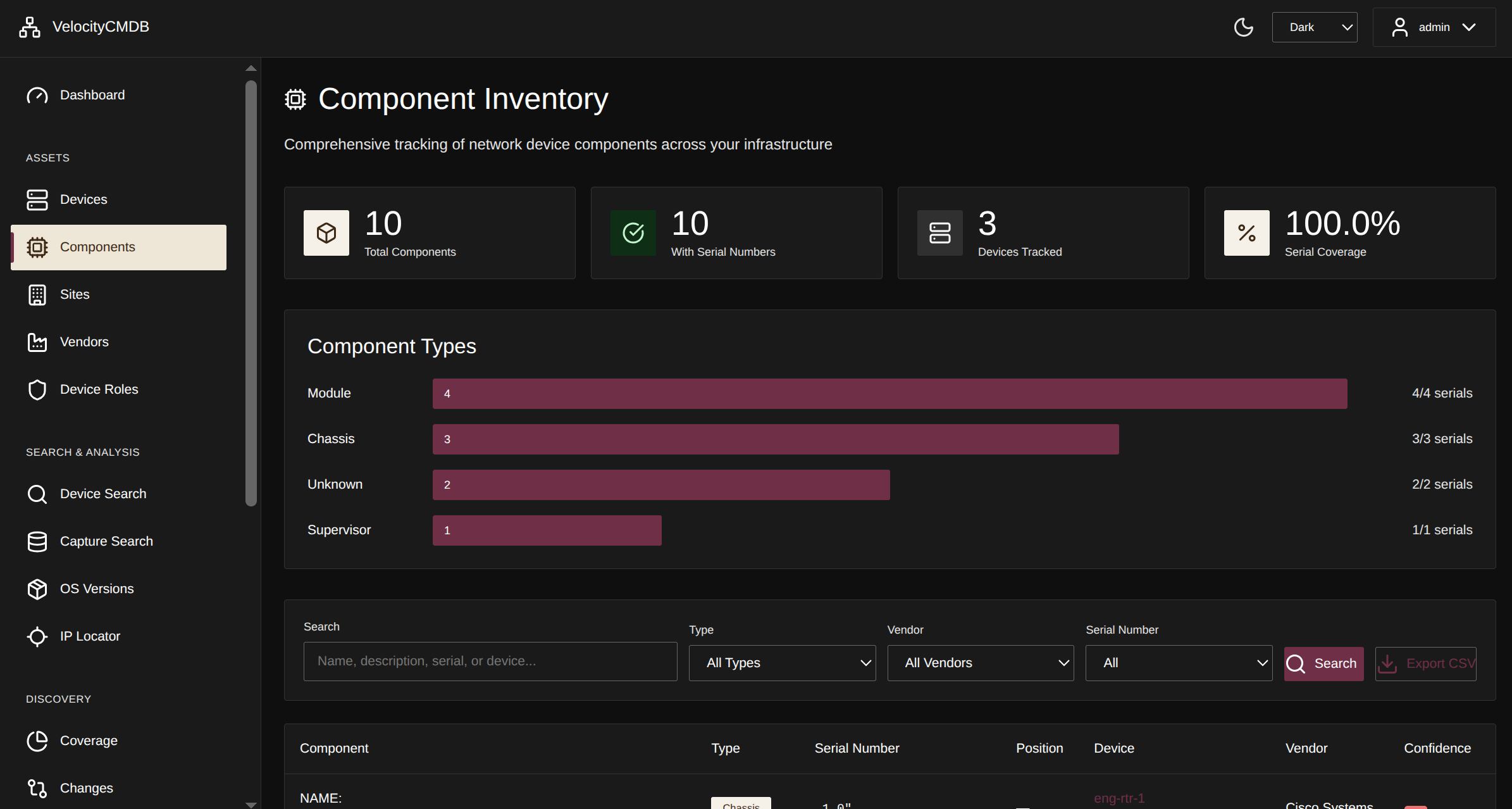 Automatic hardware inventory parsing with normalization
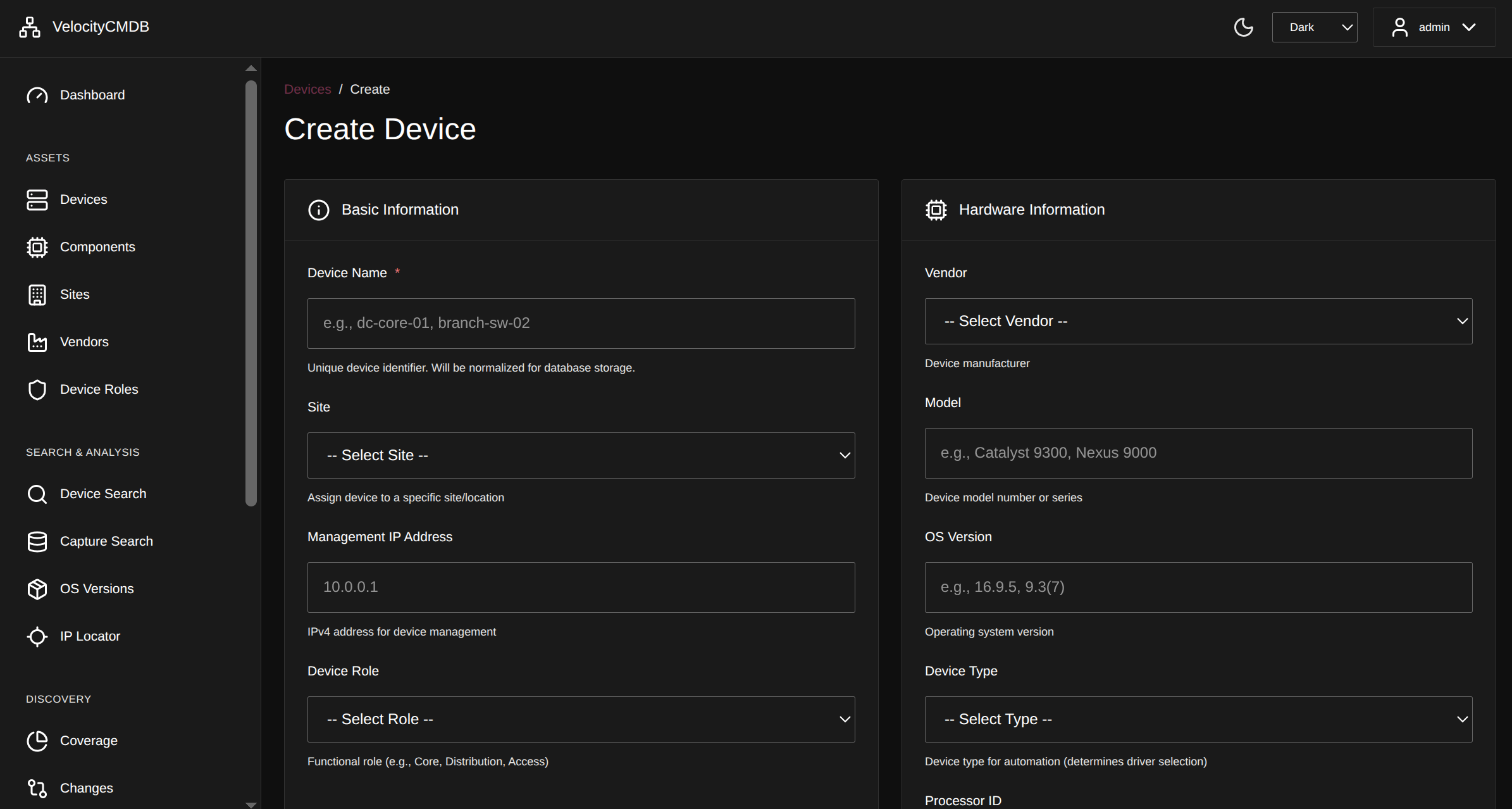 Quick device creation with site, vendor, and role assignment
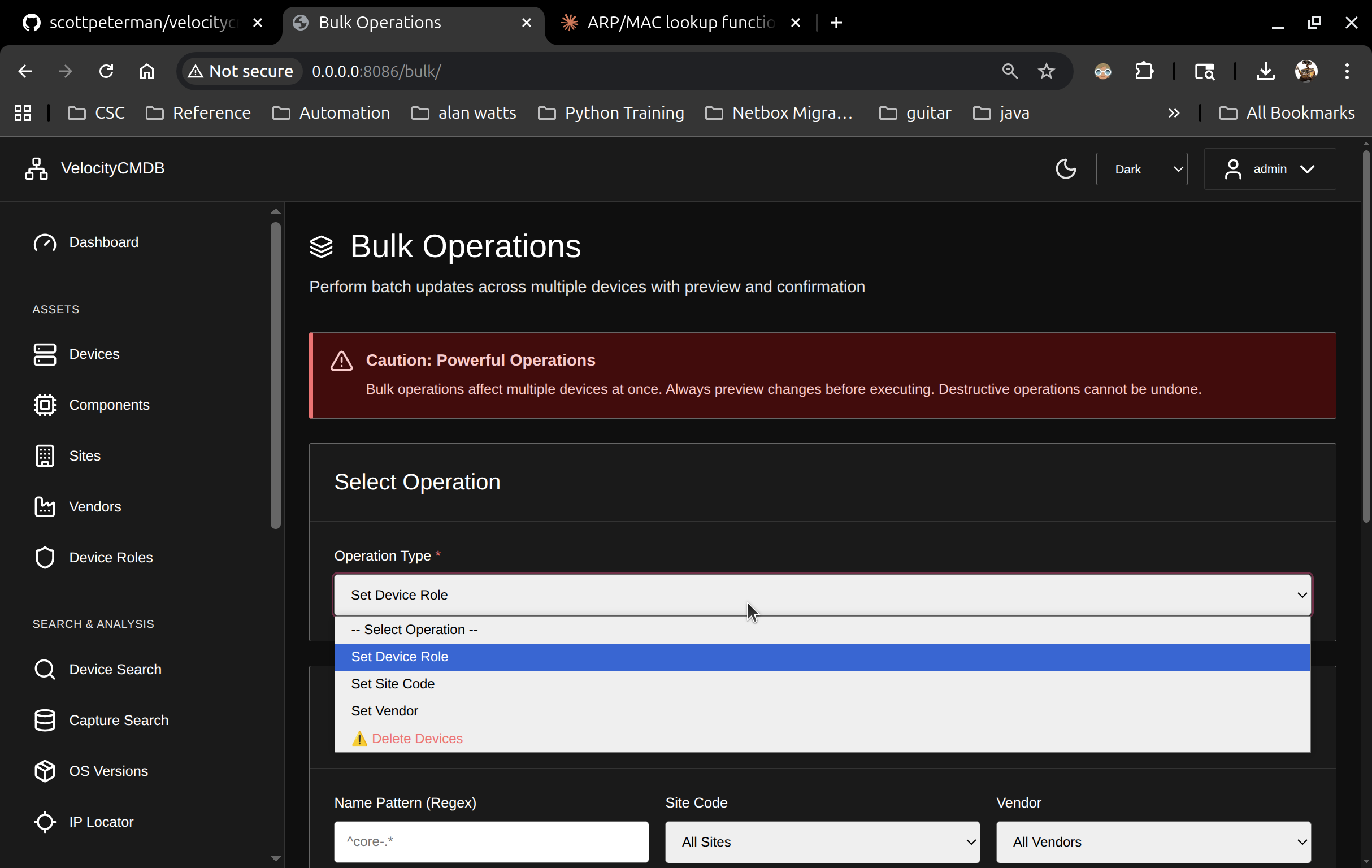 Bulk device operations with preview-commit workflow
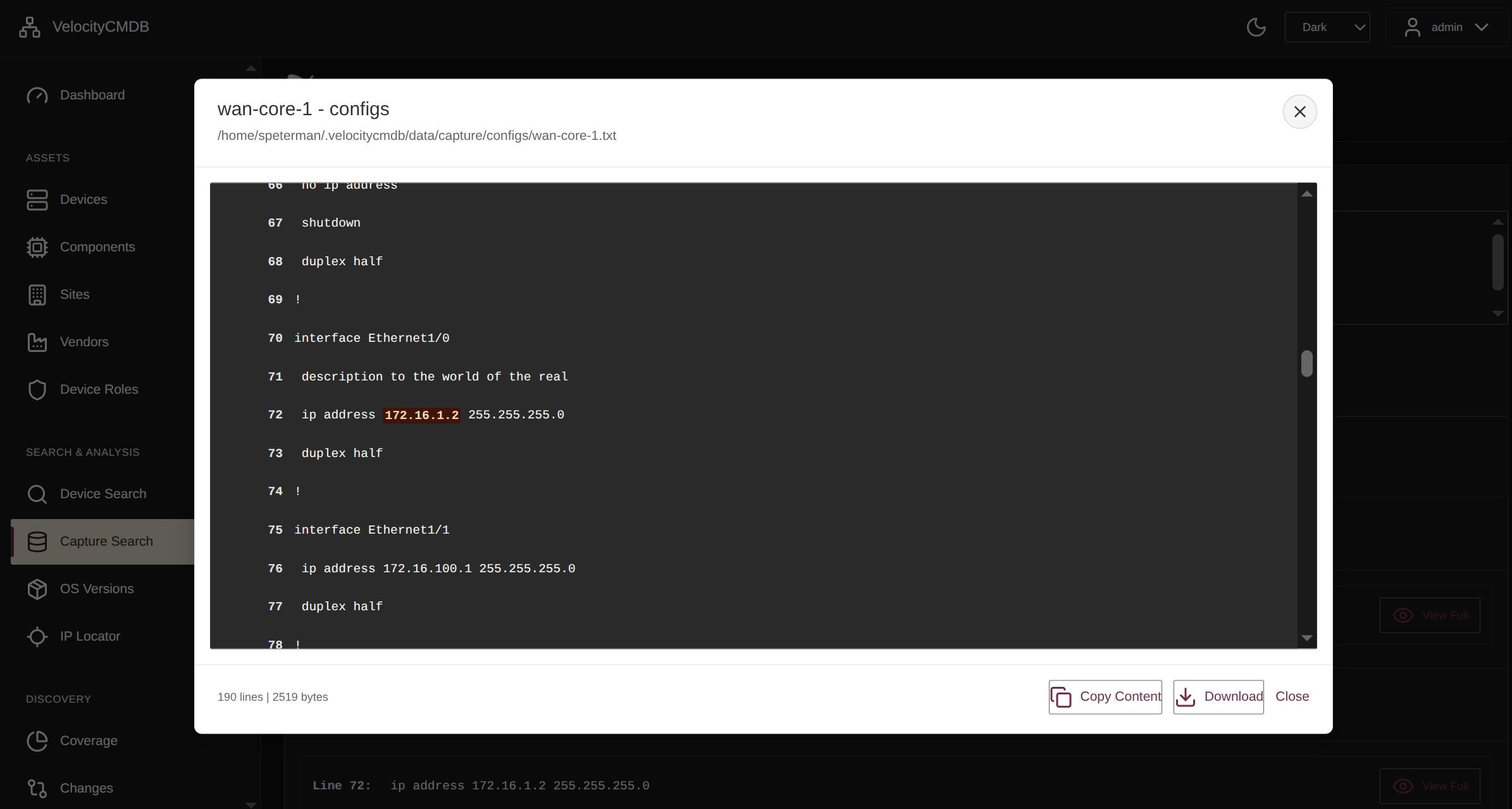 Full-text search across all captured data - configs, routes, ARP, MAC tables
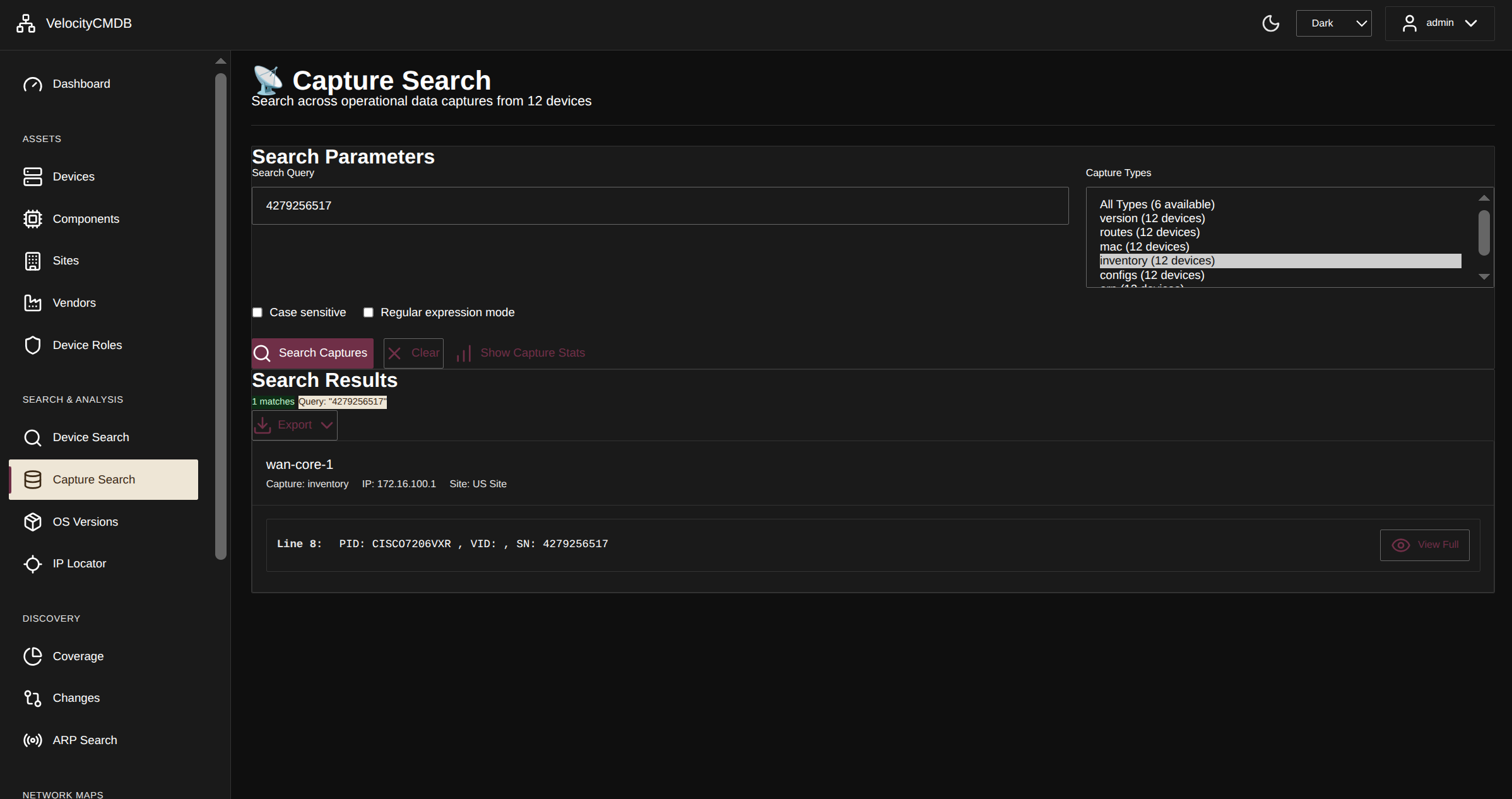 Search inventory captures for specific hardware components
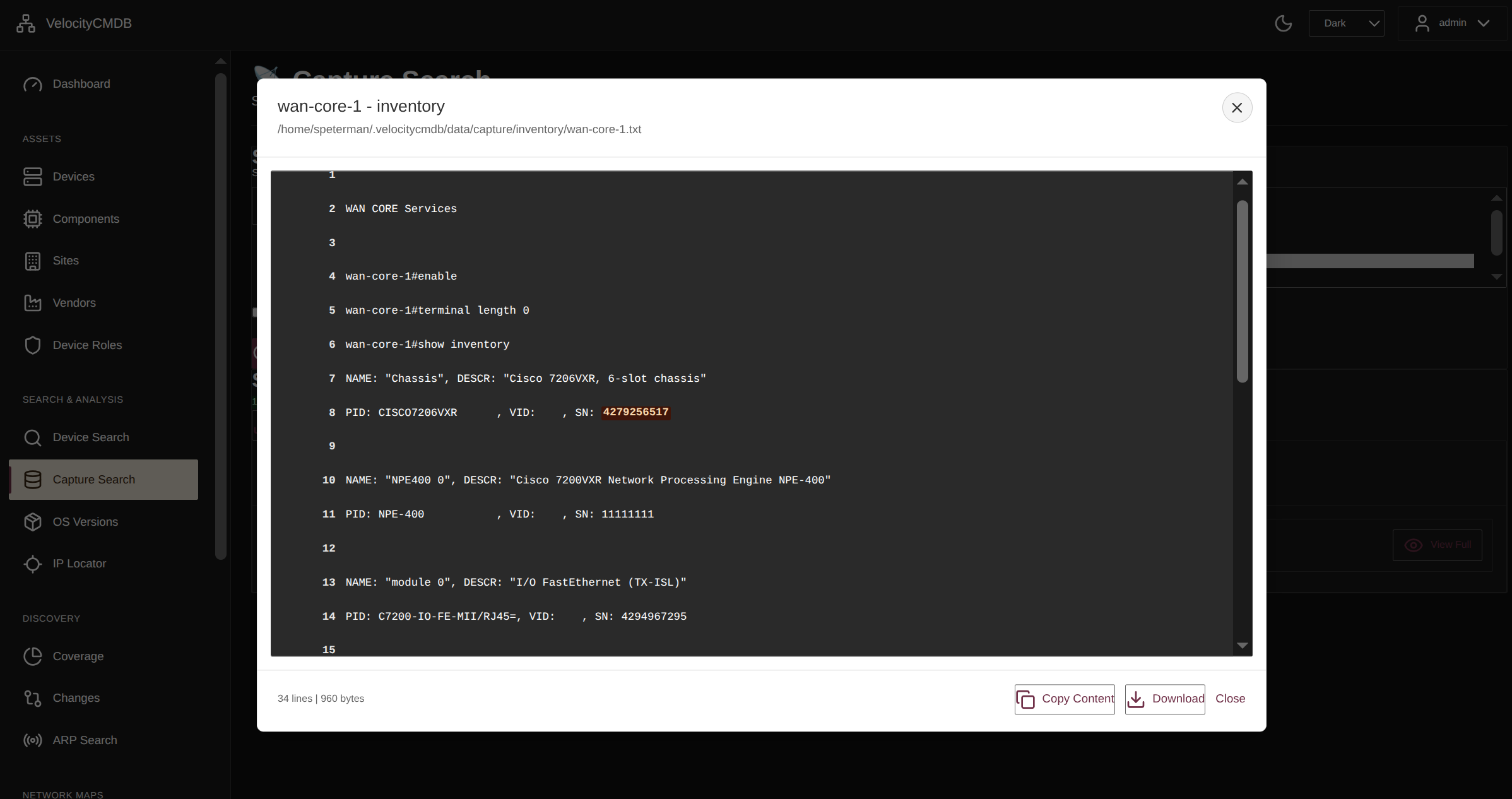 Exact match searching for precise hardware tracking
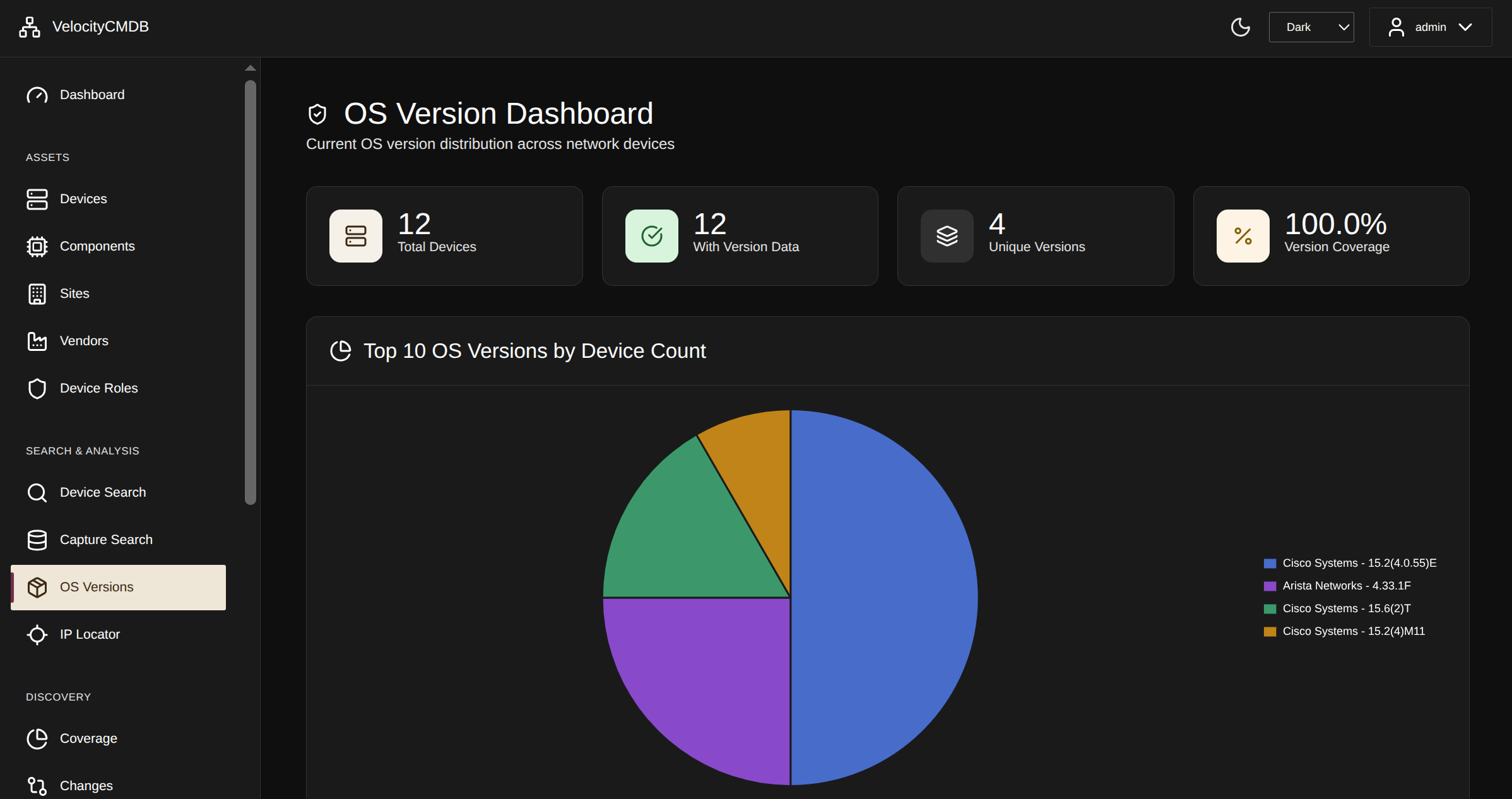 Track OS versions across infrastructure for compliance and upgrade planning
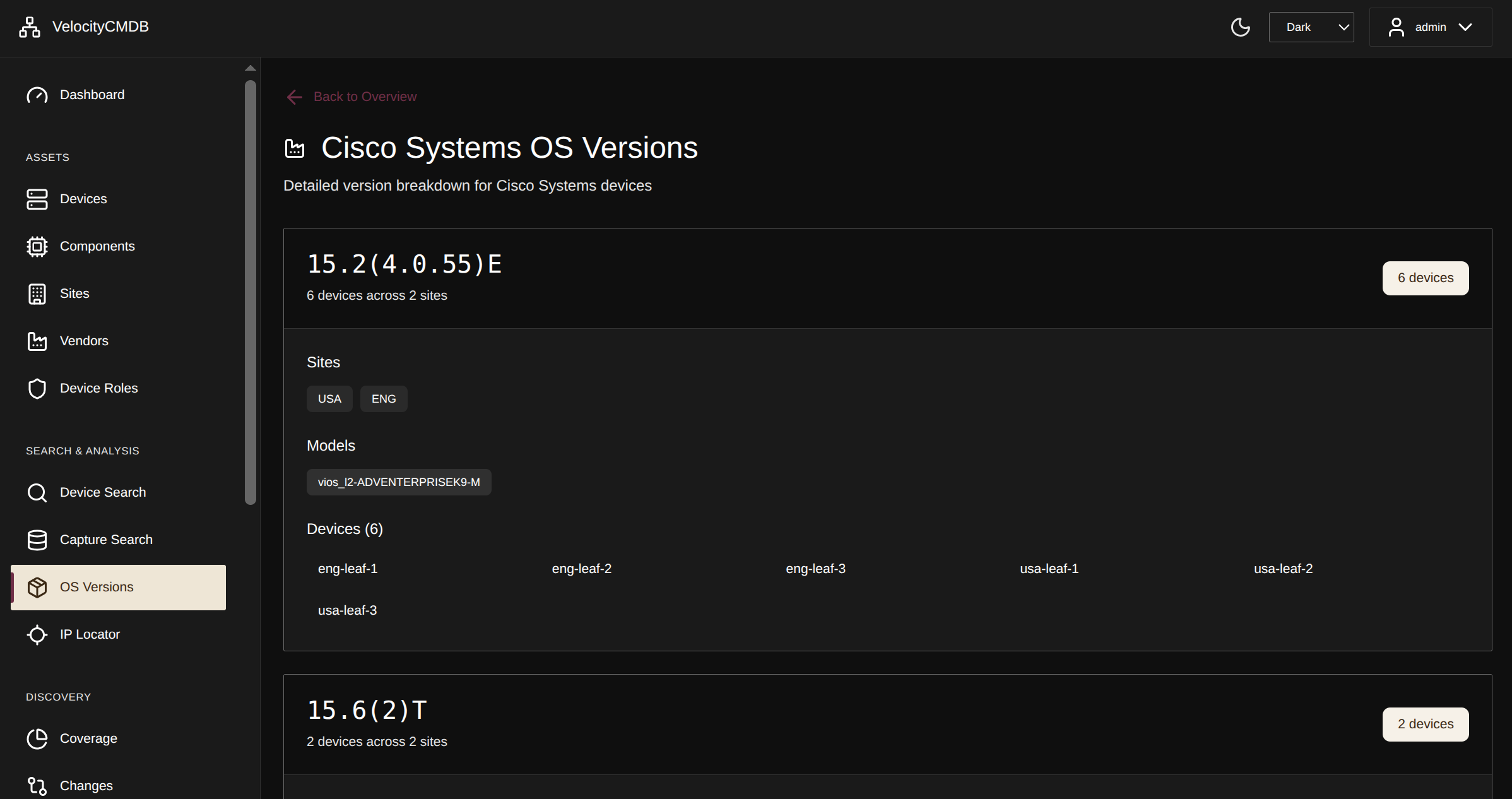 Detailed version breakdown by device type
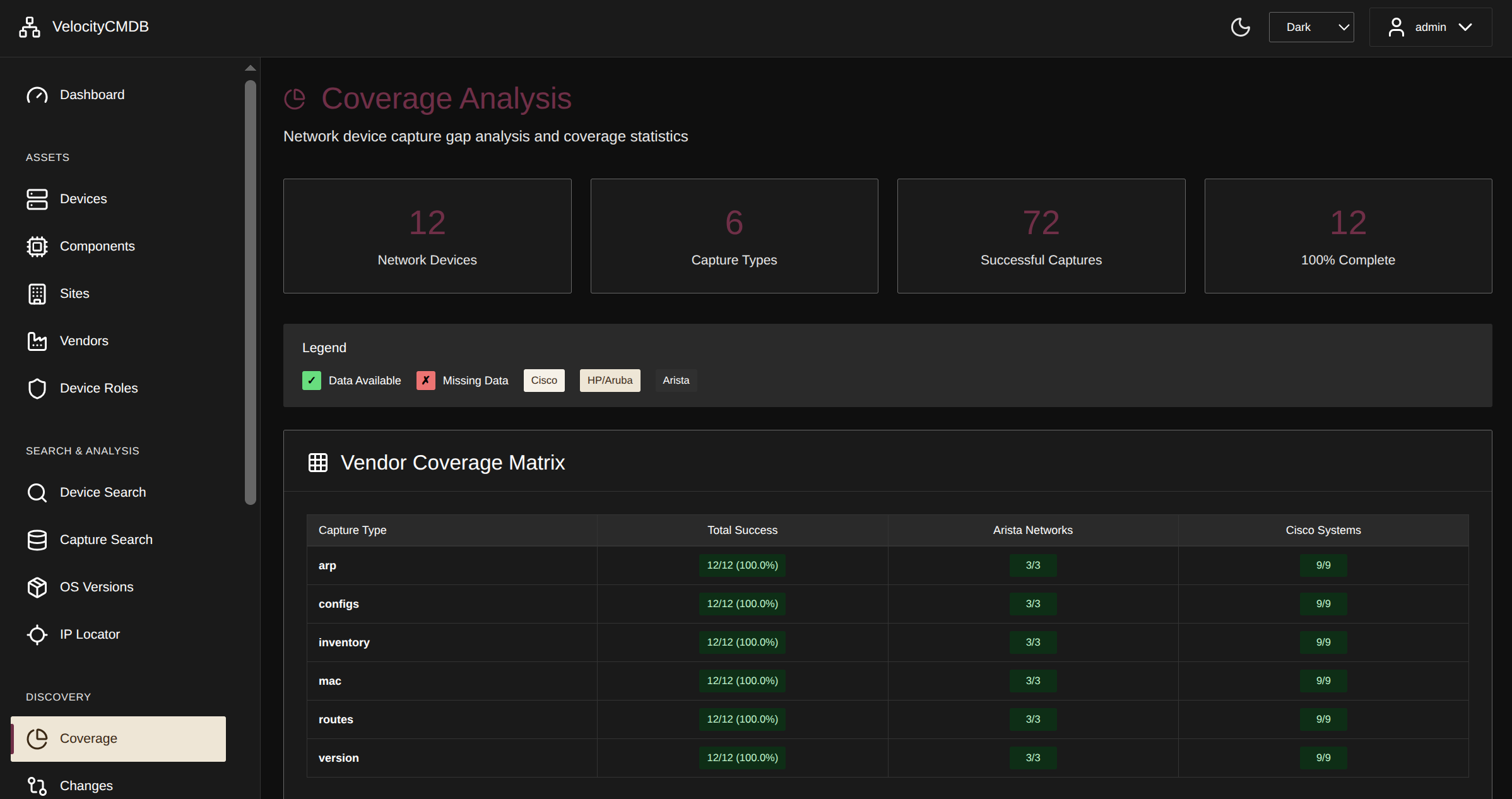 Capture coverage metrics - identify gaps in data collection
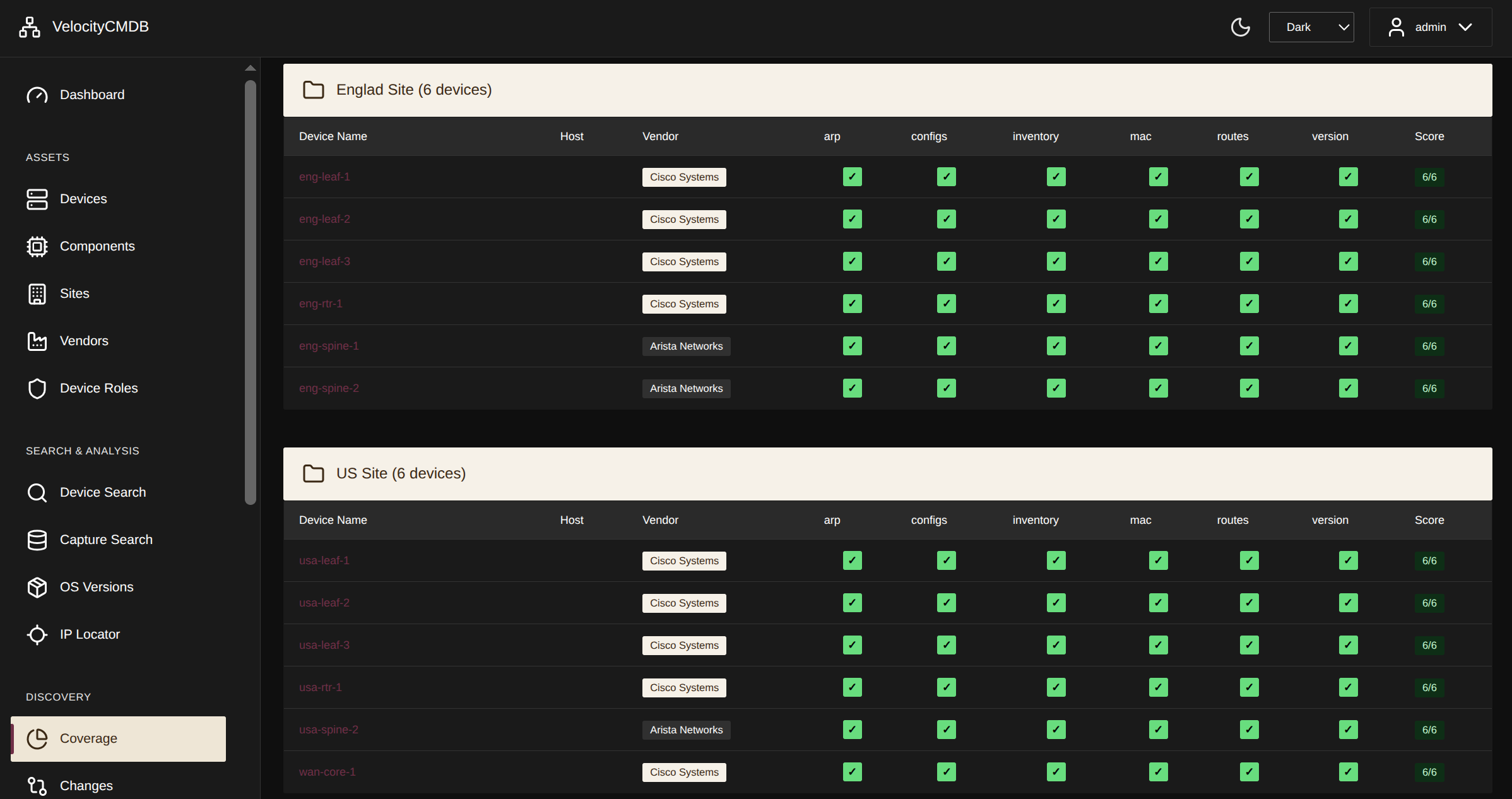 Specific gap identification for targeted remediation
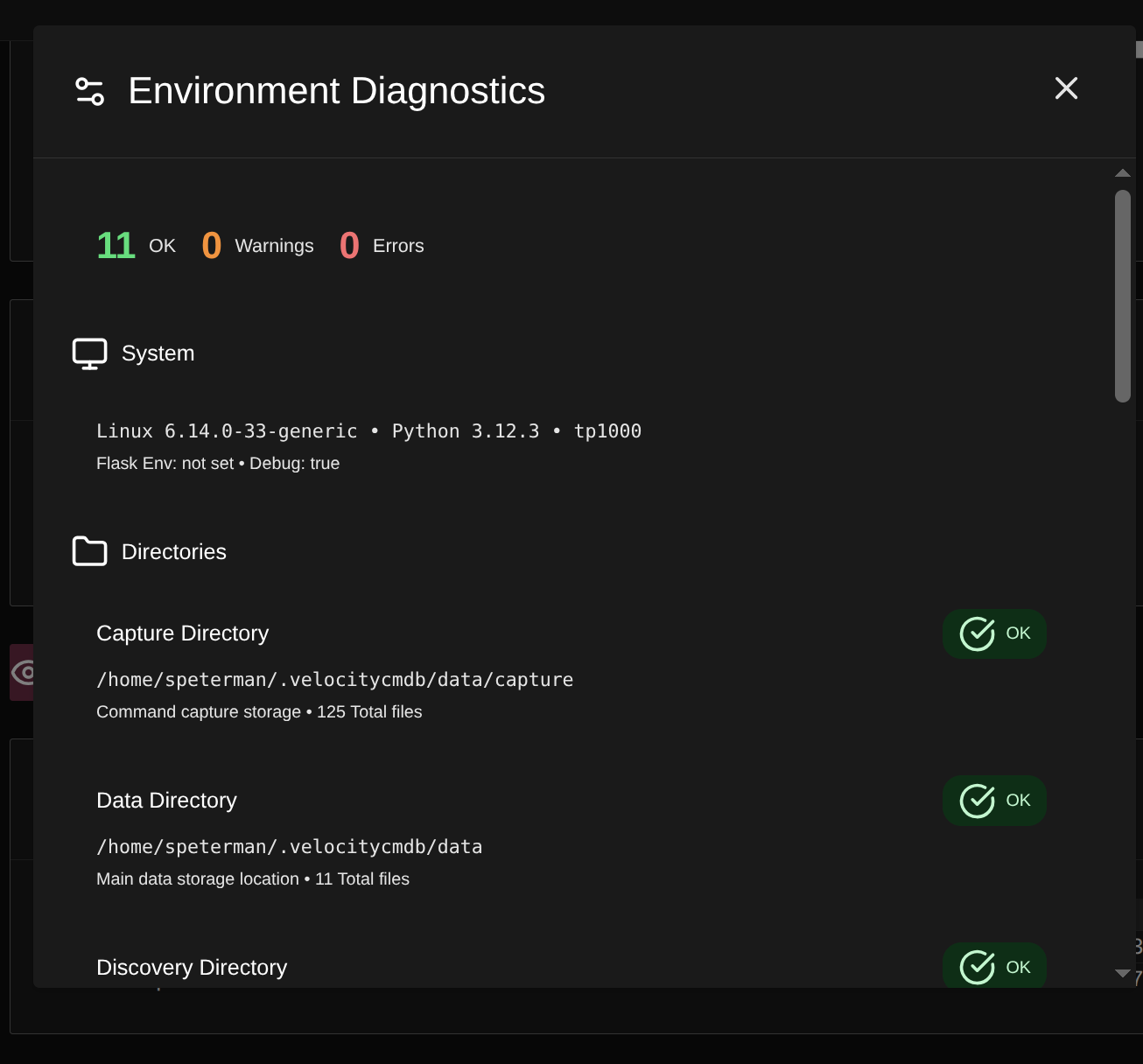 Environmental monitoring - power supplies, fans, temperature sensors
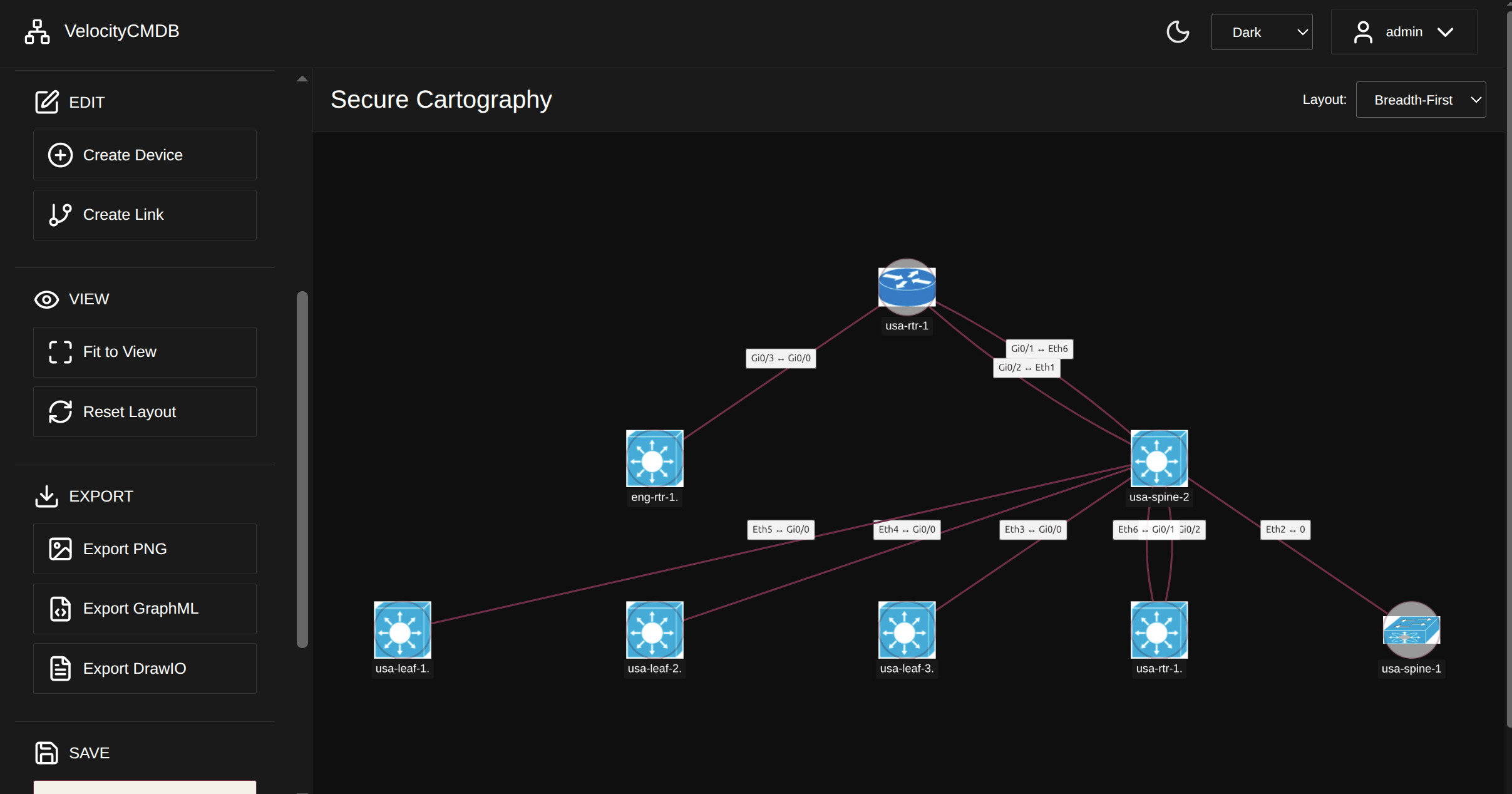 LLDP/CDP-based topology discovery with vendor-specific icons
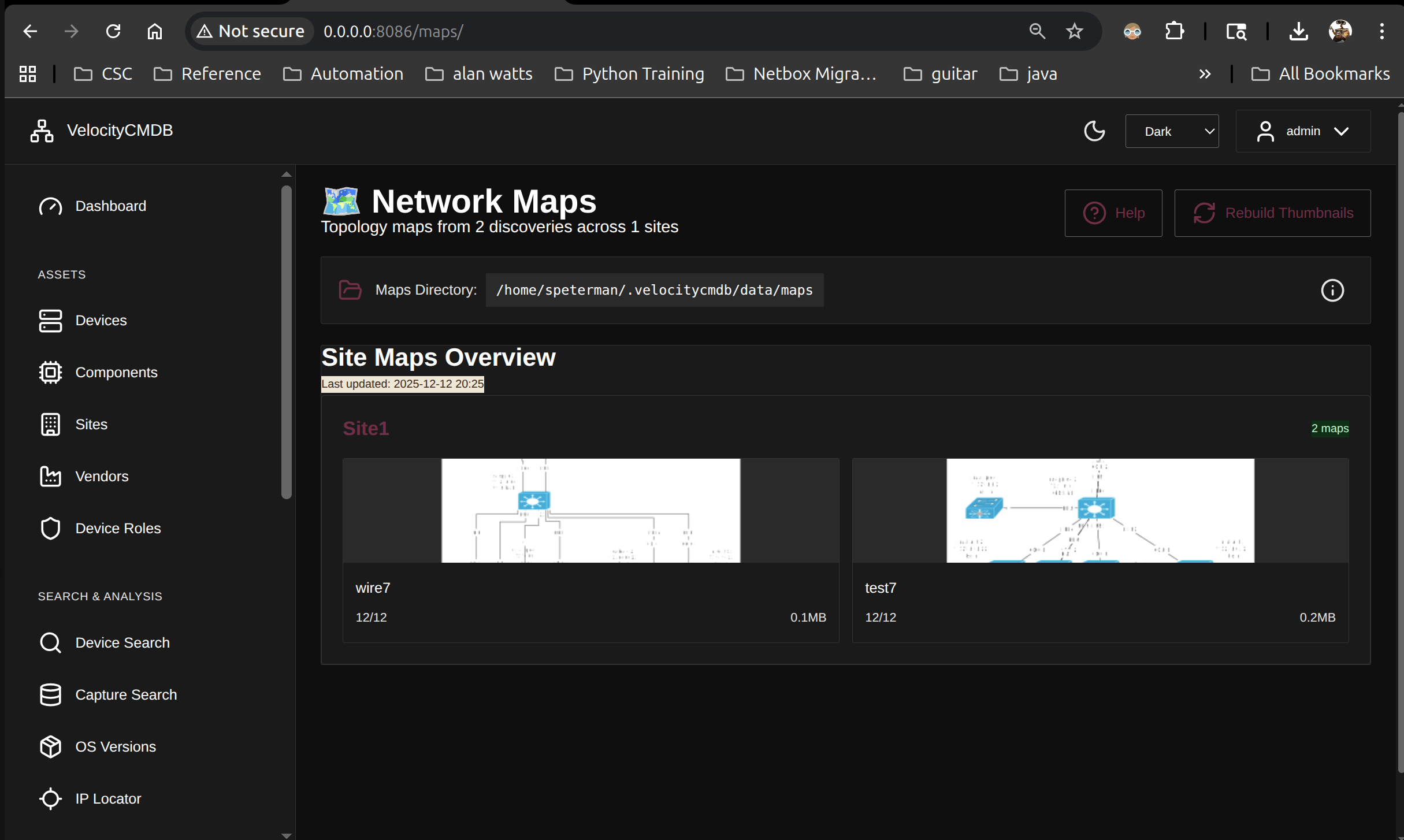 Organize topology views by site for multi-location infrastructure
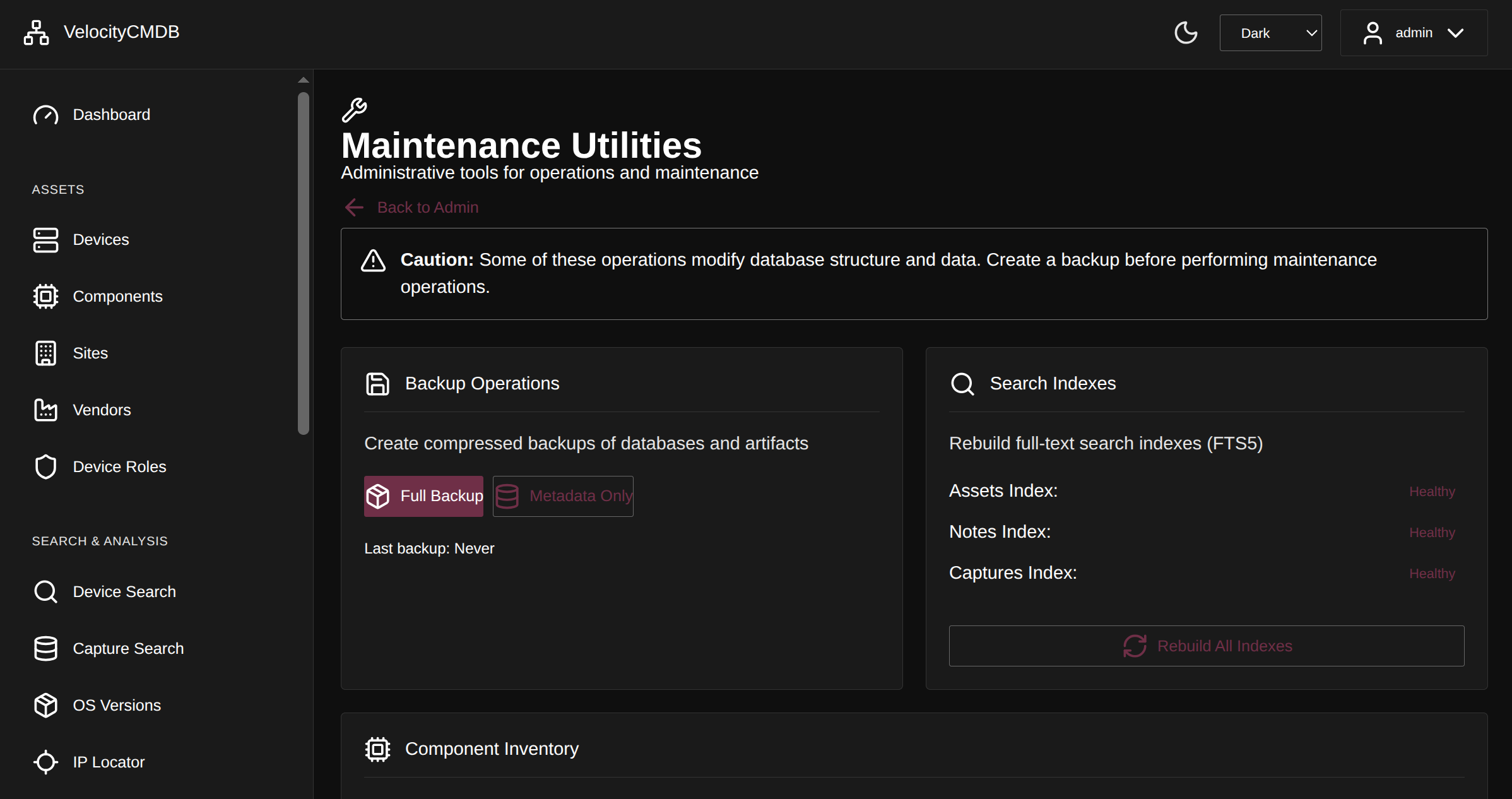 Database maintenance, backup/restore, and system health checks
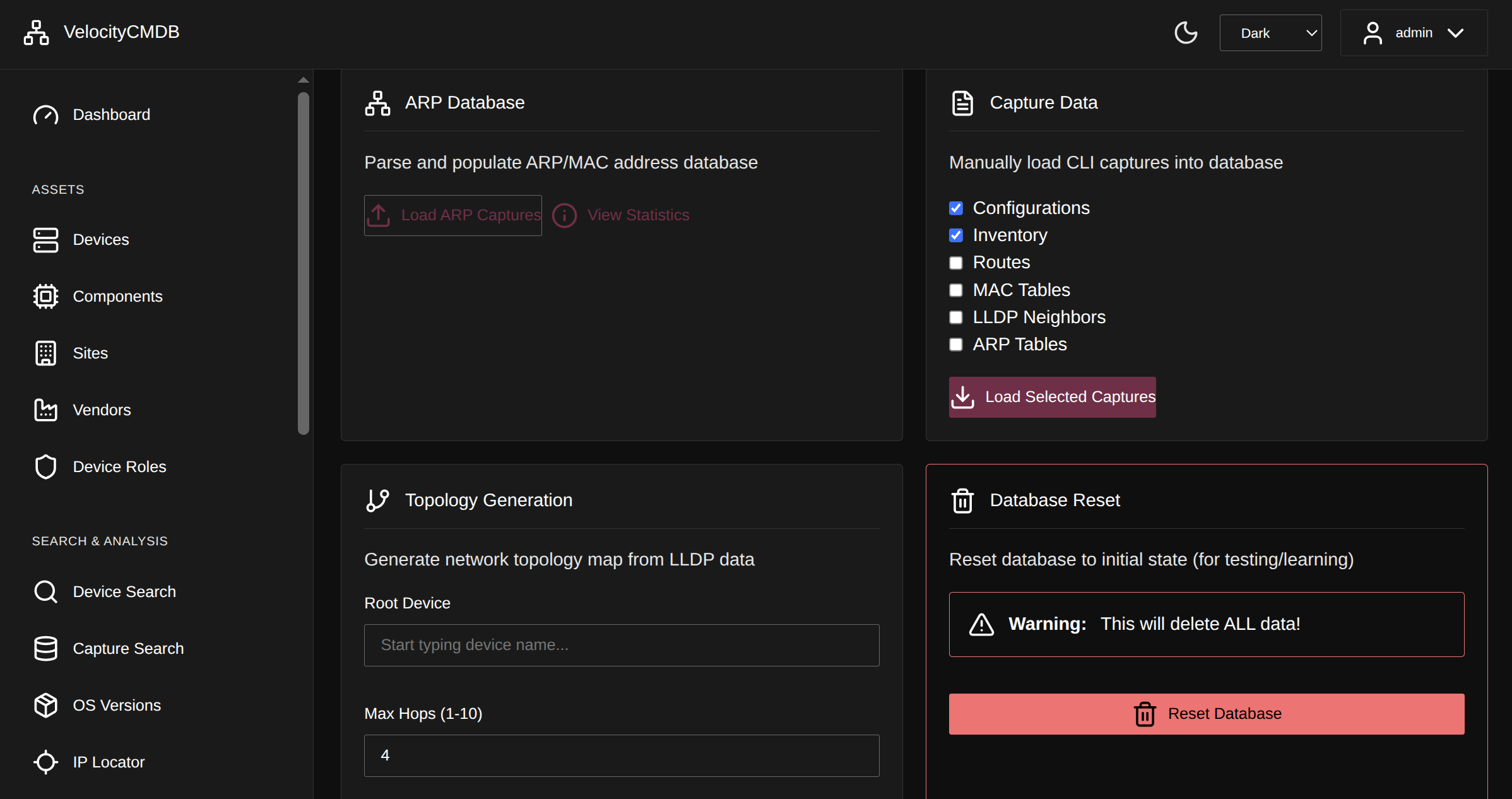 Advanced utilities for data management and troubleshooting
VelocityCMDB is built on proven open-source foundations:
Core Technologies:
- Secure Cartography - Network discovery engine (134+ stars)
- Paramiko - Multi-vendor SSH automation
- TextFSM - Command output parsing (100+ templates)
- Flask + SocketIO - Real-time web interface
- SQLite FTS5 - Full-text search across captures
Novel Contributions:
- Snapshot-based change detection with automatic diff generation
- Component-level hardware tracking with normalization
- Dual-database architecture (assets + operational data)
- Wizard-driven workflows for discovery and collection
- Integrated knowledge system with device associations
VelocityCMDB tracks intentional changes - configuration modifications, version upgrades, hardware changes - not transient operational state.
Tracked Types:
- configs - Running configuration changes
- version - Software/firmware versions
- inventory - Hardware components
Not Tracked: ARP tables, MAC tables, interface status, routing tables - these change constantly due to normal network operations.
Critical:
- Config changes > 50 lines
- Any version change (firmware upgrades are high-risk)
- Inventory changes > 5 lines (major hardware work)
Moderate:
- Any config change (someone modified something)
- Moderate inventory changes
Minor:
- Small, routine changes
For New Environment Onboarding:
- Day 1: Establish baseline
- Day 2: Detect changes made by others
- Week 1: Historical record of all modifications
- Week 2: Pattern analysis - which devices change frequently
For Accountability: When working alongside contractors or distributed teams:
- Evidence of what changed and when
- No reliance on memory or documentation
- Clear audit trail for troubleshooting
- Protection when "nobody touched anything" but logs show otherwise
For Incident Response:
-- What changed in the 24 hours before the incident?
SELECT * FROM capture_changes
WHERE detected_at BETWEEN '2025-09-29 18:00' AND '2025-09-30 18:00'
ORDER BY severity DESC;
See README_Archive_change_detection.md for complete implementation details.
Designed for:
- Up to 500 managed network devices
- Concurrent collection across multiple devices
- ~30-60 GB data growth per year
- Development use: 1-3 users
- Small team deployment: Up to 10 simultaneous users
System Requirements:
Minimum:
- 4 CPU cores
- 8 GB RAM
- 10 GB available disk space
- Python 3.10+
Recommended:
- 8+ CPU cores
- 24 GB RAM
- 100 GB available disk space (for growth)
- Python 3.12 (tested)
- SSD storage for database performance
Platform Support:
- Linux (Ubuntu 24.04+, RHEL 9+, Debian 11+)
- macOS (12+)
- Windows via WSL2
Desktop/Development (Current Phase):
# Runs Flask development server by default
python -m velocitycmdb.app.run --port 8086
Server Deployment:
# Can run as systemd service
# Limited to ~10 concurrent users (Flask dev server)
python -m velocitycmdb.app.run --host 0.0.0.0 --port 8086 --no-debug
SSL Support:
# Self-signed certificate (SocketIO requires full module syntax)
python -m velocitycmdb.app.run --port 8443 --ssl
Data Storage:
- All artifacts stored in
~/.velocitycmdb/of service account - Requires dedicated service account for production deployments
- Backup entire directory for complete system recovery
Discovery:
- 200-300 devices: 45-90 minutes (LLDP/CDP-based)
- Concurrent SSH sessions: 8 (configurable)
Fingerprinting:
- Device classification: 8 concurrent processes
- 200-300 devices: 60-120 minutes
Data Collection:
- Concurrent captures: 8 devices simultaneously
- Full capture cycle: 15-30 minutes for 100 devices
Web Interface:
- Dashboard response: <500ms typical
- Search queries: <1s for most operations
- Backup creation: 15-30 seconds
Database:
- SQLite with FTS5 full-text indexing
- Backup size: ~50-100 MB compressed (varies with capture volume)
- No external database server required
Production Ready:
- Cisco IOS/IOS-XE/NX-OS
- Arista EOS
Beta Support:
- Juniper Junos
TextFSM Templates:
- 100+ pre-built parsing templates
- Custom template support via TFSM wizard
Comprehensive guides for every component:
- VelocityMaps Import - Import discovery results from VelocityMaps
VelocityCMDB's native discovery uses Secure Cartography for SSH-based topology mapping via LLDP/CDP neighbor discovery. For environments where SNMP discovery is preferred, the experimental VelocityMaps importer provides an alternative path to populate device inventory from SNMP sysDescr data.
Import device inventory directly from VelocityMaps SNMP discovery results. This experimental importer parses device.json files and populates VelocityCMDB with vendor, model, and OS version information extracted from sysDescr.
# Preview import (dry run)
python velocitymaps_import_experimental.py --results-dir /path/to/velocitymaps/tests --dry-run

# Import devices
python velocitymaps_import_experimental.py --results-dir /path/to/velocitymaps/tests

# Strip domain suffixes from hostnames during import
python velocitymaps_import_experimental.py --results-dir /path/to/results --remove-domains "example.com,internal.net"

# Custom database path
python velocitymaps_import_experimental.py --results-dir /path/to/results --db-path /custom/assets.db
Supported Vendors: Cisco (IOS/IOS-XE/NX-OS), Arista EOS, Juniper Junos
Features:
- Automatic vendor detection and normalization
- Model and OS version parsing from sysDescr
- Hostname domain stripping (useful for FQDN cleanup)
- Dry-run mode for safe previewing
- Creates missing vendors/sites automatically
# Initialize system (first time setup)
# Creates ~/.velocitycmdb/ directory structure
velocitycmdb init

# Re-initialize and overwrite config
velocitycmdb init --forceNote: Due to SocketIO requirements, use full Python module syntax for server startup.
# Default: port 8086, no SSL, debug mode
python -m velocitycmdb.app.run

# Custom port
python -m velocitycmdb.app.run --port 8443

# Enable SSL with self-signed certificate
python -m velocitycmdb.app.run --port 8443 --ssl

# Production mode (disable debug)
python -m velocitycmdb.app.run --no-debug

# Custom host binding
python -m velocitycmdb.app.run --host 0.0.0.0 --port 8086

# Show all options
python -m velocitycmdb.app.run --help# Desktop development (default)
python -m velocitycmdb.app.run
# Server deployment with SSL
python -m velocitycmdb.app.run --host 0.0.0.0 --port 8443 --ssl --no-debug
# Custom port without SSL
python -m velocitycmdb.app.run --port 5000
# Systemd service deployment
python -m velocitycmdb.app.run --host 0.0.0.0 --port 8086 --no-debugDefault location: ~/.velocitycmdb/
Current Development Phase: Desktop/Small Team Deployment
VelocityCMDB is functional and used in production environments, but is currently optimized for:
- Desktop development - Single user, local instance
- Small team deployment - Up to 10 simultaneous users
- Flask development server - Not production WSGI/ASGI server
Limitations:
- Flask development server (not Gunicorn/uWSGI)
- ~10 concurrent user limit
- Self-signed SSL only (no Let's Encrypt integration yet)
- Single-instance only (no clustering/high availability)
Production Recommendations:
- Use dedicated service account
- Run on server with 8+ cores, 24 GB RAM
- Plan for 30-60 GB data growth per year
- Limit deployment to 500 devices maximum
- Consider systemd service for server deployment
License: GPLv3 (see LICENSE file)
Tested On: Python 3.12 (requires Python 3.10+)
- Documentation: GitHub Wiki (coming soon)
- Discussions: GitHub Discussions
- Issue Tracker: GitHub Issues
We welcome contributions! Areas where help is needed:
- Additional TextFSM templates for vendors
- Device fingerprinting profiles
- Documentation improvements
- Bug reports and feature requests
See CONTRIBUTING.md for guidelines.
Enterprise support, training, and custom development available - contact via GitHub.
Part of the network automation toolkit ecosystem:
- VelociTerm - Web SSH terminal framework
- Secure Cartography - Network discovery engine
- TerminalTelemetry - SSH automation patterns
- python-librenms-mibs - 4,242 compiled MIBs from 298 vendors
All designed with the same philosophy: practical tools that solve real operational problems.
VelocityCMDB embodies the "100-year-old hammer" mentality:
Use the tools you have to solve the problem in front of you. Don't wait for perfect solutions. Build what works, ship it, iterate.
Design Principles:
- Solve real problems - Features driven by operational necessity, not theory
- Ship complete solutions - Not just dashboards or data collection, but end-to-end workflows
- Work alone - Designed for engineers managing infrastructure solo
- Pip-installable - No complex deployment, no external dependencies
- Multi-vendor by default - Real networks aren't single-vendor
Built by a network engineer, for network engineers, to solve the problems you face every day.
GPLv3 License - See LICENSE for details.
Created by: Scott Peterman
Built with:
- Flask and SocketIO
- Cytoscape.js for topology
- Material Design 3
- TextFSM and Paramiko
- NetworkX and SQLite
Special Thanks:
- Network automation community for feedback and testing
- Early adopters who provided real-world validation
VelocityCMDB - Because you don't have time to fish.
December 2025