
- Challenge
- User Story
- Acceptance Critieria
- Live Link
- Installation
- Technologies Used
- Breakdown of roles and tasks
- Usage
- License
With your team, you’ll conceive and execute a design that solves a real-world problem. In creating your first collaborative full-stack application, you’ll combine a robust back end--with servers, databases, advanced APIs, and user authentication—-to an intuitive front end. You’ll continue to build on the agile development methodologies you’ve used throughout this course, like storing your project code in GitHub, managing your work with a project management tool, and implementing feature and bug fixes using the Git branch workflow and pull requests.
AS A USER I want to log into Ho[w]asit using an authentication process with my personal email and password, SO I can access my account.
AS A USER I want to see other peoples posts and reviews of different movies/tv shows, SO I can pick out what I want to watch.
AS A USER I want to log out of Ho[w]asit completely once finished, SO my account is no longer accessible for others to use.
Use Node.js and Express.js to create a RESTful API.
Use Handlebars.js as the template engine.
Use MySQL and the Sequelize ORM for the database.
Have both GET and POST routes for retrieving and adding new data.
Use at least one new library, package, or technology that we haven’t discussed.
Have a folder structure that meets the MVC paradigm.
Include authentication (express-session and cookies).
Protect API keys and sensitive information with environment variables.
Be deployed using Heroku (with data).
Have a polished UI.
Be responsive.
Be interactive (i.e., accept and respond to user input).
Meet good-quality coding standards (file structure, naming conventions, follows best practices for class/id naming conventions, indentation, quality comments, etc.).
Have a professional README (with unique name, description, technologies used, screenshot, and link to deployed application).
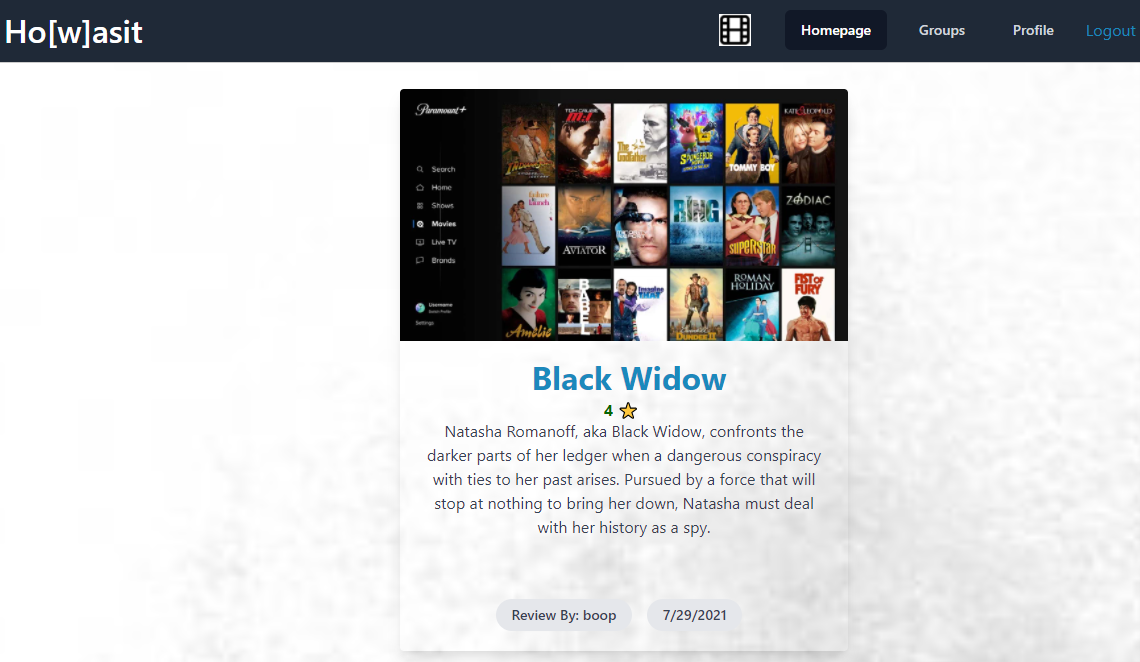
In the root directory of the project, type in the terminal command line 'npm i' to download the dependencies. Make sure you have a database you can run the seeds into which are sample rows for each model, or table, to give you starter data. This is hosted on Heroku and also utilizes JawsDB.
- bcrypt
- connect-session-sequelize
- dotenv
- express
- express-handlebars
- express-session
- mysql2
- nodemon
- sequelize
- node
- prettier
- passport
- tailwindcss
- eslint
- Javascript
- Front-end (HTML & Handlebars): Sarah Siegel
- Front-end (JS Functionality): Steven Siegel
- Back-end (Routes & Models): Scott Siegel
- All contributed equally in every task necessary to compelete the project
- install npm init -y
- npm i
- do 'npm i' followed by all the technologies used (listed above, besides JavaScript) to install all necessary packages
- connect mySQL workbench and your JavaScript files as well as connect to JAWSDB
- run node server
MIT License
Copyright (c) 2021 Sarah Siegel, Steven Siegel, Scott Siegel
Permission is hereby granted, free of charge, to any person obtaining a copy of this software and associated documentation files (the "Software"), to deal in the Software without restriction, including without limitation the rights to use, copy, modify, merge, publish, distribute, sublicense, and/or sell copies of the Software, and to permit persons to whom the Software is furnished to do so, subject to the following conditions:
The above copyright notice and this permission notice shall be included in all copies or substantial portions of the Software.
THE SOFTWARE IS PROVIDED "AS IS", WITHOUT WARRANTY OF ANY KIND, EXPRESS OR IMPLIED, INCLUDING BUT NOT LIMITED TO THE WARRANTIES OF MERCHANTABILITY, FITNESS FOR A PARTICULAR PURPOSE AND NONINFRINGEMENT. IN NO EVENT SHALL THE AUTHORS OR COPYRIGHT HOLDERS BE LIABLE FOR ANY CLAIM, DAMAGES OR OTHER LIABILITY, WHETHER IN AN ACTION OF CONTRACT, TORT OR OTHERWISE, ARISING FROM, OUT OF OR IN CONNECTION WITH THE SOFTWARE OR THE USE OR OTHER DEALINGS IN THE SOFTWARE.