
Trees are a data structures that link nodes in a parent/child relationship, in the sense that there're nodes that depend on or come off other nodes. Each node contains a key and a value.

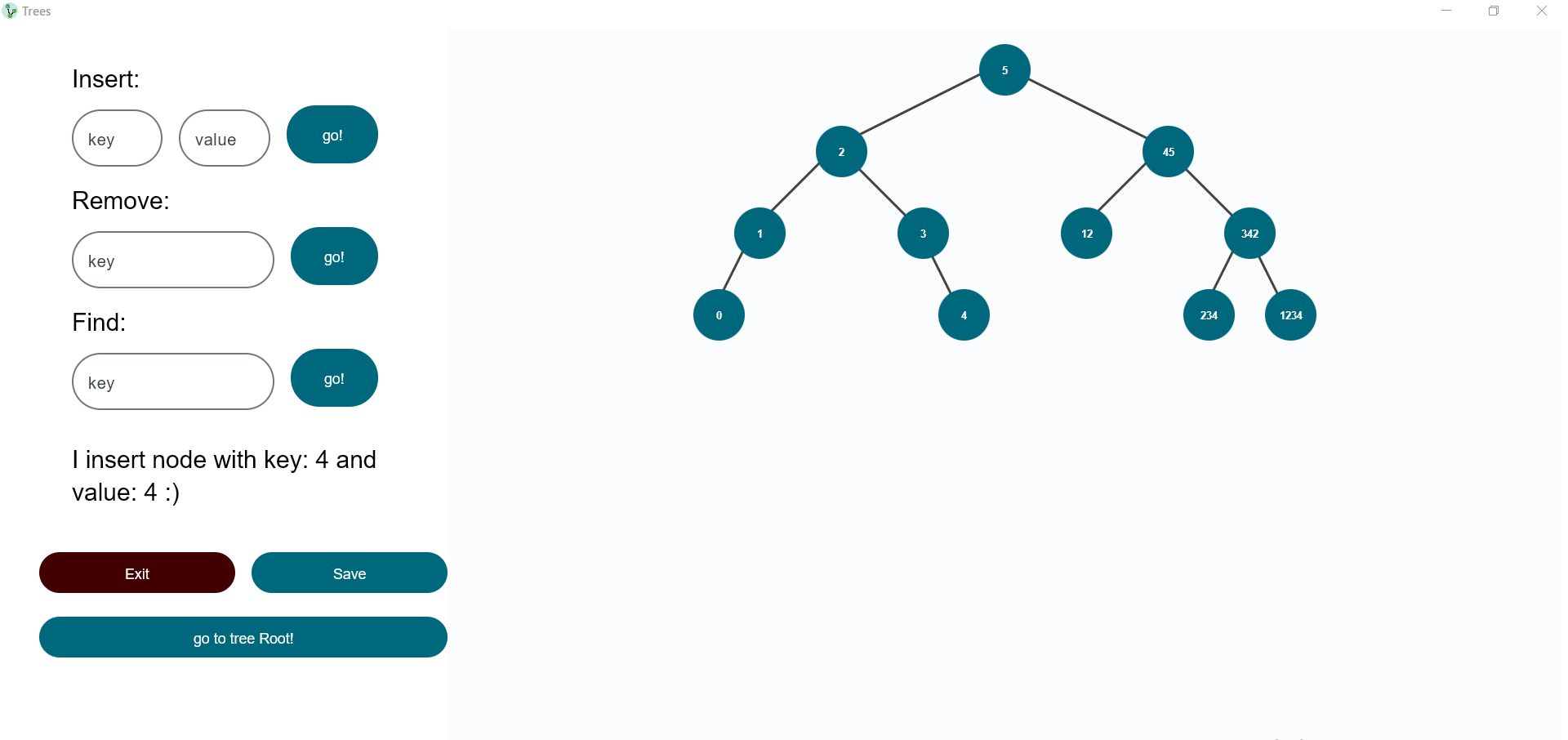
The Gradle build tool is used to manage the project. You only need to write one line to build a project:
./gradlew buildTo run app write one line to build a project:
./gradlew run
After launching the app, you will see three buttons:
NewCreates a new tree, you just have to type in a name and choose one of three tree types: Binary search Tree, AVL Tree, Red-Black Tree.OpenInvites you to open a tree of three possible databases: Json, SQLite, Neo4j. Point and click on the database you want, and you will see a list of trees that already exist. Then choose the file you want.ExitClose the app.
After creating or opening a tree, a window will appear where you can:
- Insert key and value to your tree. If a node with this name already exists, its value will be overwritten with the new one.
- Remove the node with the entered key.
- Find the value of a node using a key.
- Save the tree in three possible databases: Json, SQLite, Neo4j. If you want to save the tree with an existing name, the app will overwrite the old file.
insert- Inserts a node into the tree. It takesKeyandValueand uses them to add. If a node with this name already exists, its value will be overwritten with the new one.remove- Removes a node from the tree. It accepts theKeyand uses it to delete the node.get- Retrieves a given node. Use theKeyto get theValue. If there is no such key in the tree the program will return null.
If you want to change the save folder of your tree, change json_save_dir value in the trees-11/app/src/main/resources/Json.properties file.
If you want to change the saving path of your tree, change sqlite_path value in the trees-11/app/src/main/resources/SQLite.properties file.
You should download Neo4j Desktop here.
Open app.
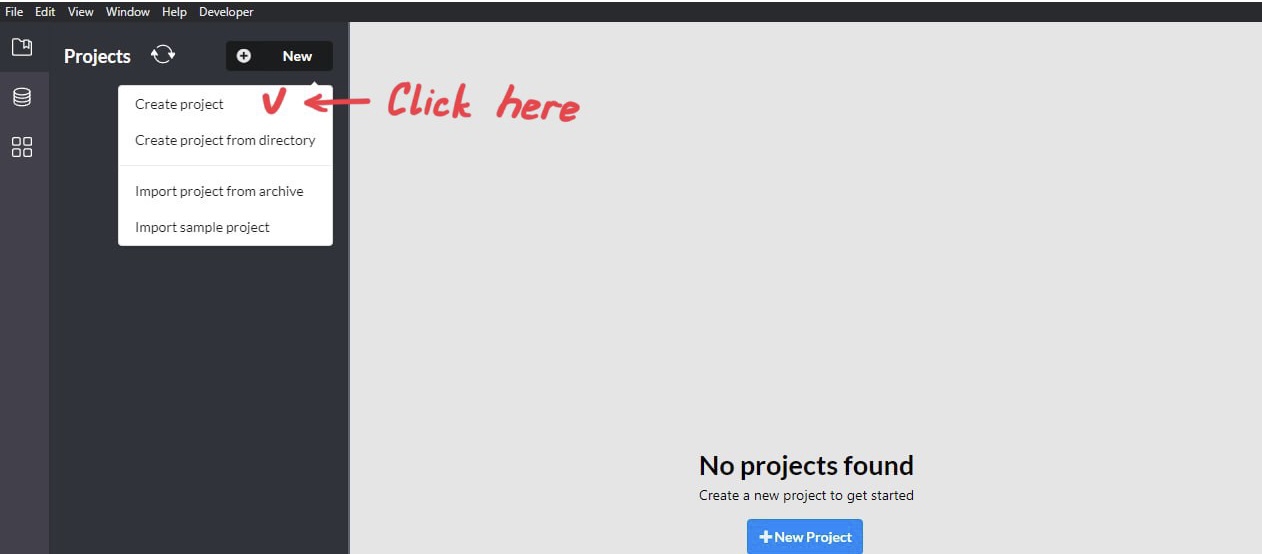
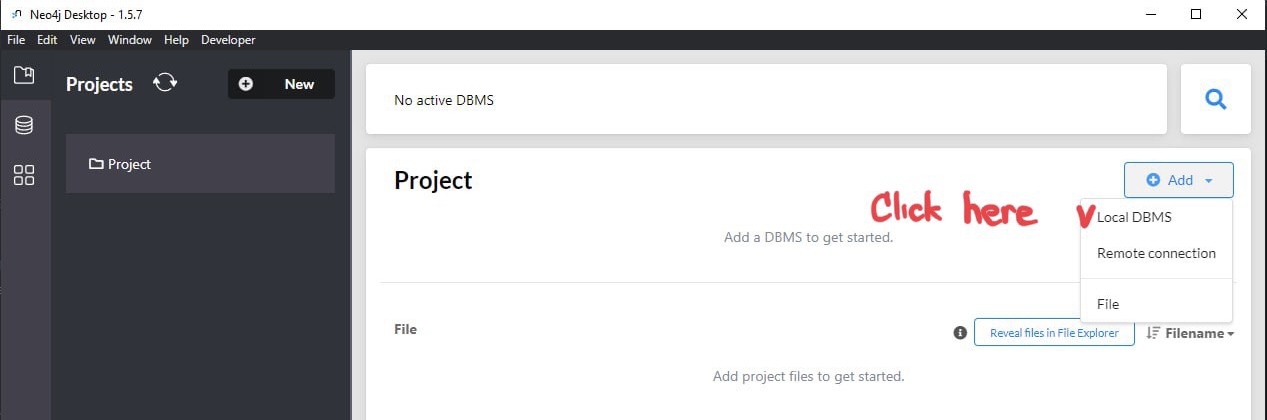
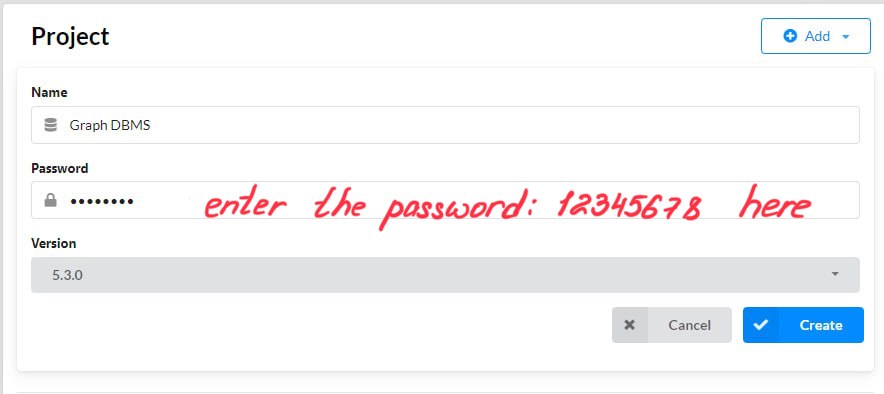
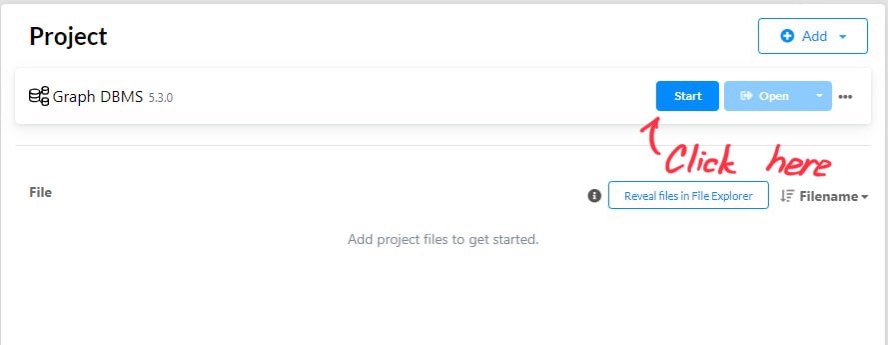
If you want to change uri, user name or password of your data Base, change relevant fields in the trees-11/app/src/main/resources/Neo4j.properties file.