
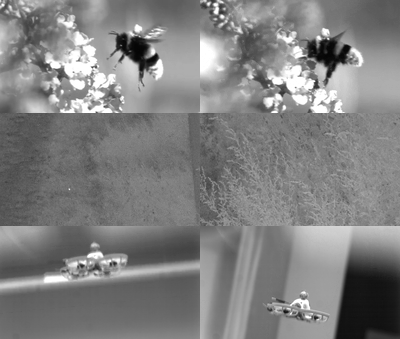
FLO is a method for videography using a camera system that automatically moves to follow the subject.
FLO is described in the following publication:
Vo-Doan TT, Titov VV, Harrap MJM, Lochner S, Straw AD. High Resolution Outdoor Videography of Insects Using Fast Lock-On Tracking. Science Robotics 9(95), eadm7689 (2024) Free-access link DOI: 10.1126/scirobotics.adm7689.
This repository contains the source code for the primary FLO executable, called
flo. flo is written in the Rust language. flo receives image coordinates
from Strand Cam imops and controls motors. This is the main, high-level FLO
program.
- https://github.com/strawlab/flo-data-analysis data analysis for FLO data
- https://github.com/strawlab/flo-hardware build instructions and manual for the FLO BYO-camera insect tracking/filming setup.
- https://github.com/strawlab/red-button-trigger-timestamp hardware to record times of external trigger events.
This diagram shows the various software pieces, and the means with which they
communicate with each other, when using the
Mini-FLO
variant. In Mini-FLO, the rpipico-pantilt software running on a Raspberry Pi
Pico board controls PWM servo motors. Other variants trade rpipico-pantilt and
the PWM servo motors for other types of motors, such as Trinamic stepper motors
or SimpleBGC gimbal motors. Strand Camera is available
here.
+-------------+
|             |         HTTP
|   FLO UI    +<----------------------+
|    (browser)|                       |
+-------------+                       |
                                      v
+-----------------------+      +-------------+     +-----------------+
|                       | UDP  |             | USB |                 |
| Strand Camera `imops` +----->|    flo      +<--->| rpipico-pantilt |
|                   (PC)|      |         (PC)|     |        (RP Pico)|
+-----------------------+      +-------------+     +-------+---------+
            ^                                              |
            |                                              |
            |                                              |
            |                                              v
       +----+---+                                      +--------+
       |        |                                      | PWM    |
       | camera |<-------------------------------------+ servo  |
       |        |                                      | motors |
       +--------+                                      +--------+
(Ascii art made with http://asciiflow.com/ )
cratesRust crates (libraries) used byfloand other softwarefirmware/beamdriverFirmware for IR LED sourcefirmware/flo-tilta-dongleFirmware for USB dongle to control Tilta motors.firmware/rpipico-pantiltFirmware for RPi Pico to control PWM servo motors.srcRust source code forflo
- Run strand-cam.
Specify the networking port using command-line argument: --http-server-addr 127.0.0.1:5555 (5555 is the port number). Specify the camera to use with
--camera-name Basler-40522040 (40522040 is the serial number of the camera).
Thus, your command line would be:
strand-cam-pylon --http-server-addr 127.0.0.1:5555 --camera-name Basler-40522040
To obtain distance estimates using stereo cameras, it is necessary to run two instances of strand-cam, one for the main camera and one for the secondary camera. These will have different ports. For example, 5555 for the main camera, and 5556 for the secondary camera.
- Obtain the link for strand-cam.
Strand-cam will dump a lot of info into the terminal. Look for a line like * predicted URL http://127.0.0.1:5555/.
When running with two cameras, each will have a different link. Keep the strand-cam instances running for the next step.
- Put the link into the FLO config file, and run FLO once.
Look for url fields in the FLO config file:
  strand_cam_main:
    url: http://127.0.0.1:5555
    on_attach_json_commands:
    - '{"ToCamera":{"SetImOpsCenterX":960}}'
    - '{"ToCamera":{"SetImOpsCenterY":600}}'
    - '{"ToCamera":{"SetImOpsThreshold":200}}'
    - '{"ToCamera":{"ToggleImOpsDetection":true}}'
    - '{"ToCamera":{"SetMp4MaxFramerate": "Fps60"}}'
  strand_cam_secondary: # If you have a secondary camera for stereopsis, also use this section
    url: http://127.0.0.1:5556
    on_attach_json_commands:
    - '{"ToCamera":{"SetImOpsCenterX":960}}'
    - '{"ToCamera":{"SetImOpsCenterY":600}}'
    - '{"ToCamera":{"SetImOpsThreshold":200}}'
    - '{"ToCamera":{"ToggleImOpsDetection":true}}'
Then run FLO with something like this:
flo --config config-mini.yaml --pwm-serial /dev/ttyACM0
Note that in the FLO config file you can configure imops and other aspects of
strand-cam automatically in the on_attach_json_commands section.