


SVAR Vue Editor is a Vue 3 component that gives you a configurable, Vue-native edit form you can attach to any structured data and display as a popup, sidebar, or inline form. Use it as a foundation for your forms and adapt the layout to fit your Vue application.
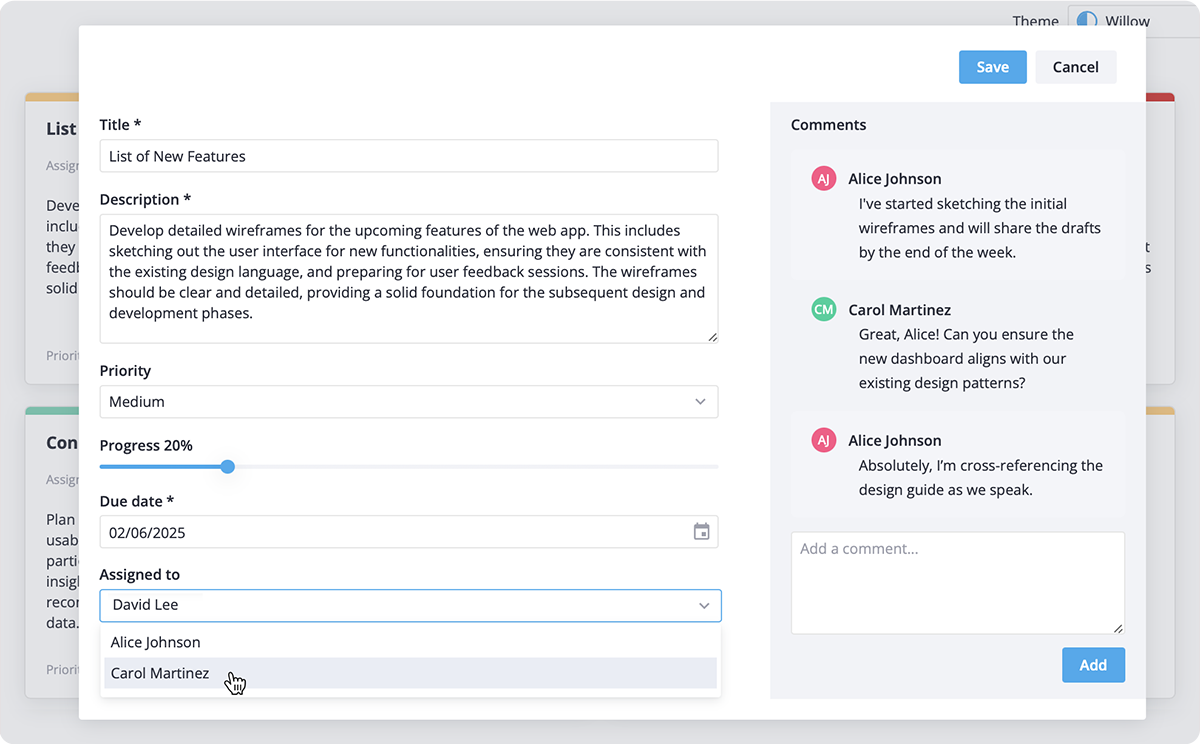
- Flexible display options: add the editor as a modal popup, inline form or as a seamless sidebar for convenient access.
- Multiple input types: Use various input fields like text inputs, checkboxes, date pickers, sliders, and more controls from SVAR Vue Core library.
- Built-in validation: Includes basic validation for required fields and supports custom validation rules for advanced scenarios.
- Flexible save options: Choose between manual saves, auto-save, or custom saving logic adjusted to your needs.
- Compact layout: Organize forms into expandable sections or a 2-column layout for efficient use of screen space.
- TypeScript support: fully typed for safe and seamless integration.
To use the Editor component, simply import the package and include the component in your Vue file:
<script setup>
import { Editor } from "@svar-ui/vue-editor";
import "@svar-ui/vue-editor/all.css";

const value = { name:"Alex", age: 32 };
</script>

<template>
	<Editor :value="value" />
</template>
For more details, visit the getting started guide.