NUMA-aware GPU provisioning and orchestration for stateless MoE workloads of all sizes
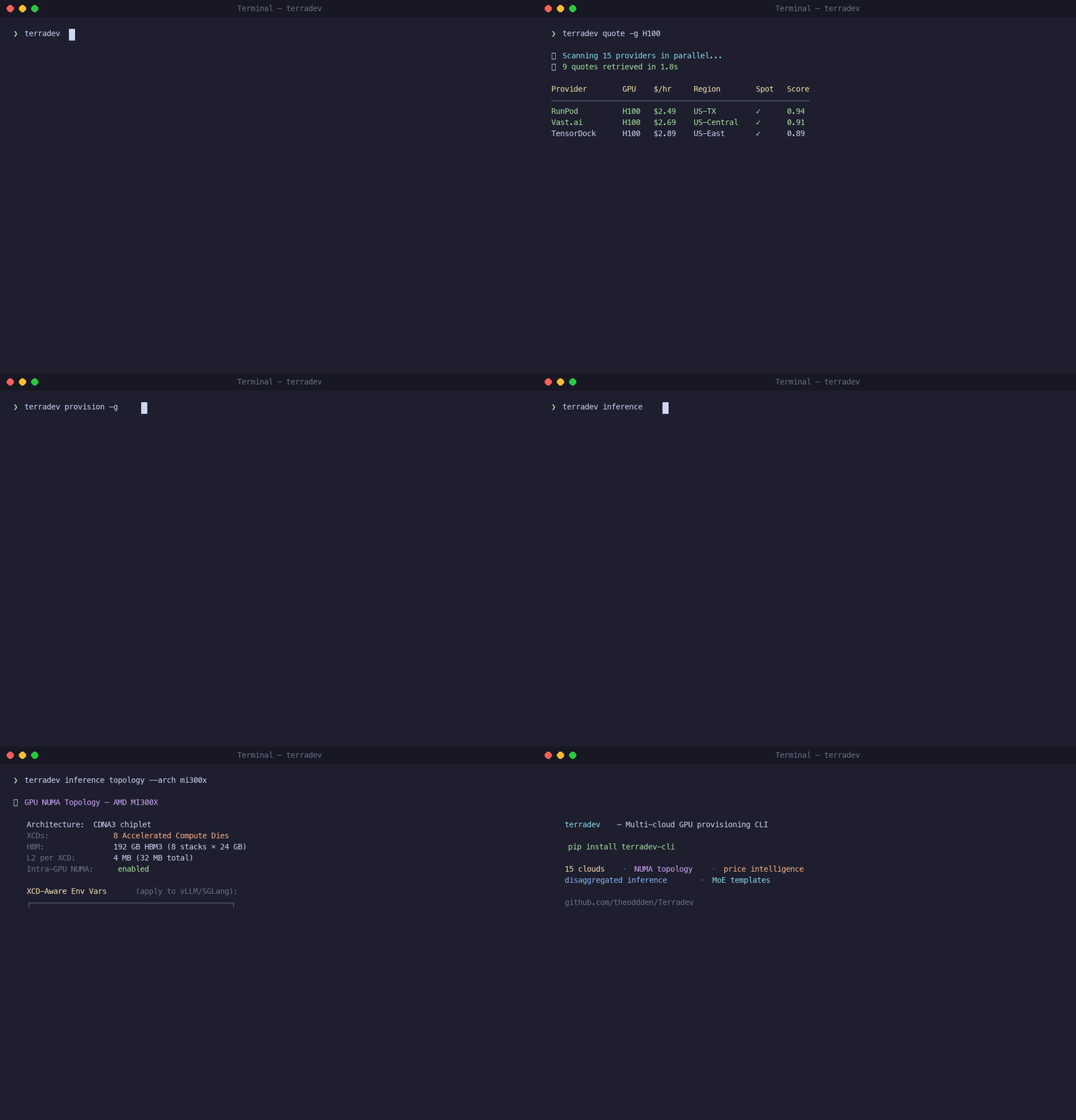
Revolutionary passive CUDA Graph optimization that automatically analyzes and optimizes GPU topology for maximum graph performance:
# Automatic CUDA Graph optimization - no configuration needed
terradev provision -g H100 -n 4

# NUMA-aware endpoint selection happens automatically
# CUDA Graph compatibility is detected passively
# Warm pool prioritizes graph-compatible models- 2-5x speedup for CUDA Graph workloads with optimal NUMA topology
- 30-50% bandwidth penalty eliminated through automatic GPU/NIC alignment
- Zero configuration - everything runs passively in the background
- Model-aware optimization - different strategies for transformers vs MoE models
- PIX (Same PCIe Switch): Optimal for CUDA Graphs (1.0 score)
- PXB (Same Root Complex): Very good (0.8 score)
- PHB (Same NUMA Node): Good (0.6 score)
- SYS (Cross-Socket): Poor for graphs (0.3 score)
- Transformers: Highest priority (0.9 base score) - benefit most from graphs
- CNNs: Moderate priority (0.7 base score) - benefit moderately
- MoE Models: Lower priority (0.4 base score) - dynamic routing challenges
- Auto-detection: Model types identified automatically from model IDs
- Passive Analysis: Runs automatically every 5 minutes
- Warm Pool Enhancement: CUDA Graph models get higher priority
- Endpoint Selection: Routes to NUMA-optimal endpoints automatically
- Performance Tracking: Monitors graph capture time and replay speedup
pip install terradev-cliFor all cloud provider SDKs and ML integrations:
pip install terradev-cli[all]Verify and list commands:
terradev --helpTerradev supports 19 GPU cloud providers. Start with one, RunPod is the fastest to set up:
terradev setup runpod --quickThis shows you where to get your API key. Then configure it:
terradev configure --provider runpodPaste your API key when prompted. It's stored locally at ~/.terradev/credentials.json, never sent to a Terradev server. Add more providers later:
terradev configure --provider vastai
terradev configure --provider lambda_labs
terradev configure --provider aws
The more providers you configure, the better your price coverage.
Check pricing across every provider you've configured:
terradev quote -g A100Output is a table sorted cheapest-first: price/hour, provider, region, spot vs. on-demand. Try different GPUs:
terradev quote -g H100
terradev quote -g L40S
terradev quote -g RTX4090Most clouds hand you GPUs with suboptimal topology by default. Your GPU and NIC end up on different NUMA nodes, RDMA is disabled, and the kubelet Topology Manager is set to none. That's a 30-50% bandwidth penalty on every distributed operation and you'll never see it in nvidia-smi.
When you provision through Terradev, topology optimization is automatic:
terradev provision -g H100 -n 4 --parallel 6What happens behind the scenes:
- NUMA alignment — GPU and NIC forced to the same NUMA node
- GPUDirect RDMA — nvidia_peermem loaded, zero-copy GPU-to-GPU transfers
- CPU pinning — static CPU manager policy, no core migration
- SR-IOV — virtual functions created per GPU for isolated RDMA paths
- NCCL tuning — InfiniBand enabled, GDR_LEVEL=PIX, GDR_READ=1
You don't configure any of this. It's applied automatically.
To preview the plan without launching:
terradev provision -g A100 -n 2 --dry-runTo set a price ceiling:
terradev provision -g A100 --max-price 2.50Option A — Run a command on your provisioned instance:
terradev execute -i <instance-id> -c "nvidia-smi"
terradev execute -i <instance-id> -c "python train.py"
Option B — One command that provisions, deploys a container, and runs:
terradev run --gpu A100 --image pytorch/pytorch:latest -c "python train.py"Option C — Keep an inference server alive:
terradev run --gpu H100 --image vllm/vllm-openai:latest --keep-alive --port 8000# See all running instances and current cost
terradev status --live
# Stop (keeps allocation)
terradev manage -i <instance-id> -a stop
# Restart
terradev manage -i <instance-id> -a start
# Terminate and release
terradev manage -i <instance-id> -a terminate# View spend over the last 30 days
terradev analytics --days 30
# Find cheaper alternatives for running instances
terradev optimizeNow that your nodes have correct topology, distributed training actually runs at full bandwidth:
# Validate GPUs, NCCL, RDMA, and drivers before launching
terradev preflight

# Launch training on the nodes you just provisioned
terradev train --script train.py --from-provision latest

# Watch GPU utilization and cost in real time
terradev monitor --job my-job

# Check status
terradev train-status

# Manage checkpoints
terradev checkpoint list --job my-job
The --from-provision latest flag auto-resolves IPs from your last provision command. Supports torchrun, DeepSpeed, Accelerate, and Megatron.
If you're serving a model with vLLM, there are 6 settings most teams leave at defaults — each one costs throughput:
| Knob | Default | Optimized | Impact |
|---|---|---|---|
| max-num-batched-tokens | 2048 | 16384 | 8x throughput |
| gpu-memory-utilization | 0.90 | 0.95 | 5% more VRAM |
| max-num-seqs | 256/1024 | 512-2048 | Prevent queuing |
| enable-prefix-caching | OFF | ON | Free throughput win |
| enable-chunked-prefill | OFF | ON | Better prefill |
| CPU Cores | 2 + #GPUs | Optimized | Prevent starvation |
Auto-tune all six from your workload profile:
terradev vllm auto-optimize -s workload.json -m meta-llama/Llama-2-7b-hf -g 4Or analyze a running server:
terradev vllm analyze -e http://localhost:8000Benchmark:
terradev vllm benchmark -e http://localhost:8000 -c 10For large Mixture-of-Experts models (GLM-5, Qwen 3.5, DeepSeek V4), Terradev's MoE templates include every optimization auto-applied — KV cache offloading, speculative decoding, sleep mode, expert load balancing:
terradev provision --task clusters/moe-template/task.yaml \
  --set model_id=Qwen/Qwen3.5-397B-A17B
Or a smaller model:
terradev provision --task clusters/moe-template/task.yaml \
  --set model_id=Qwen/Qwen3.5-122B-A10B --set tp_size=4 --set gpu_count=4
What's auto-applied (no flags needed):
- KV cache offloading — spills to CPU DRAM, up to 9x throughput
- MTP speculative decoding — up to 2.8x faster generation
- Sleep mode — idle models hibernate to CPU RAM, 18-200x faster than cold restart
- Expert load balancing — rebalances routing at runtime
- LMCache — distributes KV cache across instances via Redis
This separates inference into two GPU pools optimized for each phase:
- Prefill (compute-bound) — processes input prompt, wants high FLOPS
- Decode (memory-bound) — generates tokens, wants high HBM bandwidth
The KV cache transfers between them via NIXL — zero-copy GPU-to-GPU over RDMA. This is why getting the NUMA topology right in Step 4 matters: NIXL only runs at full speed when the GPU and NIC share a PCIe switch.
terradev ml ray --deploy-pd \
  --model zai-org/GLM-5-FP8 \
  --prefill-tp 8 --decode-tp 1 --decode-dp 24
Terradev's inference router automatically uses sticky routing. Once a prefill GPU hands off a KV cache to a decode GPU, future requests with the same prefix go to that same decode GPU, avoiding redundant transfers.
For production, create a topology-optimized K8s cluster:
terradev k8s create my-cluster --gpu H100 --count 8 --prefer-spotThis auto-configures Karpenter NodePools with NUMA-aligned kubelet Topology Manager, GPUDirect RDMA, and PCIe locality enforcement.
# List clusters
terradev k8s list

# Get cluster info
terradev k8s info my-cluster

# Tear down
terradev k8s destroy my-clusterEach step builds on the one before it:
- Step 4: NUMA / RDMA / SR-IOV topology ← foundation
- Step 8: Distributed training at full BW ← depends on topology
- Step 9: vLLM knob tuning ← depends on correct memory layout
- Step 10: KV cache offloading + sleep mode ← depends on CPU bus not saturated
- Step 11: Disaggregated P/D ← depends on RDMA for KV transfer
If the provisioning layer is wrong, every optimization above it underperforms. A disaggregated P/D setup with a cross-NUMA KV transfer is slower than a monolithic setup with correct topology.
Terradev handles the foundation automatically so the rest of the stack works the way it's supposed to.
# Set up cloud provider credentials
terradev configure

# Real-time GPU pricing across up to 19 clouds
terradev quote -g H100

# Provision with auto topology optimization
terradev provision -g H100 -n 4

# Provision + deploy + run in one command
terradev run --gpu A100 --image ...

# View running instances and costs
terradev status --live

# Launch training on provisioned nodes
terradev train --from-provision latest

# Auto-tune 6 critical vLLM knobs
terradev vllm auto-optimize

# Topology-optimized Kubernetes cluster
terradev k8s create

# Cost analytics
terradev analytics --days 30

# Find cheaper alternatives
terradev optimize- 19 Cloud Providers: RunPod, VastAI, Lambda Labs, AWS, GCP, Azure, Oracle, and more
- Automatic Topology Optimization: NUMA alignment, RDMA, CPU pinning
- vLLM Auto-Optimization: 6 critical knobs tuned automatically
- MoE Model Support: KV cache offloading, speculative decoding, sleep mode
- Distributed Training: torchrun, DeepSpeed, Accelerate, Megatron support
- Kubernetes Integration: Topology-optimized GPU clusters
- Cost Analytics: Real-time cost tracking and optimization recommendations
- GitOps Automation: Production-ready workflows with ArgoCD/Flux
- CUDA Graph Optimization: Passive NUMA-aware graph performance optimization
# Basic installation
pip install terradev-cli

# With all cloud provider SDKs
pip install terradev-cli[all]

# Individual provider support
pip install terradev-cli[aws]      # AWS
pip install terradev-cli[gcp]      # Google Cloud
pip install terradev-cli[azure]    # Azure
pip install terradev-cli[hf] # HuggingFace SpacesYour API keys are stored locally at ~/.terradev/credentials.json and never sent to Terradev servers.
# Configure multiple providers
terradev configure --provider runpod
terradev configure --provider vastai
terradev configure --provider aws
terradev configure --provider gcp- 2-8x throughput improvements with vLLM optimization
- 30-50% bandwidth penalty eliminated with NUMA topology
- 2-5x CUDA Graph speedup with optimal topology
- Up to 90% cost savings with automatic provider switching
We welcome contributions! Please see our Contributing Guide for details.
BUSL 1.1 License - see LICENSE file for details.
- Documentation: Full User Guide
- Issues: GitHub Issues
- Discussions: GitHub Discussions
- Community: Discord Server