Linkedin command line interface (cli) is a python 3 console application to handle authentication and communication with LinkedIn API v2.
Linkedin-cli requires a linkedin application client id and client secret to authenticate a user on the linkedin api v2. Create a linkedin application on linkedin developer site if you don't have already.
Follow tigillo on linkedin for the latest updates.
Tigillo - Software Development Company
python 3
python3 -m pip install linkedin-clipython3 -m linkedinusage: linkedin <command> [<args?]
These are common linkedin commands used in various situations:
config Get and set linkedin-cli options
login Login with a user for api access
me Display logged in user details
post Share a post
Other commands
help Print help (this message)
version Print the version informationRun below command and provide your client id and secret of your linkedin application. Configuration will be saved to ~/.linkedin/config.json file.
linkedin configure set applicationGo to auth page of your linkedin application and add http://localhost:4625 address as the Authorized redirect URLs for your app on the OAuth 2.0 settings section.
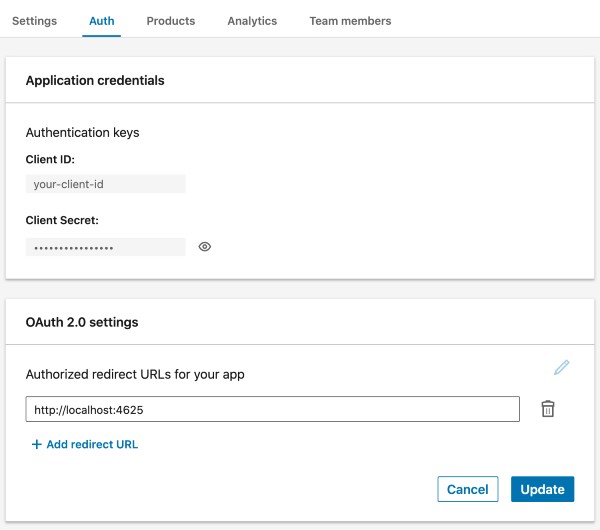
Run below command and authenticate your linkedin application for your user on the opened web dialog. Once approved your api token will be stored to ~/.linkedin/config.json file.
linkedin loginPut content between double quotes, new lines supported. Only text content supported currently.
linkedin post "Hello connections!

Sent from my terminal via linkedin-cli"Default visibility option for post command is connections. Visibility option can be set as connections or public.
linkedin post -v public "Hello world!

Sent from my terminal via linkedin-cli"python3 setup.py build