- git clone https://github.com/vkoppara/tradestore.git
- mvnw.cmd clean install
- mvnw.cmd test
- mvnw.cmd surefire-report:report #for junit and reports
- mvnw spring-boot:run
- Port 8443 (https) is opened for accessing the services
- https://localhost:8443/h2-console (for h2-console) - use url: jdbc:h2:mem:trade
-
HttpMethod: POST URL: https://localhost:8443/tradeRecords Headers: Content-Type=application/json
Example request Body:
{
 "tradeId": "T1",
 "version": 1,
 "counterPartyId": "CP-1",
 "bookId": "B1",
 "maturityDate": "21/03/2021"
}
Success Response:
{
 "tradeId": "T1",
 "version": 1,
 "statusMessage": "Inserted/Updated Successfully"
 }
 Failure Response:
 {
 "message": "Failed",
 "details": [
     "Either TradeId or Version is invalid"
    ]
 }
-
HttpMethod: GET URL: https://localhost:8443/tradeRecords Headers: None
Example Response:
[
 {
     "tradeId": "T1",
     "version": 1,
     "counterPartyId": "CP-1",
     "bookId": "B1",
     "maturityDate": "10/03/2021",
     "createdDate": "19/03/2021",
     "expired": false
 },
 {
     "tradeId": "T2",
     "version": 3,
     "counterPartyId": "CP-1",
     "bookId": "B1",
     "maturityDate": "21/03/2021",
     "createdDate": "20/03/2021",
     "expired": false
 },
 {
     "tradeId": "T4",
     "version": 3,
     "counterPartyId": "CP-1",
     "bookId": "B1",
     "maturityDate": "21/03/2021",
     "createdDate": "20/03/2021",
     "expired": false
 }
]
-
HttpMethod: GET URL: https://localhost:8443/tradeRecords/[TradeId] Headers: None
Example Response:
[
 {
     "tradeId": "T1",
     "version": 1,
     "counterPartyId": "CP-1",
     "bookId": "B1",
     "maturityDate": "10/03/2021",
     "createdDate": "19/03/2021",
     "expired": false
 },
]
| Scneario | Message | Http Response Code |
|---|---|---|
| Input record's Maturity date is in past | The Maturity Date Cannot be Older than Current Date | 500 |
| Input record's tradeId is empty or null or the versios is <= 0 | Either TradeId or Version is invalid | 500 |
| Input record's version is less than the one existing in the system | version is less than existing.. cannot be inserted/updated | 500 |
| Invalid format error e.g. Input date is not the format 'dd/MM/YYYY' | Bad Request | 400 |
| Success | Inserted/Updated Successfully | 200 |
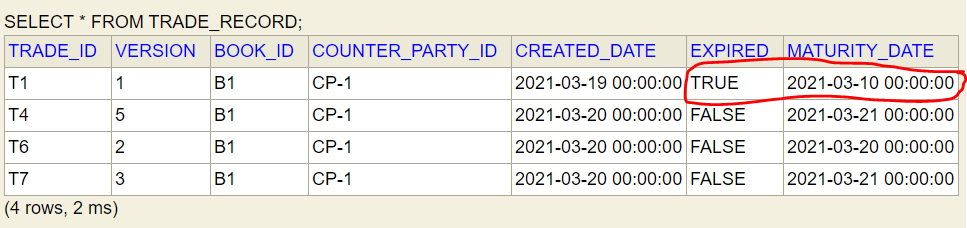
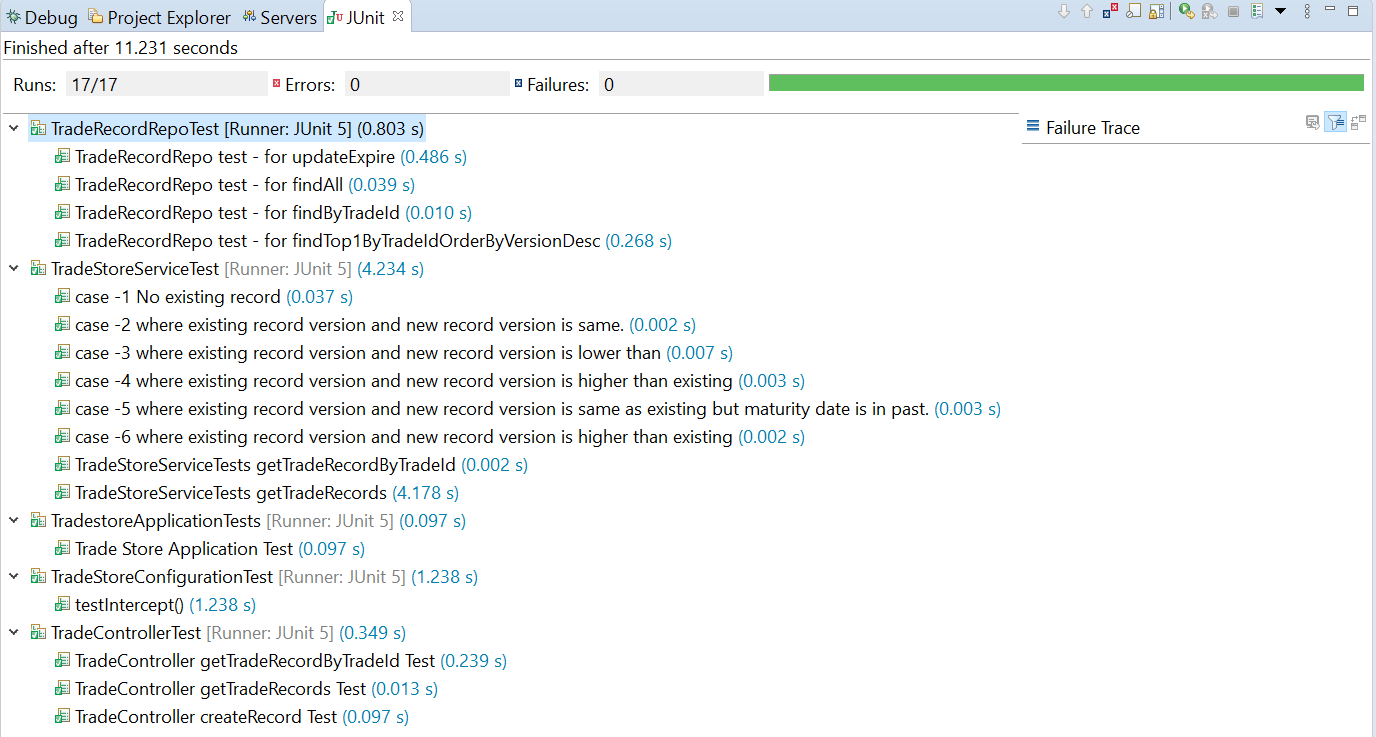
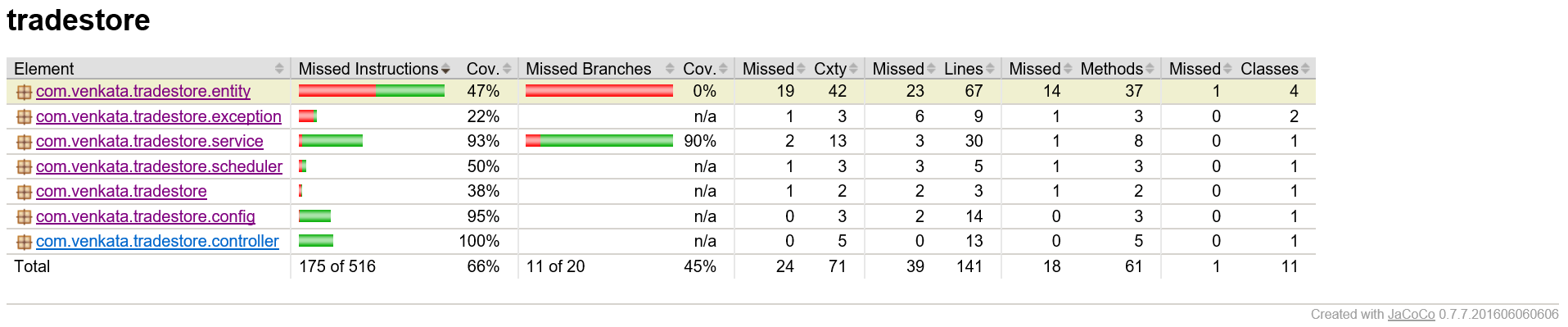
Code Coverage Report:
- Version is an integer and is not auto generated by the system. The application checks if the user provides a latest version or the version last inserted.
- The system will not update the older version of the record, except for the record with the latest version.
- The system will not allow to delete any records.
- A job runs every day at 12pm to update the expried flag based on if the maturity date is less than current date.
- Only Json format is allowed to fetch the record or insert/update the records.
- All the dates are shown in IST and dd/MM/YYYY format.
- A self-signed certificate is being used for secured http connection. The service endpoints use https and port 8443 port.
- A h2 database has been used for storing the trade store records. It is in memory database, rebooting of the application will clean the previously inserted records.
- Maven build tool has been used to build the application.
- Junits covers for all scenarios (that includes get/insert/update, JPA repository and AOP methods). The developement was not done with TDD.
- AOP has been used to intercept and to log the time taken by each method.
- Loggers (logback) has been used in this program. Both Console and File loggings are enabled.
- Create a Docker Image and plug into a CI/CD pipeline
- oAuth can be implemented for authorizing/authenticating the users that call the rest services