
Generate unique, stunning images with the power of AI, by simply describing what you want in text. All within interactive, beginner-friendly Jupyter Notebooks.
Bring your ideas to life, one prompt at a time!


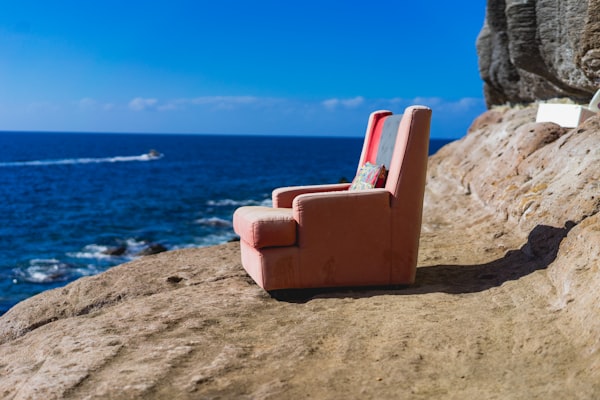
"A futuristic cityscape at sunset, digital art"
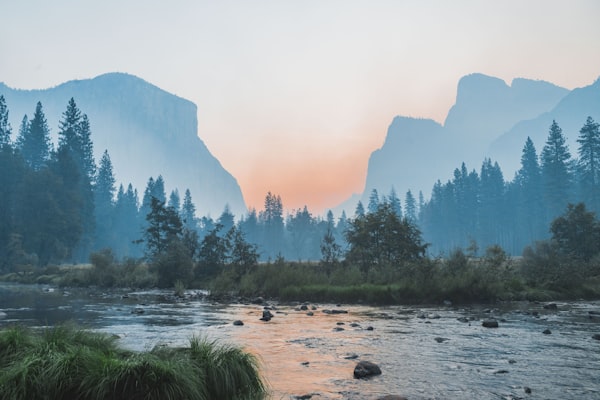
"A surreal landscape with floating mountains and rivers of gold"
| 🌟 | Feature | Description |
|---|---|---|
| 📝 | Simple Text Prompts | Describe what you imagine - the AI does the rest! |
| 🔮 | State-of-the-Art Generation | Behind the scenes: modern image synthesis models (GANs, transformers) |
| 💡 | Interactive Notebooks | Run code, view results, and experiment with parameters live |
| 🎨 | Stunning Visualizations | All generated images and analysis are shown inline |
| 🛠️ | User-Tweakable & Extensible | Try your own model tweaks, settings, or plug in new models easily |
| 🚀 | Quick Start, No Hassle | All you need is Python & Jupyter; dependencies setup is straightforward |
- Artists & Designers: Jumpstart your creative ideas with AI-generated visual references.
- Researchers: Experiment with text-image alignment, generative techniques, and dataset augmentation.
- Educators: Showcase modern AI and machine learning interactively!
- Anyone Curious: Explore the amazing world of text-to-image AI!
Python 3.7+
Jupyter Notebook or JupyterLab


# 1. Clone the repo
git clone https://github.com/willow788/Text-Conditioned-Image-Synthesis.git && cd Text-Conditioned-Image-Synthesis

# 2. (Optional) Create and activate a virtual environment
python -m venv venv && source venv/bin/activate    # On Windows: venv\Scripts\activate

# 3. Install the requirements
pip install -r requirements.txt

# 4. Run the Jupyter Notebook server
jupyter notebook
Open the main notebook (e.g.,
notebooks/Text2Image_Demo.ipynb), enter a prompt, and run the cells. Voila!
- Enter your prompt: e.g.,
"A castle floating in the clouds, watercolor style" - The notebook model encodes your text and samples an image matching your description.
- Generated images appear instantly: Visual feedback with each tweak you make!
- Experiment & iterate: Adjust parameters, try different prompts—get artistic!
Text-Conditioned-Image-Synthesis/
├── notebooks/
│   └── Text2Image_Demo.ipynb      # Main interactive demo
├── models/                        # (If present) Pretrained weights or architectures
├── generated_images/              # Output images from your runs
├── requirements.txt
└── README.md
from text2image import synthesize

prompt = "A serene forest at dawn, in impressionist style"
image = synthesize(prompt)
display(image)
See full instructions and examples in the demo notebook!
We 💜 contributions!
- Found a bug? Have a feature request? Open an Issue
- Want to add a notebook or model? PRs are welcome – see
CONTRIBUTING.mdor guidelines in the repo.
- Built upon innovations from research in text-to-image, generative adversarial networks (GANs), and transformers.
- Thanks to the open-source ML community for datasets, models, and inspiration!
This project is licensed under the MIT License. See the LICENSE file for details.