Entangled Blocks
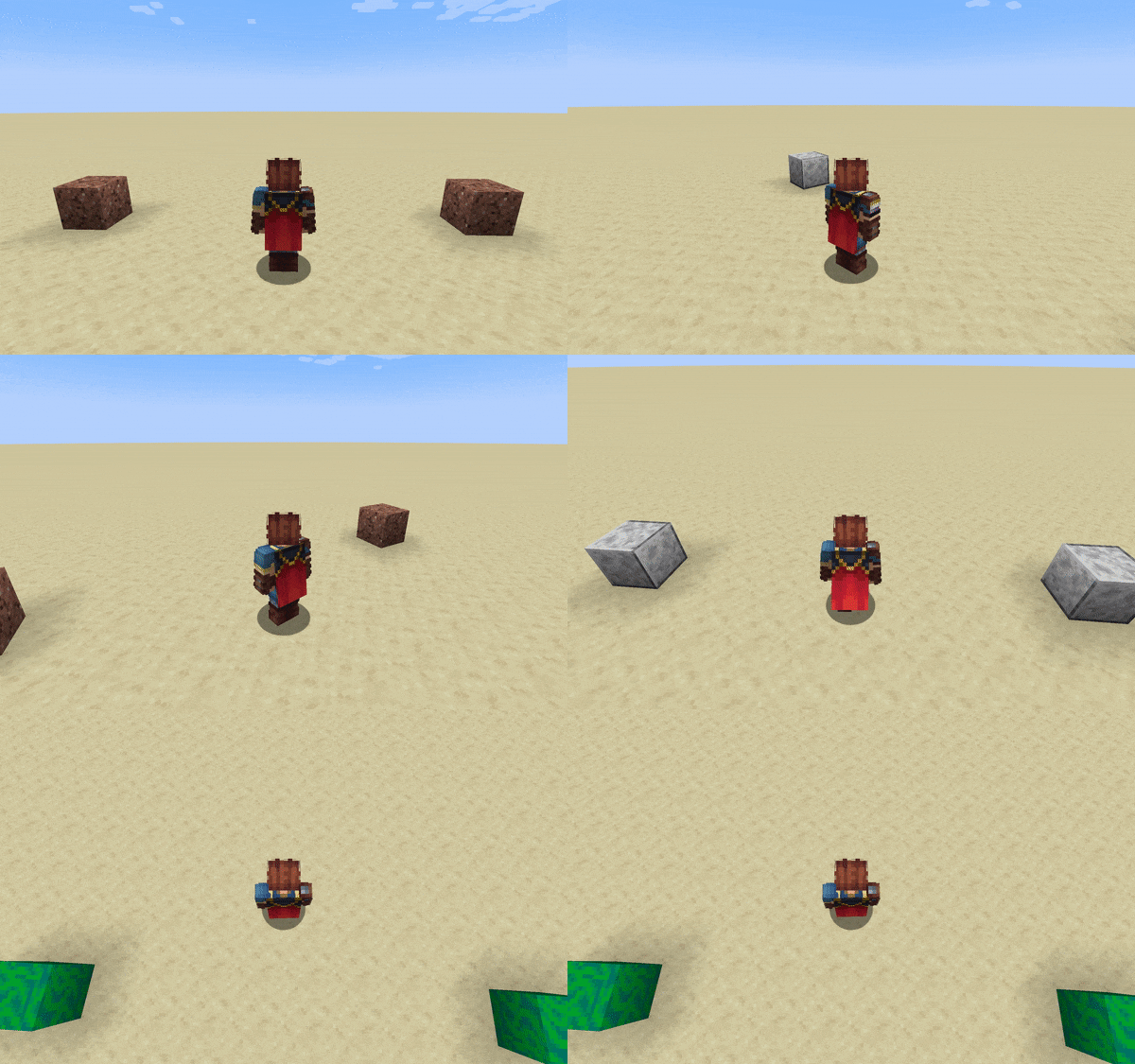
When two blocks are entangled, it means that they share the exact same state in the world regardless of where they are placed. In qCraft, you can entangle two qBlocks. Here are some basic rules about entanglement:
- Entangled blocks must be exactly the same; same qBlock type, same face configuration.
- The first qBlock that comes into a player's view is the block that dictates the entangled state.
- The starting qBlock determines the state from the observed face. Both blocks then resolve to that state.
- Following this, in a Quantum Block entangled system, the randomness does not apply to the other block.
- The entangled resolution can only be unobserved when the starting block is unobserved.
- The starting qBlock determines the state from the observed face. Both blocks then resolve to that state.
- Automated Observers respect entanglement.
To craft entangled blocks, place two of the same qBlock on the left and right of an Essence of Entanglement, as shown below:
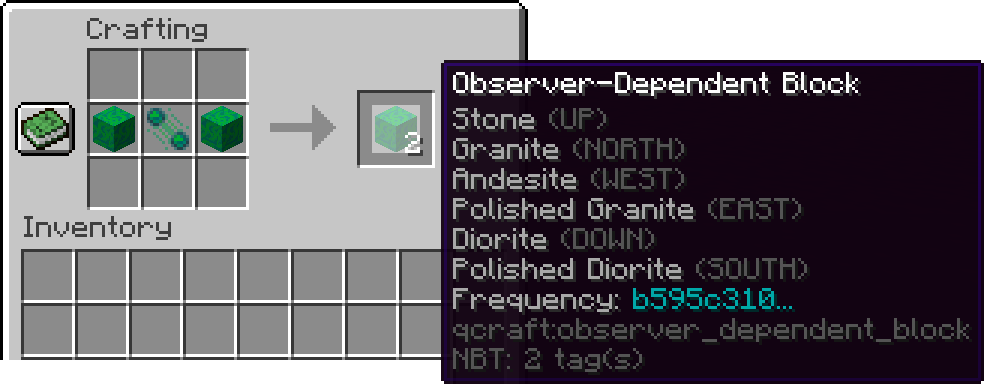
The Frequency snippet is how you'll be able to tell entangled blocks apart from regular qBlocks. They are the first characters of a UUID, so don't worry about them being unique. Here's how they behave in action: