Getting Started
All the recipes within qCraft are vanilla-compatible and fairly easy to obtain in the early game. The main resource that you'll need to gather for quantum functionality is Quantum Dust, which is dropped upon mining Quantum Ore (or its deepslate variant).
To craft qBlocks, you'll first need to craft Essences, of which there are three:
- The Essence of Observation, which creates Observer-Dependent Blocks
- The Essence of Superposition, which creates Quantum Blocks
- The Essence of Entanglement, which can entangle two qBlocks
All Essences take 4-5 Quantum Dust in different configurations to craft. Keep in mind that Essences are completely useless on their own; they are crafting ingredients for more complex behaviors.
A qBlock is a block that changes state depending on some sort of observation. There are two kinds of qBlocks: Observer-Dependent Blocks and Quantum Blocks.
An observation is performed when a qBlock comes into a player's view. If the qBlock comes into another player's view when it is already observed, it retains the original observation. A qBlock is unobserved only when no players have it in their view.
Both types of qBlocks are crafted in the same way but with different essences. Place the required essence in the center of the crafting inventory. The essence then needs to be surrounded by block items. The block's position in the recipe dictates the face for observation, like so:
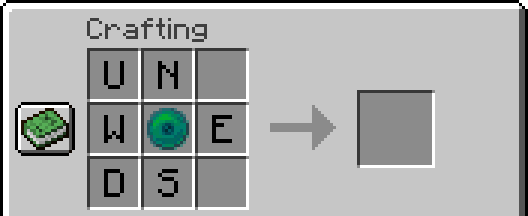
U is Up, N is North, etc.
- The central item must be a valid Essence.
- The surrounding items must be block items; that is, they can be placed as blocks in the world.
- Empty slots count as air blocks, which are valid in the crafting recipe. However, the recipe needs at least one non-air block to resolve successfully.
- The recipe does not accept other qBlocks.
- Filling any slots other than the ones demonstrated above will cause the recipe to fail.
When observed, ODBs resolve to the face the player is looking at. Below is an example recipe:
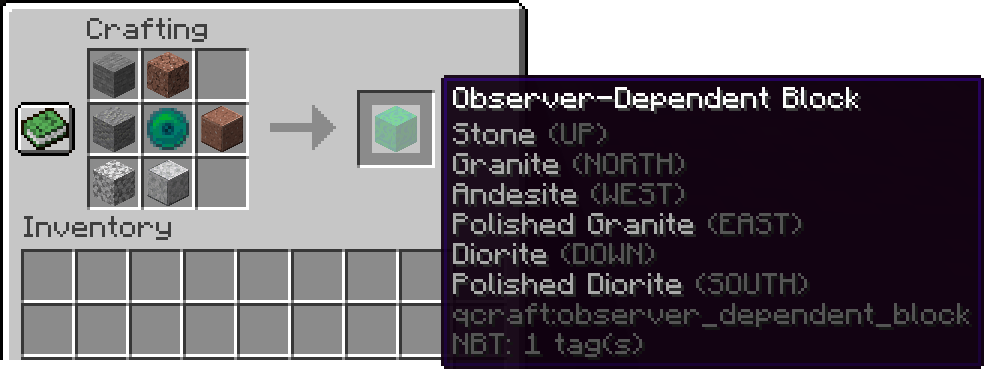
When a player looks at the North face, the block will resolve to Granite. If they then unobserve and then look at the West face, the block will resolve to Andesite. These two behaviors are guaranteed for this block, and the same rule applies for every face on an ODB.
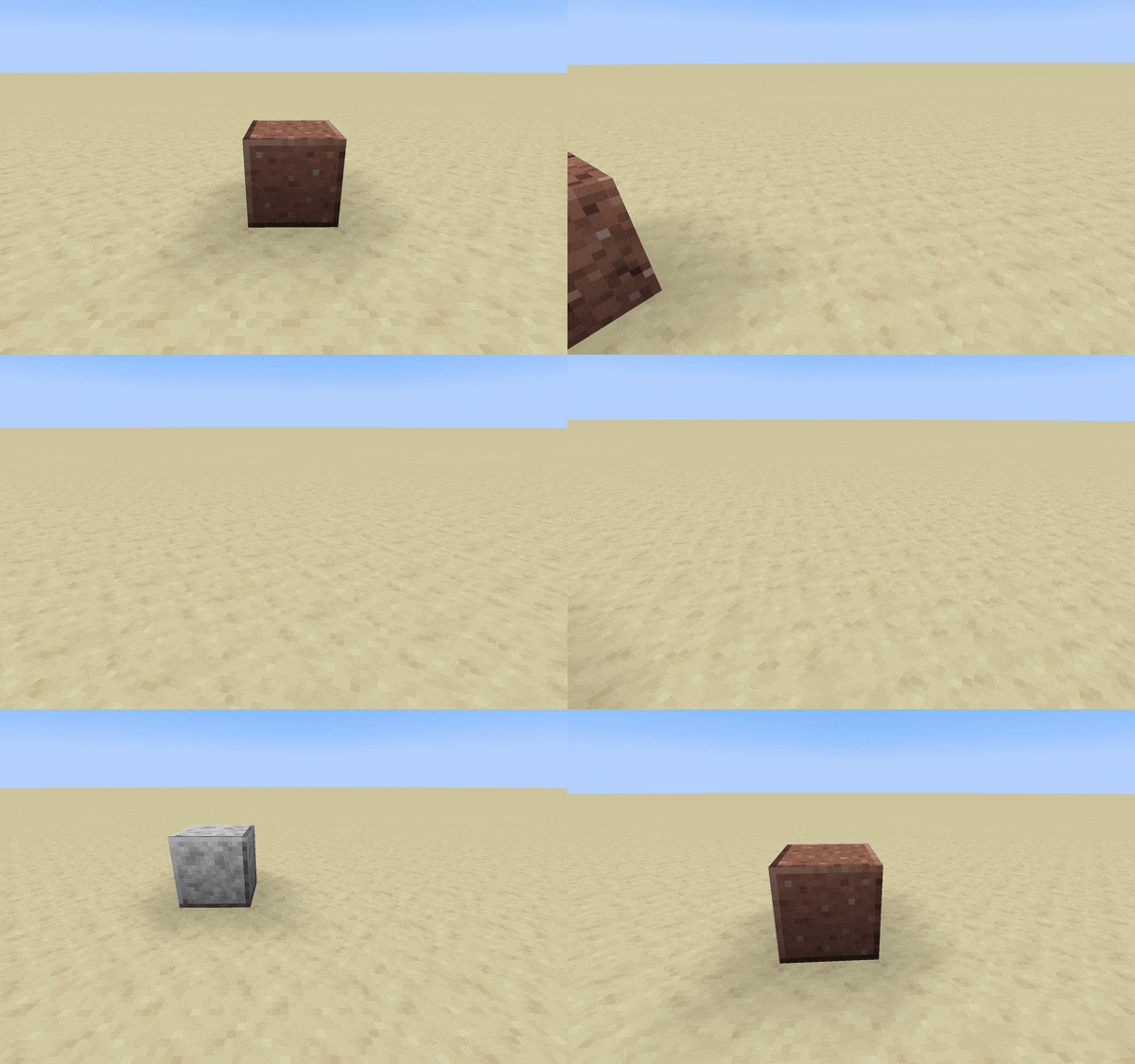
When observed, QBs resolve to the axis the player is looking that. They then choose one of the axis's faces at random. Below is an example recipe:
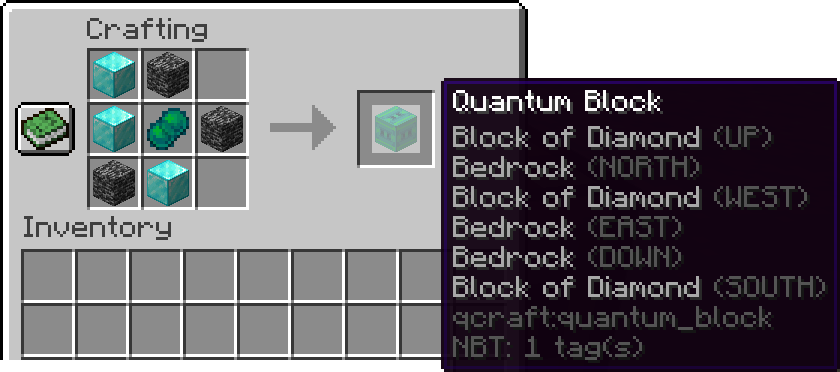
All of this QB's axes are configured identically. On any given axis, this QB will resolve to either a Block of Diamond or Bedrock.
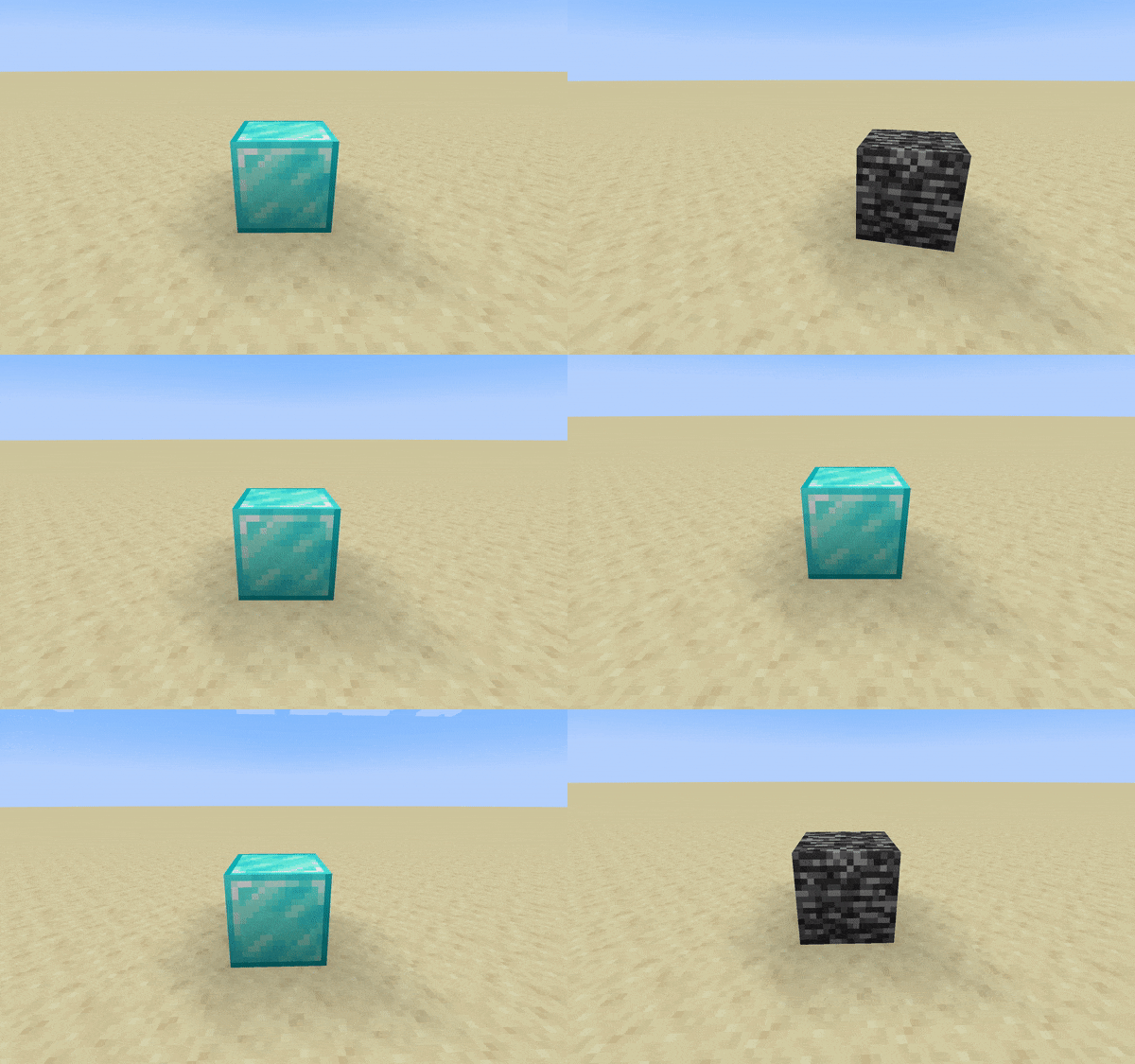
You can achieve several behaviors by using qBlocks, including:
- Phasing: by leaving spaces empty in the crafting recipe, the corresponding faces will resolve to air when observed. This results in a location that is permeable and invisible from one side yet solid from another.
- Chameleon: when a qBlock resolves one of its faces, the entire block state at that location changes; it actually becomes the block. This means that resolved states contain all properties of the original block, which can lead to some interesting mechanics both in vanilla Minecraft and with other mods.
- Randomness: since QBs resolve randomly between two faces, they can be used for boolean randomness. For example, combined with the Chameleon behavior, you could randomly power a redstone circuit when an observation occurs.
There are also a few limitations to note:
- qBlocks can be moved by pistons, and blocks that can fall, such as sand and gravel, will do so. However, these processes will remove the qBlock and leave behind the resolved block.
- Any process that allows resolved qBlocks to turn into another block will cause the qBlock to be removed: for example, if an ice block melts into water. Modifying blockstates does not remove the qBlock! If a qBlock resolved as a redstone lamp is powered, the qBlock will remain.